Nutrition Label Scanner — extract and analyze nutrition info
Scan, extract, and analyze nutrition facts from label photos automatically with CodeWords. Save hours on food data entry and instant reporting.
Example starting point only. Verify every connection and any sending, booking, inventory, approval, or handoff action before deployment.
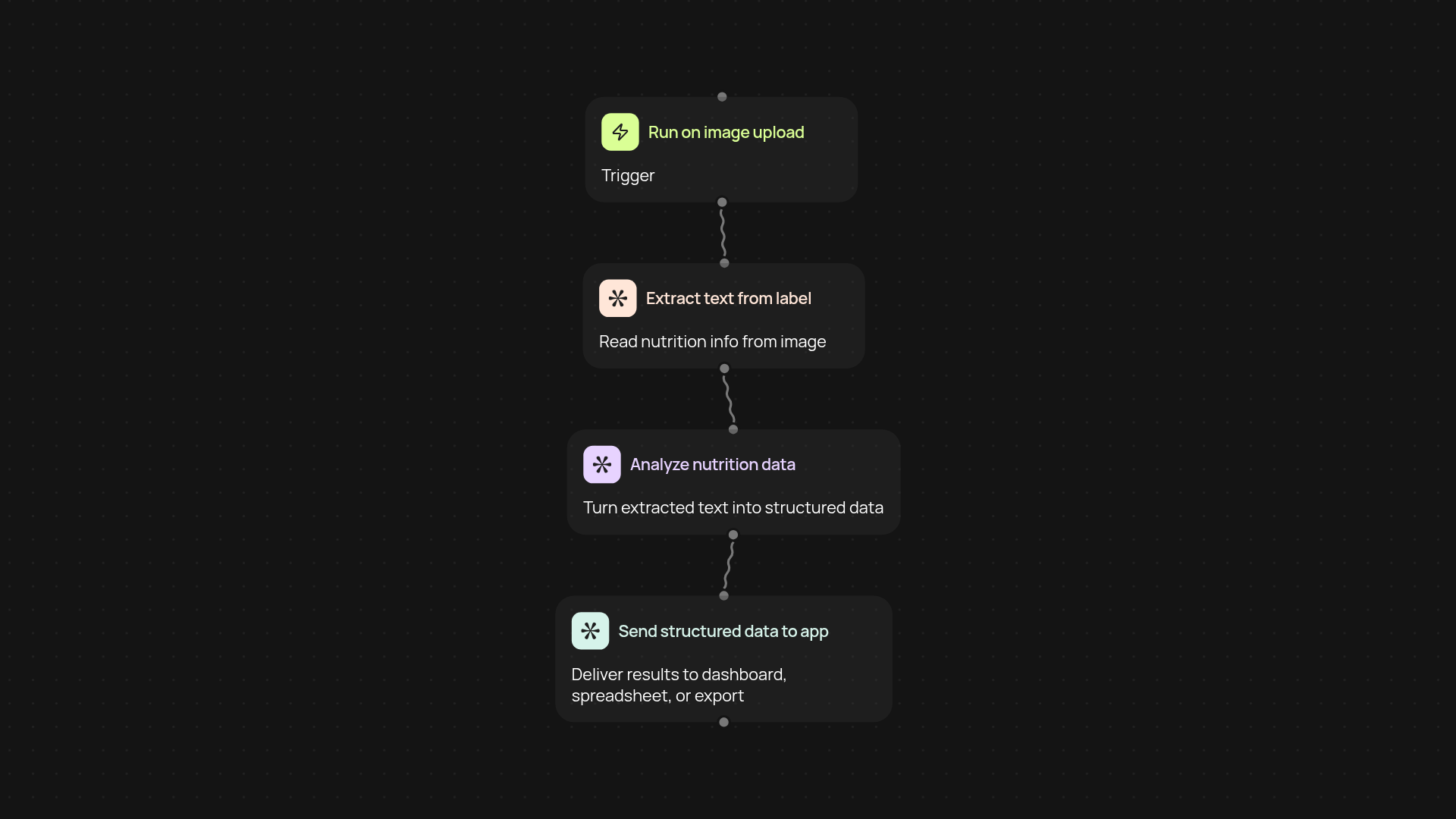
What can the nutrition label scanner do for you?
The nutrition label scanner puts food data entry automatically. Just upload a photo or image of a nutrition label, and it instantly extracts all the key facts — calories, ingredients, vitamins, serving sizes, and more. No more typing or manual data entry. Within moments, all the structured nutrition info you need appears in your dashboard or preferred tool, ready for review and reporting.
How does it extract data from images so quickly?
Our process starts by recognizing text in your uploaded label image, then analyzes the content to break out all nutrition values and ingredients. CodeWords handles this automatically, scanning for relevant numbers and text after setup and review. The results are organized and easy to use or export.
What types of labels and formats are supported?
The scanner works with standard nutrition facts labels found on most packaged foods, whether in JPG or PNG format. Complex tables and ingredient lists are read accurately. For best results, use clear, well-lit images — but the system is smart enough to deal with minor glare or angle issues.
How do you get started with the nutrition label scanner?
Getting started is simple. You just need a clear image of a nutrition label. The process begins when you upload a photo or image directly through the CodeWords platform. That’s all — you’ll see structured nutrition data extracted and ready within moments. No special setup or technical know-how required.
Get started today
Your first workflow is free to build.
Describe what you need. Cody handles the build, the connections, and the deployment.