Directory scraper to Google Sheets — extract leads
Scrape directory listings and export data to Google Sheets instantly. No manual copy-paste, powered by Gemini for smart extraction.
Example starting point only. Verify every connection and any sending, booking, inventory, approval, or handoff action before deployment.
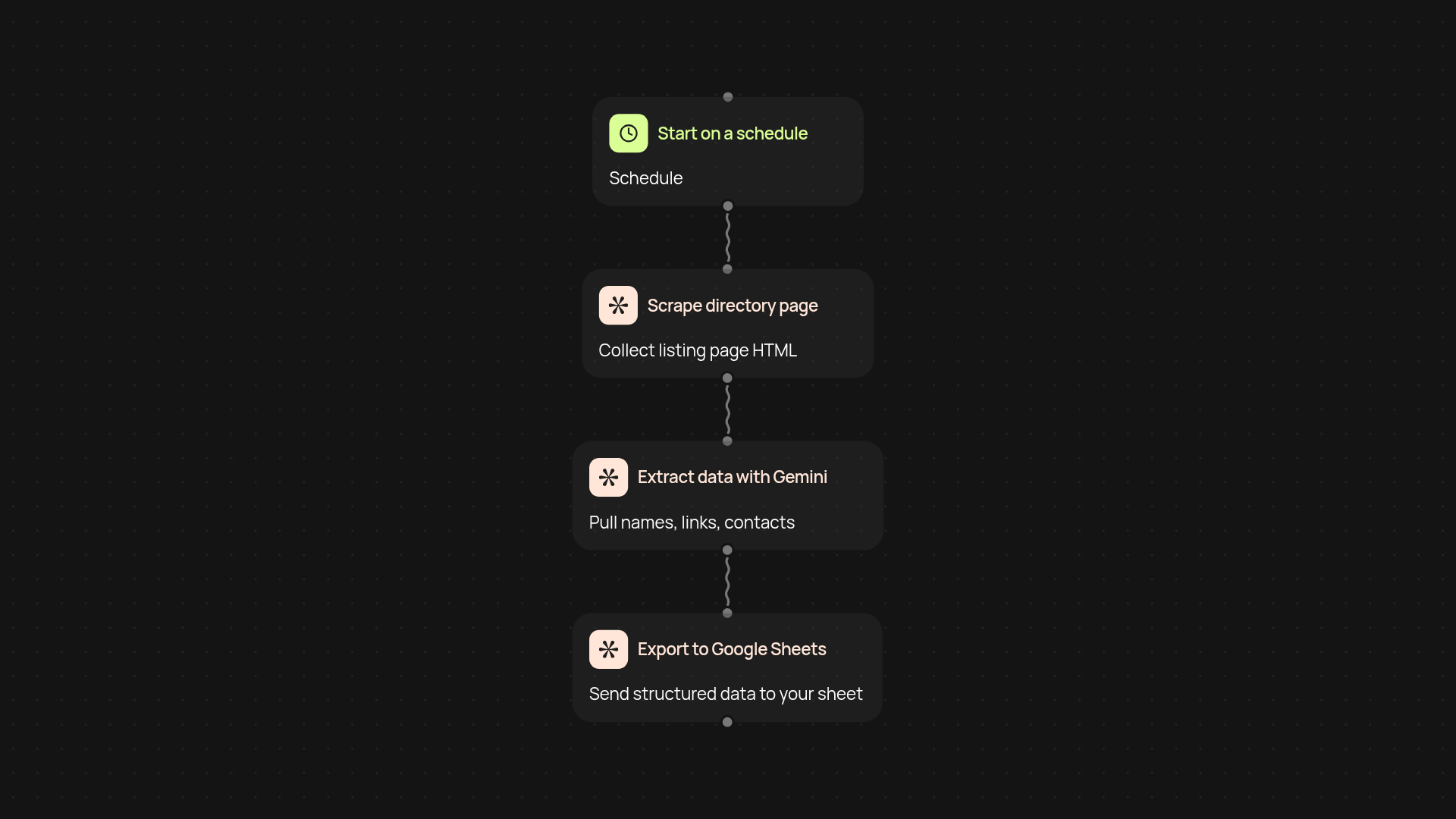
How does directory scraping to Google Sheets work?
Get directory data into your spreadsheets without the repetitive copy-pasting. This template monitors listing pages, scrapes fresh data, and extracts the right details using Gemini’s AI. Everything is sent straight to your chosen Google Sheet—just turn it on and watch your lead lists fill up automatically.
What kind of data can you export from directory pages?
You can extract names, links, contact info, and whatever details are visible in the listings. Gemini intelligently pulls out structured information even when the page layouts vary, so you get cleaner, ready-to-use data for outreach or analysis. No more sorting through messy exports yourself.
Why use CodeWords for scraping and exports?
CodeWords handles scraping, cleaning, and exporting—all running quietly in the background. No browser extensions, risky tools, or daily busywork. Just connect your listings and Sheets and let the automation do the rest. Your team can focus on reaching out instead of wrangling spreadsheets.
How do you set up directory scraping to Sheets?
Setup takes minutes. You’ll just need the URLs of directories you want to monitor and access to your Google Sheets account. Everything runs automatically after that. No coding needed—CodeWords guides you through connecting the steps. Get started and keep your data pipeline flowing effortlessly.
Get started today
Your first workflow is free to build.
Describe what you need. Cody handles the build, the connections, and the deployment.