AI Image Analyzer — smarter image analysis, reduced manual effort
Unlock image insights automatically. Detect objects, extract mood, analyze text, and get full image metadata automatically. Start with AI Image Analyzer today.
Example starting point only. Verify every connection and any sending, booking, inventory, approval, or handoff action before deployment.
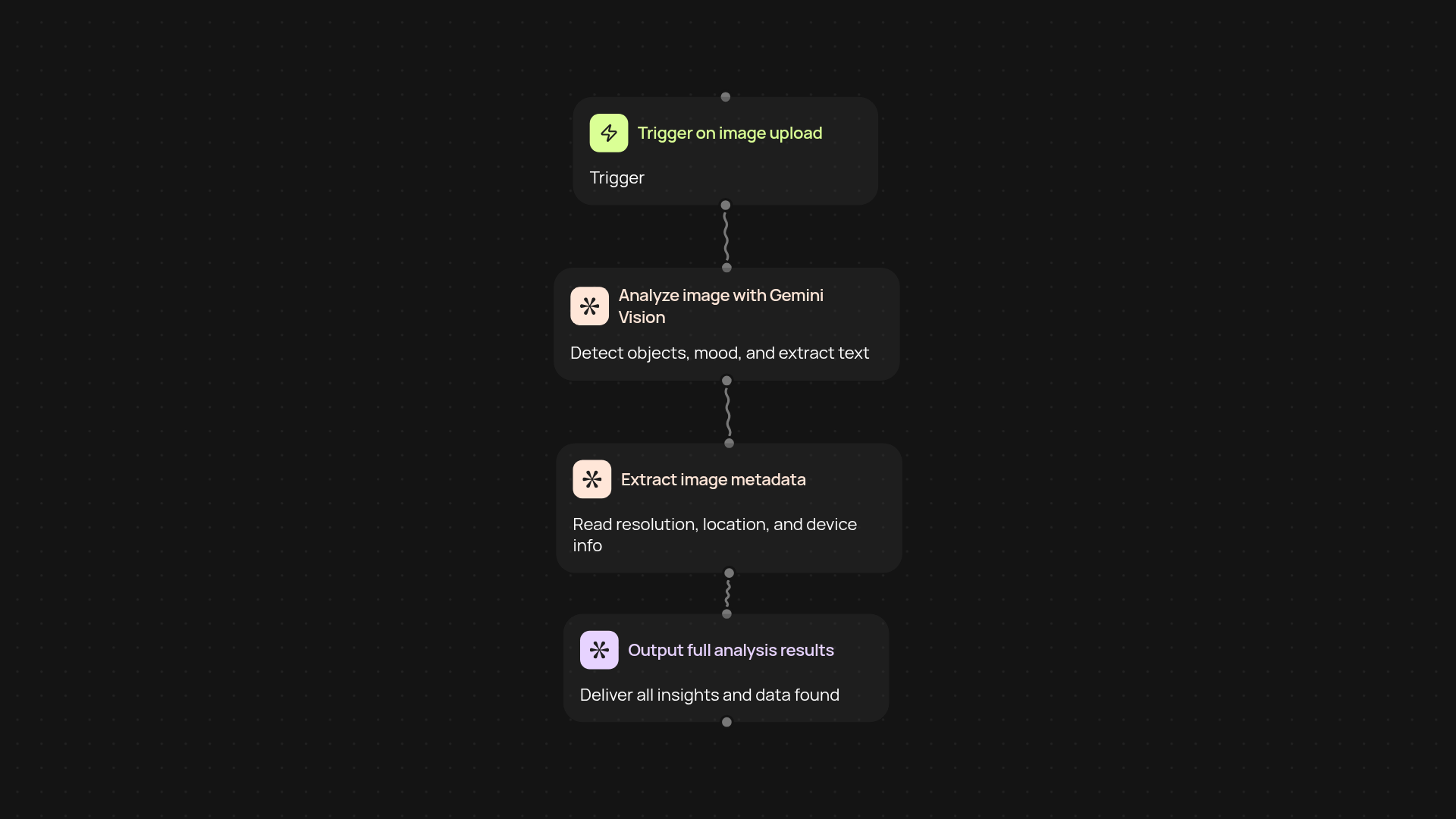
What does the AI Image Analyzer do from start to finish?
AI Image Analyzer instantly reviews your images—no setup pains, just results. It pulls in any image you provide, analyzes objects, mood, and embedded text, and gives a full metadata report. All of this happens in the background, letting you focus elsewhere while insights roll in.
How does it identify objects and extract mood in images?
The platform uses advanced vision AI to scan each image and spot objects, scenes, and even brand logos. It also reads emotional cues and overall tone using mood analysis, so you'll know not just what's in each picture but how it feels.
What kind of metadata and text details can you extract?
AI Image Analyzer delivers a snapshot of all important image metadata—date, device, resolution, location (if available), and more. Plus, it reads and converts any text found in the image, turning it into usable, searchable data for your records.
How do you set up and start analyzing images?
Getting started is quick. Choose whether images should be analyzed on a schedule, when you manually trigger a run, or automatically upon upload. You'll need image files and CodeWords workspace access—no technical know-how required.
Get started today
Your first workflow is free to build.
Describe what you need. Cody handles the build, the connections, and the deployment.