The complete guide to AI workflow programs
See how AI workflow programs automate complex processes and how to pick the right one.
 Rebecca Pearson17 min read
On this page
- What are workflow programs and why do they matter now?
- How do AI-powered workflow programs actually work?
- What are the key types of workflow programs?
- What business problems can workflow programs solve?
- How do you choose the right workflow program for your team?
- What’s next for workflow automation?
- Frequently asked questions about workflow programs
Modern businesses are built on invisible architecture — systems that connect disparate tools into a single, cohesive operation. Workflow programs are the architects of this modern scaffolding. They are software platforms that automate chains of tasks across applications, removing the friction from disconnected tools and manual work.
Struggling to connect your SaaS tools is a common pain point for operators. This friction prevents teams from moving quickly and focusing on strategic work. Adopting the right workflow program can reduce manual process times by up to 50%, freeing your team to solve bigger problems. The solution, however, isn't another complex visual builder — it's a fundamental shift in how automation is constructed.
What are workflow programs and why do they matter now?
Think of a workflow program as the central nervous system for your company's operations. It carves out logical, repeatable paths for data and tasks to follow, which keeps things consistent and reduces human error. They are the ultimate builders, constructing bridges between the isolated islands of your software stack — your CRM, email, project management tool, and analytics platform.
This is a huge deal for operators and founders. It’s about reclaiming time from repetitive work so you can focus on the strategic initiatives that actually move the business forward.
The real transformation, though, is the shift away from rigid, visual builders to flexible, conversational AI that understands plain English. Instead of dragging and dropping triggers and actions, you can now describe what you want to happen. Moving from visual to conversational is a fundamental change in how automation gets built and managed.
The shift from manual to automated systems
Not long ago, workflows were just manual processes written down in spreadsheets or buried in an internal wiki. An employee would finish a task, then have to manually ping the next person in line. It was slow, clunky, and a recipe for delays and miscommunication.
The first wave of workflow software digitized these processes, but they were often difficult to set up and too rigid to change easily. Today's AI-powered platforms are a different breed entirely. They’re built for agility, letting operators build and tweak complex automations without writing a single line of code.
The economic and operational imperative
Adopting these tools isn't just a nice-to-have anymore; it's an economic necessity. The global workflow automation market was valued at $29.9 billion in 2022 (Data-Minds Research) and is expanding rapidly. You can find more details on this trend in research from Data-Minds Research.
This growth signals a major shift. Companies aren't just automating simple tasks; they're redesigning entire workflows to handle complex, real-time demands. The result? Businesses like Greenhouse are reducing sourcing time by 70% — Greenhouse, Q3 2025.
Here’s the deal: this acceleration is happening for a few key reasons:
- More Complexity: Businesses today juggle a more fragmented collection of SaaS tools than ever before.
- Need for Speed: The market moves fast. You need to make decisions and execute quickly, and manual processes cannot keep up.
- Better Use of Talent: When you automate grunt work, your experienced team members are freed up to focus on creative problem-solving and strategic thinking.
The implication is simple: businesses that don't build an automated operational backbone will get left behind by those that do. Workflow programs aren't just about efficiency anymore. They're about building a smarter, more scalable, and more resilient organization from the ground up. This isn't just a tech upgrade — it's a new way of architecting a business.
How do AI-powered workflow programs actually work?
To understand how modern workflow programs work, think about building a house. You’re the architect, but instead of drawing up complex blueprints, you just describe what you want to an AI assistant. The platform then acts like a hyper-efficient construction crew that builds, wires, and plumbs the whole thing for you.
Instead of dragging and dropping nodes on a screen, you just describe your goal in plain English. For instance, you could say, “When a new lead fills out a form on our website, find their company on LinkedIn, add that info to our CRM, and send a welcome email.” That’s it. Large Language Models (LLMs) can now interpret these kinds of prompts with incredible accuracy.
The AI takes your intent and translates it into a series of concrete steps. It figures out which API calls to make across thousands of potential apps — from Gmail and Slack to HubSpot and Notion — and spins up a fully functional workflow in seconds.
The magic of conversational construction
What sets these new tools apart is the idea of instant setup and automatic debugging. The AI doesn’t just piece the workflow together; it can also spot problems and suggest fixes on its own. If an API key is wrong or data isn’t formatted correctly, the system can often identify the issue and propose a solution without you having to intervene.
This approach keeps you in the architect’s seat, focused on the big picture, instead of getting bogged down as a plumber or electrician fixing bad connections. The entire process, from idea to a working automation, gets a massive speed boost. For a deeper look at how these systems are structured, you might like our complete guide to workflow orchestration.
The core process breaks down into a few simple steps:
- Intent Interpretation: You give the AI a prompt in natural language. The LLM figures out the goal, the apps involved, and the right sequence of events.
- API Mapping: The platform identifies the exact integrations needed and matches your request to the right API endpoints for each tool.
- Code Generation: Behind the scenes, the AI writes the necessary logic to run the workflow, handling authentication and data mapping automatically.
- Execution and Monitoring: The workflow goes live. The system keeps an eye on it, ready to flag errors or even suggest ways to make it better.
This diagram shows how these programs turn disconnected tasks into one smooth, automated operation.
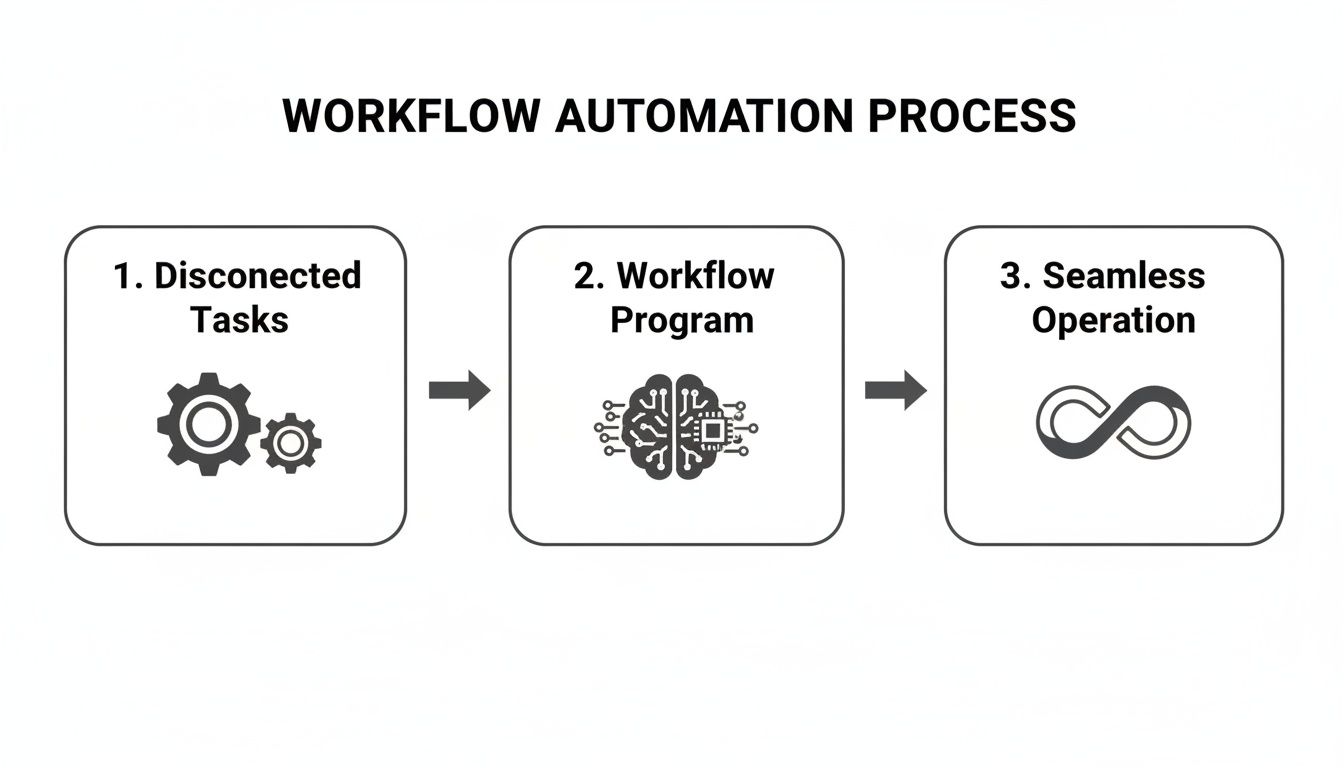
As you can see, the AI program acts as the intelligent bridge, turning isolated processes into a continuous, efficient system that just works.
From blueprint to automated reality
You might think this convenience comes at the cost of control. Here’s why that's not the case: conversational AI platforms are built for iteration. You can tweak your first prompt, ask for changes, or add new steps just by chatting with the AI. This back-and-forth is often faster and more intuitive than hunting through complex visual editors to make a simple change.
The system is designed to be a partner, not just a tool. The biggest takeaway here is speed. What used to take hours of careful setup can now be done in minutes. You don’t need to be an API wizard or a developer to build powerful automations anymore. You just need a clear idea of what you want to accomplish.
What are the key types of workflow programs?
Not all automation tools are cut from the same cloth. For anyone who's been in the trenches — founders, operators, team leads — you know that choosing the right tool is about more than just features. It’s about picking a philosophy that matches your team’s skills and how fast you need to move.
The biggest difference comes down to the building experience itself.
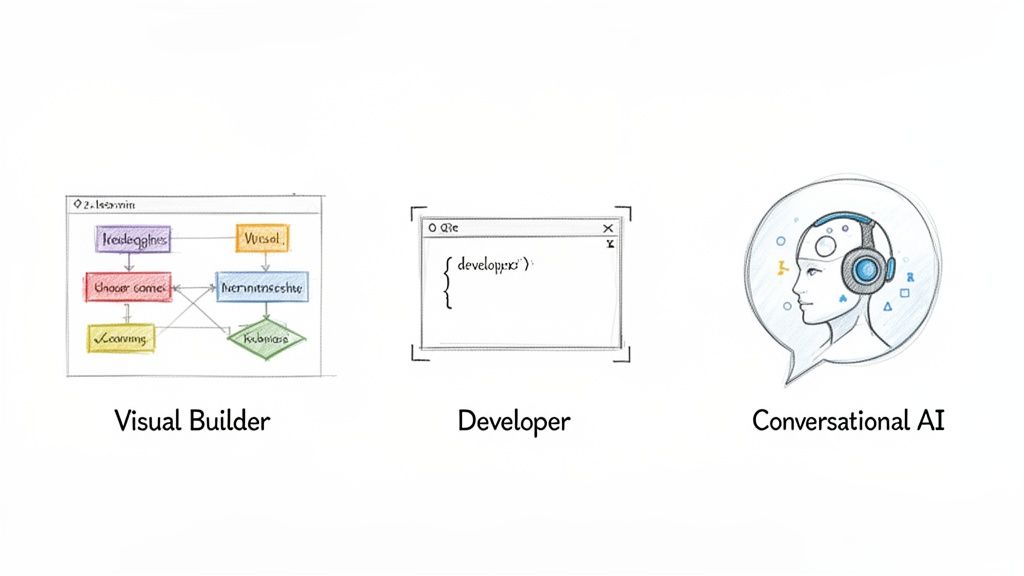
Workflow programs generally fall into three main camps. Each one serves a different kind of builder and attacks problems in its own unique way.
Visual no-code builders
Platforms like Zapier or Make are what most people picture when they think of automation. They offer a drag-and-drop canvas where you visually connect triggers to actions. It’s like building with LEGOs — you grab pre-made blocks and snap them together to create a sequence. This is fantastic for simple, linear tasks. However, there’s a problem most tools ignore: as your workflows get more sophisticated, these visual canvases often turn into a tangled mess of lines and boxes. Debugging them feels less like engineering and more like untangling Christmas lights.
Developer-focused platforms
Then you have tools built for a more technical crowd, like Pipedream or n8n. These are code-first or low-code environments where developers can write custom scripts, wrestle with APIs, and build bespoke automations. The power here is undeniable; you have near-infinite control. But all that power comes at the cost of speed and accessibility. You need at least some coding chops, which puts these platforms out of reach for most non-technical operators who just need to build and iterate fast without waiting on engineering.
Conversational AI platforms
A new approach has emerged with platforms like CodeWords. Instead of dragging blocks or writing code, you build workflows by having a conversation. You just tell an AI assistant what you want to happen, and it designs and deploys the entire automation for you. This model gives you the accessibility of no-code with the power of a developer platform. It sidesteps the rigidity of visual builders, letting you create complex, multi-step automations in seconds. You stop being a hands-on builder and become a strategic architect, directing an intelligent system to do the heavy lifting. For a closer look at the different tools, check out our comparison of AI workflow automation tools.
To nail down the differences, let’s put these three approaches side-by-side.
Comparison of workflow program architectures
Picking the right workflow program isn't about finding the single "best" tool. It’s about finding the best architectural fit for your business and the people building the systems.
What business problems can workflow programs solve?
At their core, workflow programs are problem-solving engines. The magic happens when they build intelligent bridges between the tools your team already uses every single day. Instead of seeing them as simple task-checkers, think of them as systems that take manual, error-prone work off your team's plate for good.
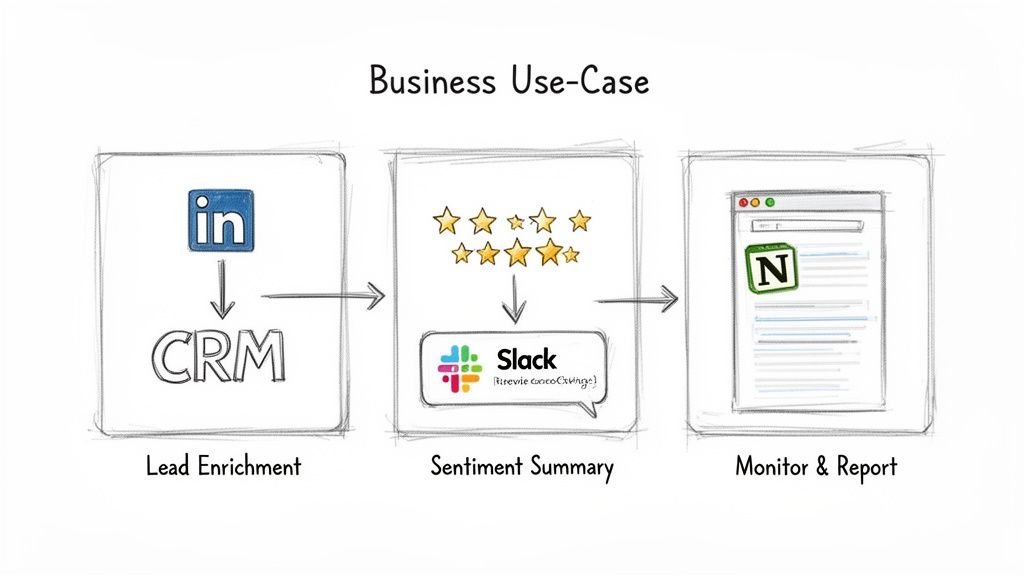
The impact isn’t small. The market for this technology is expected to hit $40.77 billion by 2031 (Mordor Intelligence, 2024). Why? Because it delivers. One recent study showed that in Singapore, 63% of ops teams use automation to cut process times by 30-50% (SBR, 2024). Your team has time to think strategically instead of getting bogged down in repetitive tasks. You can dig into more of the data at Mordor Intelligence.
Automating sales and lead enrichment
A new lead comes in, and the sales team grinds to a halt doing manual research. Someone has to hunt down their LinkedIn profile, copy-paste info into the CRM, then try to write a "personalized" email from scratch. This doesn't scale. Workflow programs put an end to that grind. You can set up a system that instantly enriches new leads, giving your sales reps the context they need the second they need it. It’s not just about moving faster; it's about making every single conversation smarter.
CodeWords Workflow: Automated Lead Enrichment
Prompt: "When a new lead is created in HubSpot, find their LinkedIn profile, extract their job title and company size, update the contact record in HubSpot, and then draft a personalized outreach email mentioning their industry."
Output: A complete workflow that connects HubSpot, a web scraping tool, and Gmail.
Impact: Saves 10-15 minutes per lead, freeing up over 5 hours per week for a sales rep handling 30 new leads.
Mining customer sentiment and feedback
Knowing what your customers really think is gold, but who has time to manually read every review on G2, Trustpilot, or Capterra? Valuable feedback gets buried, and you don't spot problems until they've already become fires.
That’s not the full story.
You can build an automated listening post. With an AI-powered workflow, the system can monitor these sites, use AI to determine the sentiment and pull out key themes, then drop a neat summary right into your team's Slack. It’s real-time intelligence with reduced manual effort.
CodeWords Workflow: Customer Sentiment Analysis
Prompt: "Every morning, check Trustpilot for new reviews of our company. Use AI to summarize any reviews rated 3 stars or lower, identify the core complaint, and post the summary to our #customer-feedback Slack channel."
Output: A daily automated report highlighting negative feedback and its root cause.
Impact: Reduces feedback analysis time from hours per week to zero, enabling faster responses to customer issues.
Monitoring competitors and market changes
Keeping an eye on the competition is non-negotiable. Did they just change their pricing? Launch a new feature? Tweak their homepage messaging? Checking their websites every day is a tedious, unreliable chore. A simple workflow can become your own personal competitive intelligence analyst. You can tell it to watch specific pages on your competitors' sites. The moment something changes, the workflow snaps a screenshot, summarizes the update, and logs it in a Notion database for your team. For a few more ideas on what's possible, check out these powerful business process automation examples.
CodeWords Workflow: Competitor Website Monitoring
Prompt: "Once a day, check our top three competitors' pricing pages for any changes. If a change is detected, take a screenshot, summarize the update, and add a new entry to our 'Competitive Intel' database in Notion."
Output: A constantly updated log of competitor pricing and positioning changes.
Impact: Turns a sporadic manual task into a reliable, automated intelligence stream, giving your strategy team a consistent edge.
How do you choose the right workflow program for your team?
Picking a workflow program isn't like choosing another app. It’s more like hiring an architect for your company's internal plumbing. Get it right, and you create a foundation that lets you scale effortlessly. Get it wrong, and you’re stuck with friction and constant bottlenecks. The most common mistake is grabbing a tool that’s either too simple for where you're heading or way too complicated for the team to actually use today.
Evaluate your integration needs
First things first: does this platform actually talk to the tools your team lives in every day? A workflow program is only as good as its connections. You need to look for both breadth (how many apps it connects to) and depth (what it can actually do with those apps). A platform can boast about thousands of integrations, but if it only supports one basic trigger for your CRM, it's useless. You have to dig deeper. Can it update custom fields? Can it handle complex data? Can it kick off a workflow based on a very specific event? The answers separate an operational hub from a simple connector.
Assess scalability and pricing models
As your business grows, your automations will too. You need a platform that can keep up without costing a fortune. Look closely at the pricing model. Are you paying per user? Per task? Per gigabyte of data? A usage-based model often makes the most sense. It lets you start small and only pay more as you see real value from your automations. You avoid getting locked into a massive contract before you’ve even proven the ROI. Also, watch out for pricing tiers that hide essential features like multi-step workflows or access to premium apps.
Prioritize ease of iteration and maintenance
Building the first version of a workflow is the easy part. The real challenge comes when you need to change it. How painful is it to fix a bug, add a new step, or swap one app for another? This is where different platforms show their true colors. Our guide on AI workflow automation tools digs into these differences. Traditional visual builders can quickly turn into a tangled mess that's a nightmare to debug. In contrast, conversational AI platforms let you just describe the change you want, and the system figures out how to rewire itself.
Consider the underlying AI capabilities
Finally, check how smart the platform itself is. Modern workflow tools are more than just dumb pipes. They’re becoming intelligent partners. Can the system spot when a workflow breaks and suggest a fix? Can it proactively find ways to make your processes run better? This AI layer is what turns a basic automation tool into a real asset for your business. Choosing a program with strong self-debugging and optimization features means your systems don’t just run — they get smarter over time.
What’s next for workflow automation?
Workflow programs are in the middle of a massive shift. They’re moving beyond just connecting tasks and are quickly becoming intelligent agents that can run entire business processes on their own. The future isn't about doing the same old things a bit faster; it’s about building a new kind of operational brain for your company — one that can think, adapt, and grow with you. This entire change is being supercharged by one thing: generative AI.
From connectors to creators
The workflow tools of tomorrow won't just shuffle data between your apps. They'll be creating content, analyzing tricky information, and even making decisions independently. This completely flips the script for operators and founders. Instead of painstakingly mapping out every single step of a process, your job becomes about setting a high-level goal and letting an AI assistant figure out how to get there. You’re no longer the architect drawing every line; you're the one commissioning the building and describing the final vision.
Intelligent, autonomous operations
This new wave of workflow programs is set to explode, with the market expected to hit $78.26 billion by 2035 (Business Wire, 2025). It’s not just hype; this growth is being driven by AI, IoT, and the cloud all working together to create smarter, more connected systems. We're already seeing the impact. Post-pandemic, 70% of businesses say automation has helped them make decisions faster, and they’re cutting operational costs by 20-30%. You can dig into the numbers in the workflow automation market forecast on Business Wire.
The implication here is huge: automation isn’t just an efficiency hack anymore. It’s a core part of business intelligence and strategy. Workflows are becoming proactive partners, not just reactive tools. Ultimately, the goal is to create systems that optimize themselves. These platforms will learn from their own performance, spot bottlenecks, and suggest improvements without anyone needing to step in. Building this kind of intelligent layer is what will separate the companies that thrive from those that just get by.
Frequently asked questions about workflow programs
Are workflow programs the same as Robotic Process Automation (RPA)?
Not quite. RPA is great for mimicking human clicks and keystrokes on older systems that don't have APIs. Workflow programs, on the other hand, connect modern, cloud-based apps directly through their APIs for a more stable and scalable connection.
Can these workflows handle more than just simple "if/then" steps?
Yes. Modern workflow programs are built for the messy reality of business operations. You can build out sophisticated workflows with multiple branches, loops, and conditional paths. With conversational AI platforms, you just describe the logic you want in plain English.
How technical do I need to be to use a workflow program?
It depends on the tool. Visual builders require system logic understanding, developer platforms require coding skills, and conversational AI platforms like CodeWords only require a clear picture of your business process. You describe the outcome, and the AI handles the rest.
How secure is my company's data with these tools?
Reputable workflow platforms use industry-standard security practices like OAuth 2.0 to connect to your apps, which means you grant access without ever exposing your passwords. All data is encrypted both at rest and in transit, so your information is secure.
The implication of this shift is clear: instead of wrestling with manual tasks, operators can now become the architects of an intelligent, automated operational core for their business. With the right tools, you can turn your ideas into powerful automations in seconds.