What is business workflow management software? A complete guide
Discover how business workflow management software transforms operations with AI and chat-native automation. Our guide covers features, ROI, and implementation.
 Rebecca Pearson11 min read
On this page
- How does workflow software work?
- How does it differ from BPM and task management?
- What core features and integrations should you look for?
- How can different teams use workflow automation?
- How do you choose and implement the right software?
- What is the future of business workflow management software with AI?
- Frequently asked questions
That nagging friction in your daily work — endless email chains, status update meetings, and manual data entry — is not just “part of the job.” It is the sound of your most valuable resources draining away. This operational drag isn't a minor annoyance; it’s a symptom of broken, undefined processes that put a hard ceiling on how fast your business can grow.
Business workflow management software is the architectural blueprint that turns disjointed actions into a smooth, unified flow. According to Mordor Intelligence (2024), the workflow automation market is projected to reach over $40 billion by 2031, signaling a massive shift away from manual processes.
Imagine turning that operational chaos into a predictable, automated system. The promise of this software is a structured way to design, run, and monitor the sequences of tasks that move your business forward. The solution isn't just another tool; it’s a counterintuitive approach that starts with a simple conversation, not a complex diagram.
How does workflow software work?
At its core, business workflow management software is a system for creating digital blueprints for all your repeatable processes.
Think of yourself as an architect designing a building. You wouldn't let the construction crew decide where to put walls on the fly; you’d create a detailed plan to ensure everything connects perfectly. This software is that plan for your operations, letting you define a series of steps or tasks that must happen in a specific order to hit a goal.
Here’s the deal:
- Visual Workflow Builders: Simple drag-and-drop tools to map out process steps and decision points.
- Automation Engines: Rule-based triggers that push tasks from one stage to the next without human intervention.
- Forms and Data Collection: Standardized ways to capture the right information at the start of a workflow.
- Reporting and Analytics: Dashboards to see how things are running, spot bottlenecks, and measure efficiency gains.
This shift toward structured workflows isn't a small trend. The market was valued at $13.4 billion in 2025 and is projected to skyrocket to $158.6 billion by 2035 (Precedence Research, 2024). This surge reflects a fundamental recognition that manual, ad-hoc processes cannot keep up with modern business. You can read more about the workflow management software market trends.
A good platform acts as the connective tissue for your SaaS tools, ensuring data flows seamlessly between your CRM, project management tool, and communication channels. It allows an architect to build not just a single structure but an entire, integrated campus where information moves freely and intelligently.
How does it differ from BPM and task management?
It’s easy to hear "workflow management" and lump it in with a glorified to-do list. That's a common misconception. While related, these terms represent different tools for building a better business, each designed for a specific job and scale.
Picking the right one is everything.
Trying to run a core business process with a simple task manager is like trying to build a skyscraper with a handful of bricks. Conversely, using a massive BPM suite for daily team coordination is like pulling out a city master plan just to decide where to put a desk.
- Task Management is about individual bricks. Tools like Todoist or Asana are fantastic for managing standalone tasks but don't care about the sequence or handoffs between them.
- Business Process Management (BPM) is the city's master blueprint. This is a high-level, strategic discipline focused on overhauling entire end-to-end operations. It tackles huge questions like, "How do we redesign our entire supply chain?"
- Business Workflow Management Software is the architectural plan for a single building. It sits perfectly between the brick and the city plan. This software designs and automates the repeatable sequences of tasks that make up a specific process.
This is what turning operational chaos into an ordered, repeatable system looks like.
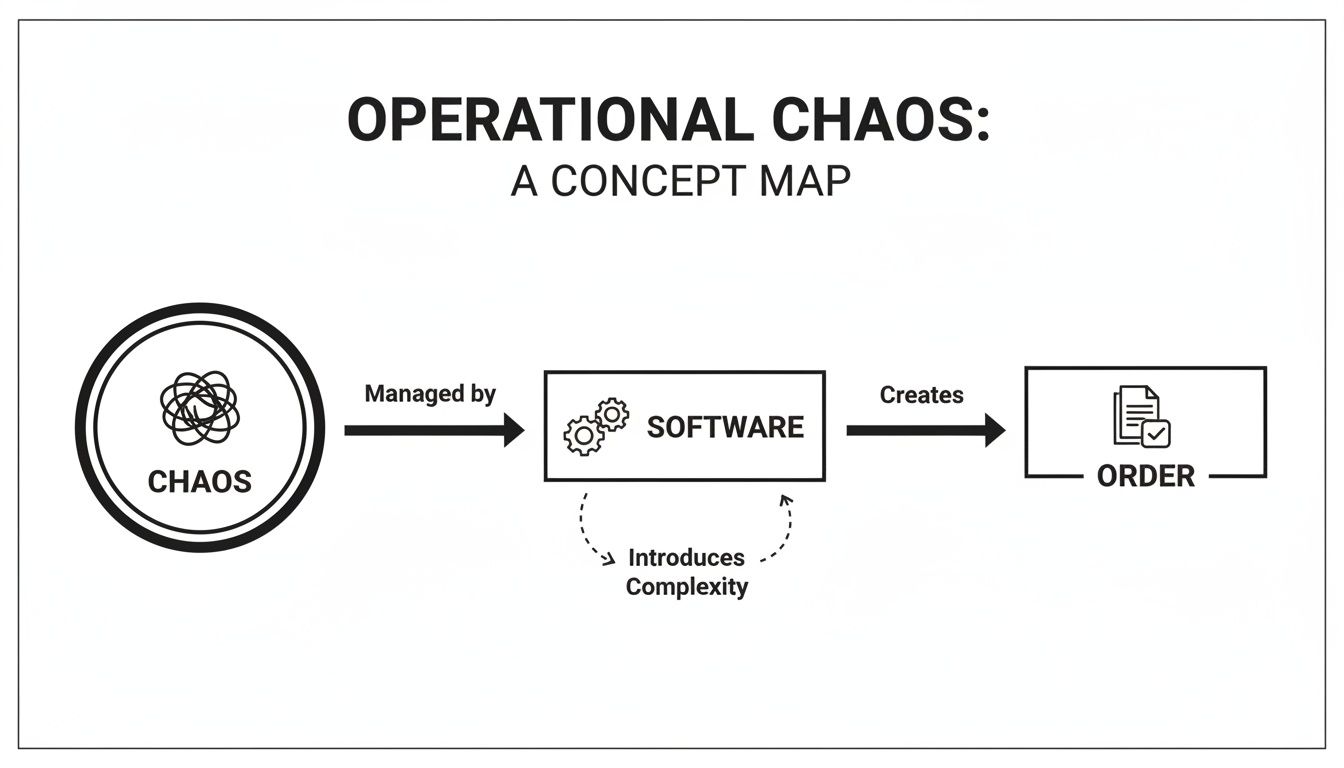
The tangled mess of inefficiency on one side and the streamlined, orderly result on the other. That transformation is exactly what these tools are built to deliver. To make the differences clearer, here’s a direct comparison.
What core features and integrations should you look for?
Choosing a workflow platform feels like hiring an architect. It's easy to be wowed by a flashy portfolio, but you need to inspect the toolkit and blueprints. The right software isn't just a grab-bag of features; it’s the foundation for building smarter ways of working.
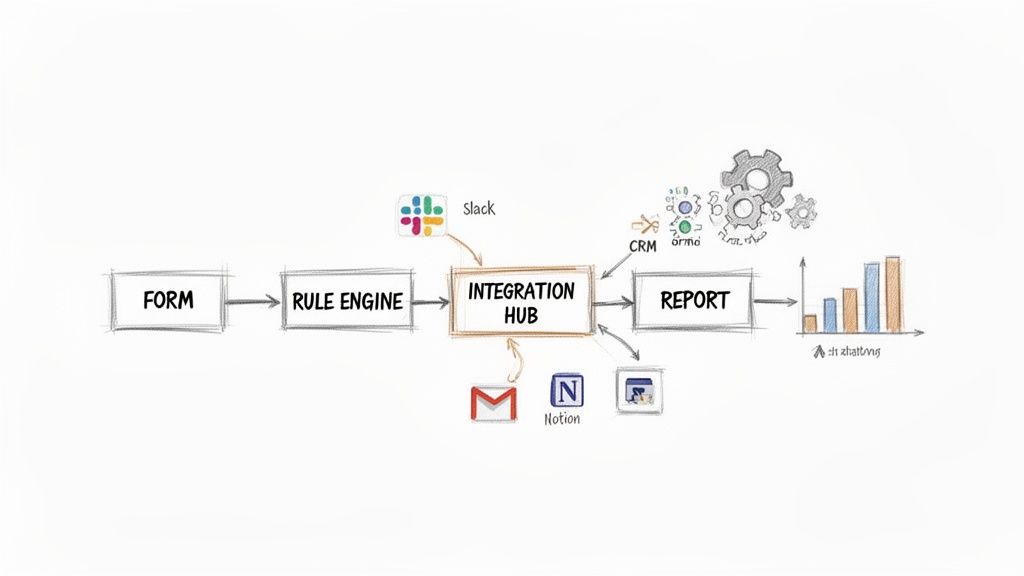
When evaluating platforms, a few components are non-negotiable. Think of these as the steel frame of your building.
However, there’s a problem most tools ignore.
Most people fixate on core features, but the integration layer is where real value gets unlocked. A visual builder is nice, but a platform’s ability to act as the connective tissue for your entire tech stack creates massive productivity gains. It is no wonder that 84% of businesses say integration challenges are a primary roadblock to success (MuleSoft, 2022).
A workflow tool with a weak integration library is like an architect designing a building with no doors. It might be perfectly structured on the inside but is completely cut off from the world. A deep integration library transforms a simple tool into a central nervous system for your company. This is why platforms that support thousands of apps have a huge advantage. You can check out our list of CodeWords integrations to see what deep connectivity looks like.
This is where theory hits the road. An integrated system allows you to build powerful, multi-app automations that handle the grunt work so your team can focus on what matters.
CodeWords Workflow: Automate Lead Processing and Sales Notification
Prompt: "When a new lead fills out our Typeform, add their details as a new row in my Google Sheet called 'Leads Q3'. Then, create a new deal in HubSpot with that contact's information. Finally, send a message to the #sales channel in Slack with the lead's name, company, and a link to the HubSpot deal."
Output: A fully configured, multi-step workflow connects Typeform, Google Sheets, HubSpot, and Slack.
Impact: Manual lead processing time drops from 10 minutes per lead to zero. Plus, the instant follow-up can boost conversion rates.
This kind of cross-platform orchestration is only possible when you treat integrations as a first-class citizen. It’s the difference between building isolated automations and architecting a truly connected business.
How can different teams use workflow automation?
Workflow management software isn't built for just one department. Its power comes alive when different teams use it to build better ways of working, eliminating friction and finding new gears of productivity. Instead of working in silos, teams can create automated pathways that connect their work.
For marketing teams, this means automating content approvals. A writer adds a draft to a Notion database, instantly creating a task for the editor. Once approved, the social media manager gets a ping in Slack with final assets. An e-commerce brand, for instance, can see a 30% reduction in campaign launch time within three months by automating its content workflow. A workflow can also watch an approved content calendar in Google Sheets and push new posts to a tool like Buffer, keeping social channels active without manual daily effort. These automated systems act as the plumbing for the marketing department.
That’s not the full story.
For sales, speed and consistency are everything. Let a new lead wait too long, and you open the door for a competitor. A B2B tech startup can achieve a 20% bump in lead conversion rates in a single quarter by automating the first steps of its sales funnel. This isn't about replacing salespeople; it's about building a system that lets them focus on conversations, not admin. The workflow automation market's growth is fueled by teams building smarter follow-ups and connecting vital tools, with over 80% of organizations planning to increase automation spend (Gartner, 2023).
For operations, employee onboarding is a classic puzzle. A fast-growing agency can slash new hire onboarding time by 40% in two months by automating the checklist. An HR manager adds a new hire's name to a spreadsheet, triggering the workflow. It sends a welcome email, creates software accounts, and invites them to Slack channels. By scripting these critical processes, ops teams deliver a consistent experience. For more ideas, we've gathered other powerful business process automation examples.
How do you choose and implement the right software?
Choosing a business workflow management tool can feel like staring at a wall of complex blueprints. It’s easy to get lost and assume you need a dedicated IT team.
You might think you need a massive, top-down overhaul. Here's why not. Modern tools, especially chat-native platforms, are built for quick wins. The best approach is finding one point of friction in your daily work and building a small solution that delivers value in hours, not quarters. Start small to demystify the process and build team confidence.
Here’s what really matters when evaluating software:
- Ease of Use: Is the interface intuitive? A complex drag-and-drop builder often has a steep learning curve. In contrast, a chat-native tool like CodeWords lets you describe what you want in plain English.
- Integration Depth: A platform is only as good as its connections. Check if it supports the apps your team lives in every day.
- Scalability: The workflow you build today needs to handle 10x the volume tomorrow without breaking.
- Pricing Model: A usage-based model is often more flexible than per-seat pricing, as you only pay for what you automate.
This methodical approach helps you learn how to streamline business processes without getting overwhelmed. The real ROI comes from second-order effects. By automating document approvals, businesses can reduce process cycle times by an average of 82% (Forrester, 2023). This accelerates decision-making and shortens sales cycles. When you measure success, track metrics like error reduction, faster cycle times, and improved consistency. These numbers show you’re building a more reliable and effective business.
What is the future of business workflow management software with AI?
Most believe the future of workflow software is just about speed — making the old assembly line run faster. The opposite is true. The real shift is about building entirely new kinds of automated systems that were not possible before.
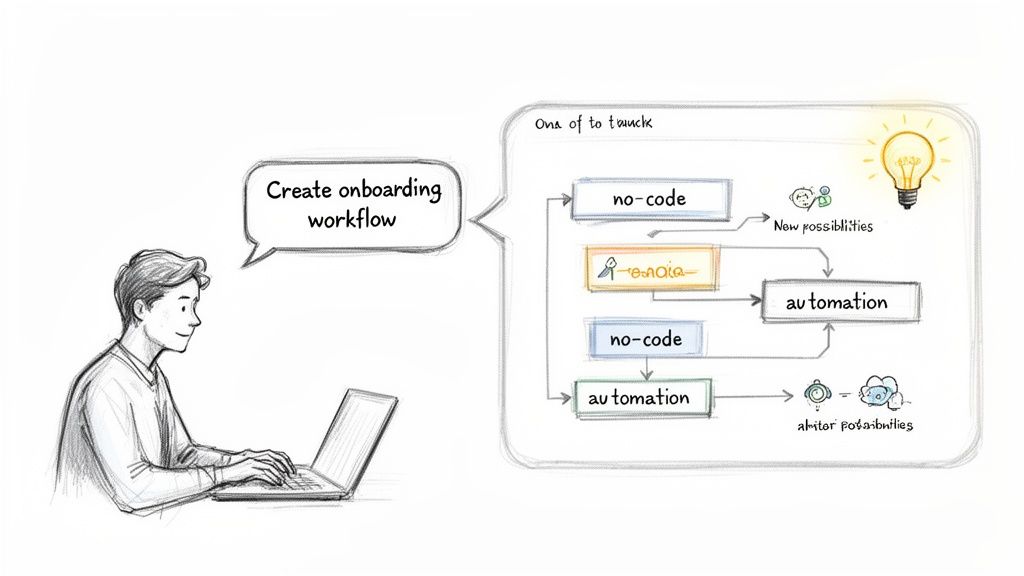
This change is happening as we move from visual builders toward conversational, chat-native interfaces. The old way forced you to think like a machine. The new way lets you think like a human. Instead of fighting with a clunky editor, you can have a conversation with an AI assistant that does the heavy lifting. This conversational layer changes everything. Building a workflow goes from a technical chore to a creative act.
This shift opens the door to workflows that are smarter and more flexible. AI-powered workflows can make decisions, summarize information, and even create content on the fly. Cloud-based systems are set to grab 67.9% of the market share by 2025, because businesses need tools that are easy to access and can grow. As this tech improves, 69% of what managers do today could be fully automated by 2024 (Gartner, 2022), giving them more time for strategy. You can learn more about these workflow management system trends.
This evolution completely reframes the purpose of business workflow management software. The goal is no longer just about squeezing out efficiency. It is about creative empowerment. When anyone with an idea can build a complex automation in seconds, the whole organization becomes faster and more innovative. The power to design complex operational systems no longer belongs only to people with technical skills. It belongs to anyone who understands a problem and can explain how to solve it. This is the future of work.
Frequently asked questions
Can small businesses benefit from business workflow management software?
Yes. The idea that workflow automation is only for large corporations is a myth. Modern cloud-based and chat-native tools are built for small businesses, offering flexible, usage-based pricing so you don't need a huge upfront investment or an IT team.
How long does it take to set up a workflow?
With today's platforms, you can get a simple workflow running in minutes, not weeks. The era of long implementation projects is over. Tools with template libraries and AI assistants let you automate tasks like email labeling almost instantly.
What is the biggest mistake companies make with workflow automation?
The most common trap is trying to automate a messy, poorly understood process from the start. This is a recipe for frustration. The best approach is to start small. Pick a simple, well-defined workflow to score a quick win and build momentum.