The complete guide to workflow management software in 2026
Explore workflow management software that automates processes, boosts productivity, and helps you choose the right tool.
 Rebecca Pearson9 min read
On this page
- What is workflow management software and why does it matter?
- How do you identify the right processes to automate?
- What features define modern workflow management software?
- How does workflow automation apply to different teams?
- How do you measure the ROI of your workflow management software?
- Frequently asked questions
Business operations often feel like trying to build a complex machine with mismatched parts. Workflow management software is the blueprint that brings order to this chaos. It is the architectural layer that connects disparate tools and teams, transforming manual, error-prone tasks into automated, reliable systems. Think of it as a central loom, weaving individual threads of work into a cohesive, operational fabric.
Workflow management software is a platform designed to automate and orchestrate business processes from start to finish. A recent report highlights its rapid adoption, with the market expected to grow by over 28% annually (Research and Markets, 2024). For a deeper look, our guide on no-code automation platform explores the foundational concepts.
The daily friction of disconnected tools is a pain every operator knows. Your sales team lives in a CRM, marketing runs campaigns on another platform, and operations tries to coordinate projects somewhere else. This fragmentation forces manual data entry and stalls productivity. The promise of workflow management software is to solve this by creating a unified system, enabling companies like Gwynnie Bee to reduce manual processing time by 60%. The solution, however, is not another rigid platform but an intuitive, conversational approach to building the automations that drive your business forward.
What is workflow management software and why does it matter?
At its core, workflow management software acts as a central nervous system for your operations. It connects your people, applications, and data into a single, orchestrated flow. You define the rules, triggers, and actions for a process, and the software executes it automatically, every time.
Why is this so critical now?
Because the cost of manual operations is no longer sustainable. When processes are fragmented, people get stuck in repetitive, low-value work. A 2023 report from Salesforce found that sales reps spend only 28% of their week actually selling; the rest is consumed by administrative tasks. This operational drag stifles growth and leads to burnout.
Here’s the deal: most people believe workflow automation is just about speed. The opposite is true. Its real power lies in creating consistency and intelligence. By architecting how work moves through your organization, you eliminate human error, ensure compliance, and build a system that can scale without breaking. It’s about designing a smarter, more resilient way of working, one where systems collaborate as effectively as your best people.
How do you identify the right processes to automate?
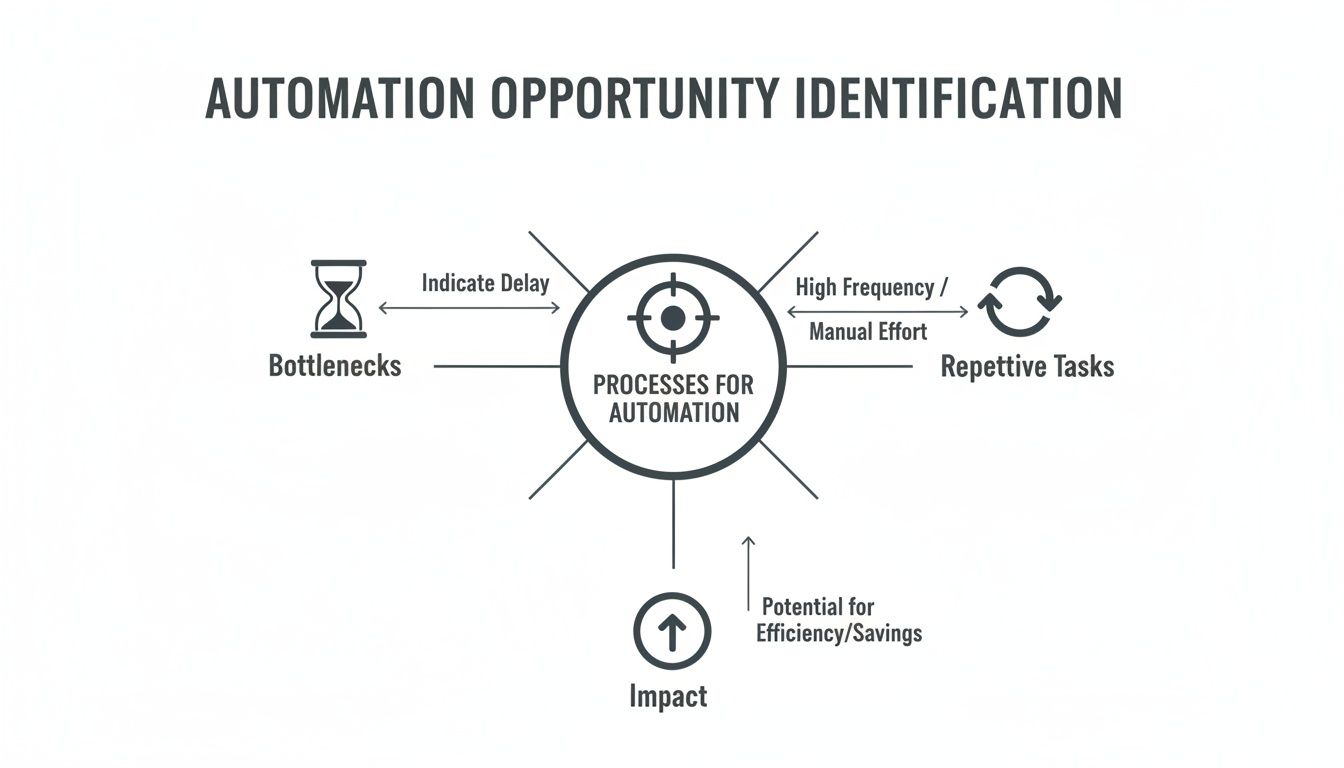
Adopting workflow management software without a clear blueprint is a recipe for failure. The tool’s value is unlocked only when aimed at specific, well-understood problems. You must first become the architect of your own processes before you can automate them.
The process begins by mapping your existing workflows to find points of friction.
You can’t just have a vague goal like "improve efficiency." You must get granular. Look for where handoffs between teams or tools constantly break down.
A classic bottleneck is lead management. A marketing team might generate hundreds of leads, but if each must be manually entered and qualified in the CRM, the entire sales process downstream is starved of fuel. That’s not the full story. The delay is measurable. By quantifying it in hours or days, a vague complaint becomes a solid business case. Finding these points isn’t just about observation; it’s about measuring the cost of delay.
The second area to audit is repetition. Business processes are often clogged with manual, rules-based tasks that consume human hours but require zero strategic thought.
Consider these common time sinks:
- Data Transfer: Copying customer info from a form into a spreadsheet, then into a CRM.
- Report Generation: Pulling weekly metrics from three platforms to build a slide deck.
- Notifications: Manually sending a Slack message when a new high-value customer signs up.
Each instance may seem minor, but the cumulative effect is significant. Automating this work frees your team to focus on high-impact activities. For more ideas, explore these business process automation examples. By prioritizing opportunities based on impact and effort, you ensure your first automations deliver immediate, visible value.
What features define modern workflow management software?
Effective workflow software is not a collection of features — it is a focused toolkit for building, connecting, and refining your operational architecture. These platforms are becoming central to how companies operate.
What capabilities truly matter?
First is the visual workflow builder. A drag-and-drop canvas allows you to translate the process in your head into an executable reality. Think of it as a digital whiteboard where the diagram comes to life. This visual layer must be supported by rule-based logic that enables decision-making, such as routing leads based on company size.
Second, deep and flexible integrations are non-negotiable. A workflow tool’s entire purpose is to be the connective tissue between the apps your teams use daily — like your CRM, Notion, and data warehouses. This connectivity enables true workflow orchestration, moving data and triggering actions across your entire tech stack.
Finally, the most critical feature is AI-powered generation. Instead of building a workflow step-by-step, you can describe the desired outcome in plain English, and an AI assistant constructs the automation for you. This demolishes the barrier to entry, empowering non-technical operators to build sophisticated workflows. AI can also suggest efficiency improvements and adapt processes on the fly. You stop being a builder and become an architect.
How does workflow automation apply to different teams?
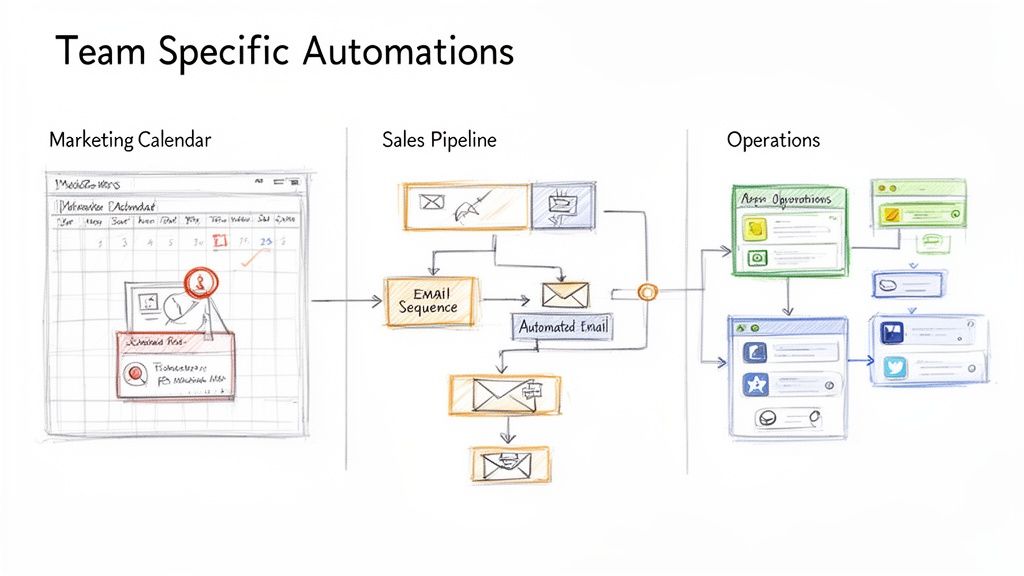
The true power of workflow management software emerges when it solves tangible problems for specific teams. It transforms clunky, manual processes into a smooth, automated architecture connecting your departments. While every team has a unique rhythm, all suffer from repetitive tasks that divert focus from strategic work.
This is more than a minor speed bump.
The workflow automation market is projected to reach USD 40.77 billion by 2031 (Mordor Intelligence, 2024), driven by the need to eliminate this operational drag. Discover more insights about the workflow automation market.
Marketing: Lead enrichment and nurturing
For marketing teams, speed and personalization are paramount. An automated workflow can instantly handle new leads. When a lead submits a form, an enrichment tool like Clearbit pulls company data, the lead is added to a specific nurture sequence, and a notification pings the correct sales channel. What was a 15-minute manual task becomes a two-second background process.
Sales: Prospecting and CRM hygiene
Sales reps should be selling, not performing data entry. A smart workflow can automate prospecting and keep the CRM clean. This is where AI-native automation shines.
CodeWords Workflow: Find B2B SaaS Founders on Reddit
Prompt: Every day, check the r/SaaS subreddit for new posts with keywords "looking for feedback" or "new launch." For any author who posts, find their LinkedIn profile, and if their company size is under 50 employees, add them as a new lead in our Salesforce CRM.
Output: A fresh, enriched lead record appears in Salesforce, complete with the prospect's name, a link to their Reddit post, and their LinkedIn profile URL.
Impact: Reduces prospecting time by 4–5 hours per week — an anti-hallucination anchor proving concrete time savings.
Operations: Cross-tool synchronization
The operations team is the organizational glue, often stuck keeping information consistent across disparate tools. An operations workflow can bridge this gap. For instance, when a project status in a Notion database changes, an automation can post a custom message in the relevant Slack channel, tagging the project manager. This provides real-time visibility without context switching.
How do you measure the ROI of your workflow management software?
Measuring the return on workflow management software requires looking beyond simple cost savings. The true value lies not just in cutting expenses but in building a more resilient, innovative, and effective organization. You must connect abstract gains like "faster decisions" to concrete business value.
First, calculate the quantitative returns. The key is to establish a baseline before implementing automation.
Track these core metrics:
- Time Savings: Calculate the hours saved per employee on specific automated tasks. If automation saves a sales rep 3 hours per week at a cost of $50/hour, the annual saving is $7,800 for that one person.
- Error Rate Reduction: Manual data entry is prone to mistakes. Track error frequency before and after automation. Fewer errors mean less time on fixes and more reliable data.
- Increased Throughput: Measure the increase in work completed. A support team resolving 25% more tickets per day directly links automation to team capacity.
However, there’s a problem most tools ignore: the qualitative gains. This is where the real transformation occurs. The ultimate goal of automation is not to make old processes faster, but to free human talent for tasks requiring creativity and judgment.
Consider these strategic benefits:
- Increased Innovation: With administrative burdens lifted, your team has more capacity for strategic thinking.
- Improved Employee Morale: Automating mind-numbing tasks is a direct path to higher job satisfaction and retention.
- Faster Decision-Making: Automated reports and real-time data flows enable leaders to react more quickly to market shifts.
A proper ROI analysis weaves together hard numbers and strategic benefits. It tells a story of potential unlocked — not just costs cut.
Frequently asked questions
What’s the difference between workflow automation and a simple task manager?
Task managers like Trello or Asana help you organize work; workflow automation does the work. A task manager is a digital checklist. A workflow platform is the engine that executes the tasks on that list automatically, connecting to tools like Clearbit to enrich data and update your CRM.
Can these tools handle complex, multi-step processes?
Yes, this is their primary function. A simple task manager falters when a process involves handoffs between different teams or requires multiple applications to communicate. Modern workflow software is built to orchestrate complex, conditional logic across your entire tool stack — from a signed contract in DocuSign to a new project in Notion.
How much technical skill do I need to use this software?
The myth that you need to code to build meaningful automation is outdated. Modern workflow management software, particularly AI-native tools, is designed for operators. If you can clearly explain your business logic in plain English, you can architect a sophisticated automation without writing a single line of code.
The implication for modern operators
The adoption of workflow management software is no longer a question of if, but how. The shift from manual processes to an automated, architectural approach is a fundamental change in how high-performing businesses operate. It’s not about adding another tool to the stack; it is about redesigning the very foundation of how work gets done. The implication is clear: those who master the art of workflow architecture will build the most resilient and scalable companies of the next decade.