The complete guide to no code automation in 2026
Explore no code automation and how founders can build powerful workflows quickly - real-world examples, tools, and best practices.
 Rebecca Pearson12 min read
On this page
Building a business often feels like an act of creation — transforming raw ideas into functional, elegant systems. Founders and operators are the architects of these systems, but they frequently hit a wall. Manual tasks accumulate like debt, slowing progress because engineering resources are rightly focused on the core product, not internal tools.
No code automation is the framework for building scalable internal systems without writing code. This approach uses visual interfaces to connect applications and automate workflows, transforming process experts into process creators. This isn't a minor trend; Gartner predicts that by 2025, 70% of new applications developed by enterprises will use low-code or no-code technologies, a significant increase from under 25% in 2020. You can read the full research about this major shift in development strategy.
Most teams understand their operational pain points intimately. The challenge is the gap between identifying a bottleneck and deploying a technical solution. This creates operational friction that wastes time, introduces errors, and prevents teams from focusing on strategic work. No code automation empowers the people closest to the problem to architect the solution, turning operational debt into an efficiency asset. For experienced operators, this delivers the agility needed to build, test, and refine workflows in minutes instead of months, creating a culture of continuous improvement.
TL;DR
- By 2025, 70% of new enterprise applications will be built using no-code/low-code technologies (Gartner, 2021).
- No code automation allows non-technical operators to build workflows using visual interfaces, turning business logic into functional systems without code.
- Modern platforms use AI assistants, allowing users to describe workflows in natural language, which is faster and more intuitive than traditional drag-and-drop builders.
How does no code automation actually work?
Think of no code automation as constructing a sophisticated machine from a set of pre-engineered, interlocking parts. You don't need to understand the metallurgy or physics behind each gear and piston; you only need a clear architectural vision for what the machine must do. The platform provides the components to bring that vision to life.
This lets you build powerful digital infrastructure without an engineering degree.
At its core, every no code automation is assembled from three fundamental components. Understanding these principles allows you to construct nearly any workflow imaginable. These platforms act as universal translators, enabling seamless communication between disparate software applications.
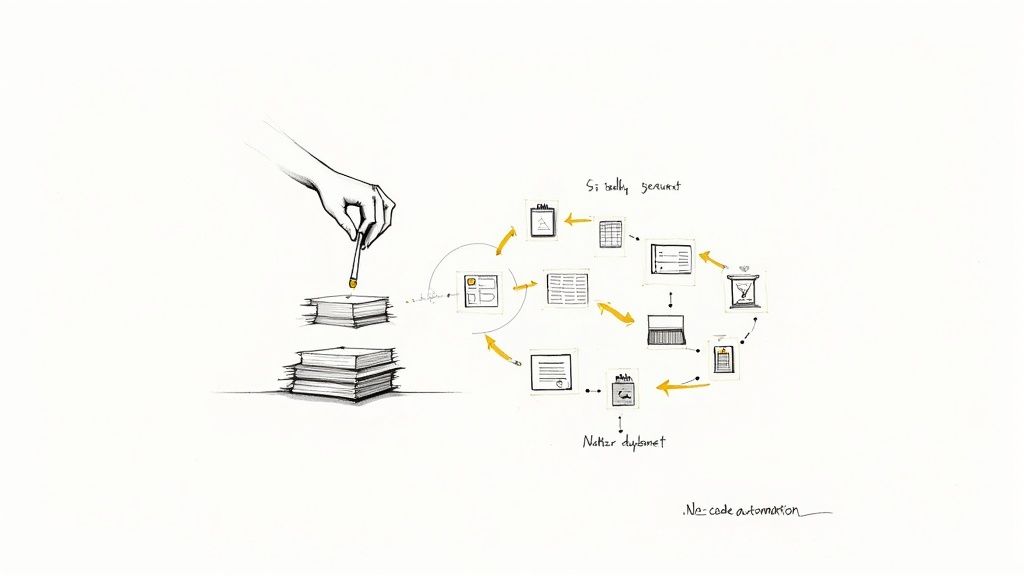
What is the anatomy of an automation?
Workflows are constructed using a simple, logical sequence. This structure makes them easy to build and, critically, easy to troubleshoot.
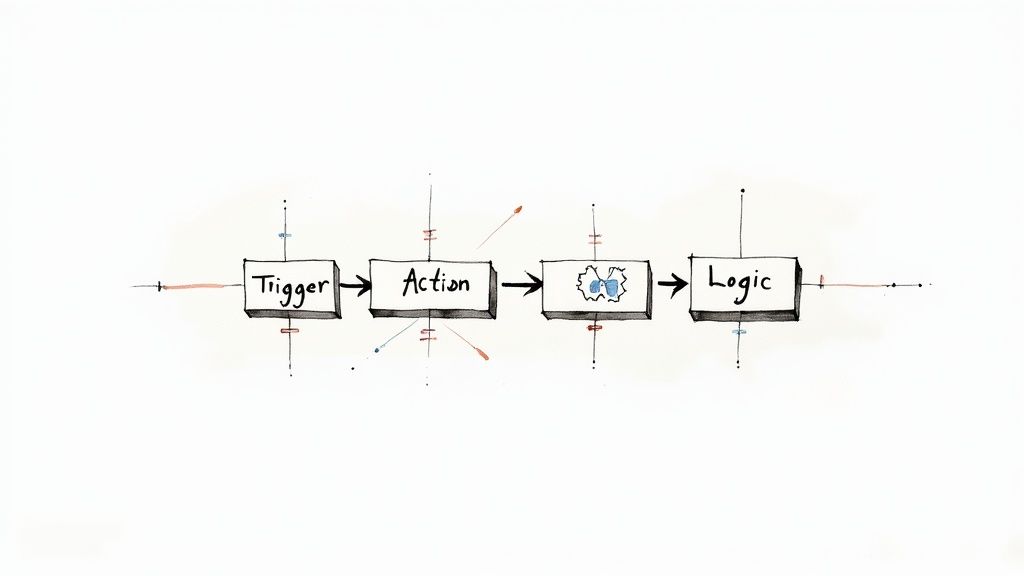
- Triggers: This is the initiating event that sets the entire process in motion. A trigger is the "if this happens" condition. Examples include receiving a new email, a customer submitting a form, or a deal stage changing in a CRM.
- Actions: These are the tasks the automation executes after the trigger occurs. An action is the "...then do that" response. A single trigger can initiate multiple actions, such as adding data to a spreadsheet, sending a Slack notification, or creating a task in a project management tool.
- Logic: This component introduces decision-making capabilities. Logic allows for conditions, filters, and branching paths, enabling the automation to handle different scenarios intelligently. For instance, a workflow could route leads valued above $10,000 to a senior sales representative while placing smaller leads into a nurturing sequence.
You might think that no code is only for simple, linear tasks.
That’s not the full story. The common belief is that no-code is limited to basic one-to-one connections. The opposite is true. By chaining actions and layering in conditional logic, operators can construct sophisticated, multi-step processes that manage complex business operations end-to-end.
The underlying mechanism enabling this is the Application Programming Interface (API). An API is a set of rules that allows software applications to communicate. No code platforms manage these API connections, packaging them into user-friendly connectors. When you integrate an app like Gmail into your workflow, you are using a pre-built bridge that abstracts away the technical complexity. You don't need to understand the API; you only need to know that it enables your tools to exchange information based on the rules you define.
How does no code compare to traditional development?
This visual, component-based approach differs significantly from other software creation methods in speed, required skill, and flexibility.
The choice depends on the job. For a non-technical expert who deeply understands a business process, no code provides the direct ability to architect and refine the systems that improve their work and the entire organization.
What are the most impactful business use cases?
Understanding the mechanics of no code automation is one thing; witnessing its application is another. The true creative power is unleashed when operators apply these tools to the specific, high-friction points in their daily operations.
The growth in this domain is substantial. The global no-code AI platform market is projected to expand from USD 6.56 billion in 2025 to USD 75.14 billion by 2034, according to a recent Market.us report (2024). This reflects a compound annual growth rate of 31.13%, signaling rapid business adoption.
How can operations teams be streamlined?
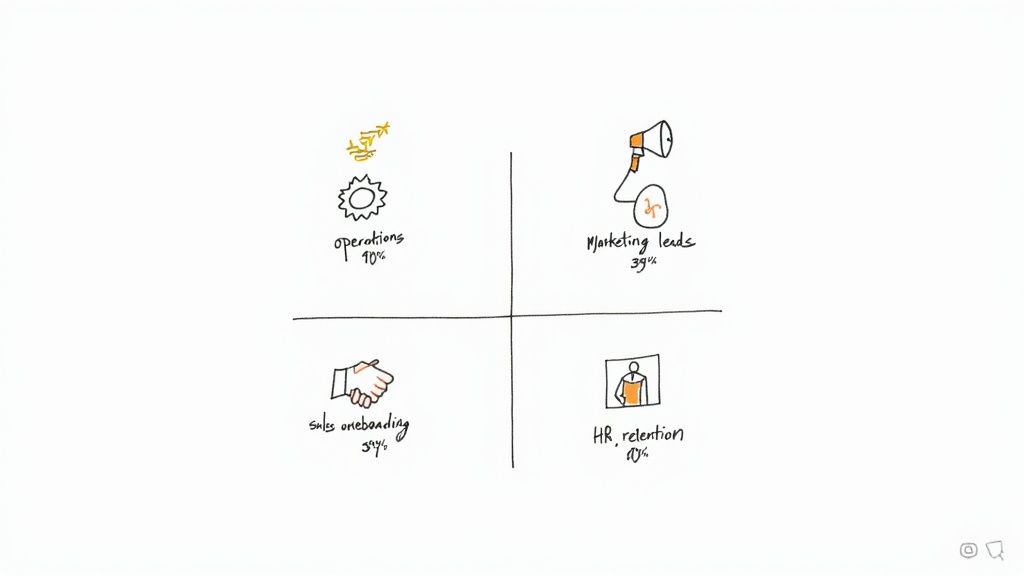
Operations teams form the central nervous system of a company, and manual tasks are their primary bottleneck. No code automation directly addresses this by integrating tools and eliminating repetitive work. For example, a 2023 study found that in Singapore, 63% of ops teams using no code tools reduced reporting errors by over 40% within the first year.
- Automated Reporting: A B2B SaaS company used automation to pull metrics from Salesforce, Google Analytics, and Stripe into a Google Sheet daily. This workflow cut report generation time by 90% in the first month, creating a real-time dashboard without manual input.
- Inventory Management: An e-commerce brand connects Shopify to a spreadsheet. When stock for a product falls below a set threshold, an automation sends a notification to a Slack channel and drafts a purchase order in QuickBooks.
How can marketing and sales be accelerated?
Marketing teams manage numerous platforms. No code automation serves as the connective tissue, ensuring leads are captured, nurtured, and tracked seamlessly. Companies often begin their automation journey here, and for those starting, learning about AI automation for small business can provide a significant advantage.
- Lead Routing and Nurturing: A tech startup built a flow where new leads from Typeform are enriched with Clearbit data, added to a Mailchimp list based on company size, and assigned to a HubSpot owner — all within seconds. This increased lead response speed over 300% in the first quarter.
- Client Onboarding: When a deal is marked "Closed Won" in Salesforce, an onboarding sequence is initiated. This creates a client folder in Google Drive, sets up a project in Asana from a template, and sends a welcome email. This process shortened client onboarding time by 60% within six months.
CodeWords Workflow: Automated Competitor Monitoring
Prompt: Every day, check TechCrunch for any new articles mentioning our top three competitors and summarize them in our #competitive-intel Slack channel.
Output: A daily Slack message containing a bulleted list of summarized articles, each with a direct link to the source.
Impact: Reduces daily manual research from 30 minutes to zero, ensuring the entire team stays informed on competitor movements in real-time.
How can human resources be enhanced?
From hiring to offboarding, HR teams handle critical, repetitive processes. No code automation introduces consistency, reduces compliance risk, and allows HR professionals to focus on strategic initiatives like culture and talent development. For a broader view, this C-Level guide to automation by industry offers valuable context.
- New Hire Onboarding: When a candidate signs an offer in DocuSign, an automation adds them to the HR system, creates their company email, and schedules their first week of meetings. One B2B firm implemented this and cut HR admin time for onboarding by 50%.
- Performance Reviews: A workflow automatically sends review forms to managers two weeks before a review cycle. It then collects responses in an Airtable base and sends reminders until all forms are complete.
How do you choose the right no code automation platform?
Selecting a no code automation platform is like choosing a foundational material for a building. While many options appear similar, their subtle differences in composition and structure determine the integrity and longevity of what you can create.
The right choice is not about finding the "best" tool, but the most suitable one for the specific architectures you need to build.
Here's the deal: before evaluating features, map out one or two critical processes you want to automate. This clarity acts as a filter, helping you focus on what truly matters for your team.
What are the core evaluation criteria?
Once you have defined the problem, you can begin comparing platforms. A few key attributes distinguish a genuinely useful tool from a temporary fix.
- Integration Library: The primary function of automation is to connect your applications. The platform must support the critical tools your team already uses. A comprehensive library, especially one including modern AI tools and industry-specific software, provides room for future growth.
- User Interface (UI): How does it feel to build? Some platforms use complex visual canvases that can become difficult to manage. Others offer a more direct, streamlined interface. The objective is to find a tool that feels intuitive to your team without a steep learning curve.
- Scalability and Reliability: Your needs will grow. The platform must be able to handle an increased volume of tasks and more complex, multi-step workflows. Look for features like error handling, version history, and clear monitoring dashboards.
- Security and Governance: You are entrusting the platform with your company's data. Ensure it has strong security credentials, such as SOC 2 compliance, and offers features like user permissions and audit logs. This is essential, especially when multiple team members are building workflows.
However, there’s a problem most tools ignore. The traditional visual builder, while powerful, is becoming a bottleneck. The future of building is not dragging and dropping blocks; it is describing the desired outcome.
Why is a conversational interface the next step?
The next evolution of no code automation is moving beyond visual editors. Instead of requiring you to learn the platform's rigid logic, the platform learns to understand yours. This shift toward conversational AI assistants, such as the one we are developing at CodeWords, fundamentally changes the creation process.
This may seem like a minor feature, but its implications are significant. It lowers the barrier to entry, allowing anyone to construct a workflow by stating their goal in plain English. This approach also accelerates iteration and debugging — you simply tell the AI what to change instead of searching for a specific node on a crowded canvas. To see a comparison, look at our list of the best no code automation tools.
How do the major players compare?
While many options exist, a few platforms dominate the market. Each is designed for a slightly different user and workflow. Tools like Zapier and Make are excellent platforms that pioneered this movement. They offer extensive integration libraries and have proven their value. The key question is whether their visual-first approach aligns with your team's building style or if a more conversational, AI-driven method is a better fit for your needs.
What is a practical roadmap for implementation?
Adopting no code automation is not an overnight transition. It is the development of a new operational capability, requiring a structured approach that scales from small, immediate wins to systemic organizational change.
The most common error is attempting to automate everything simultaneously. A more effective path is to focus on delivering tangible value quickly. Start with a pilot project to de-risk the effort and create a compelling proof of concept.
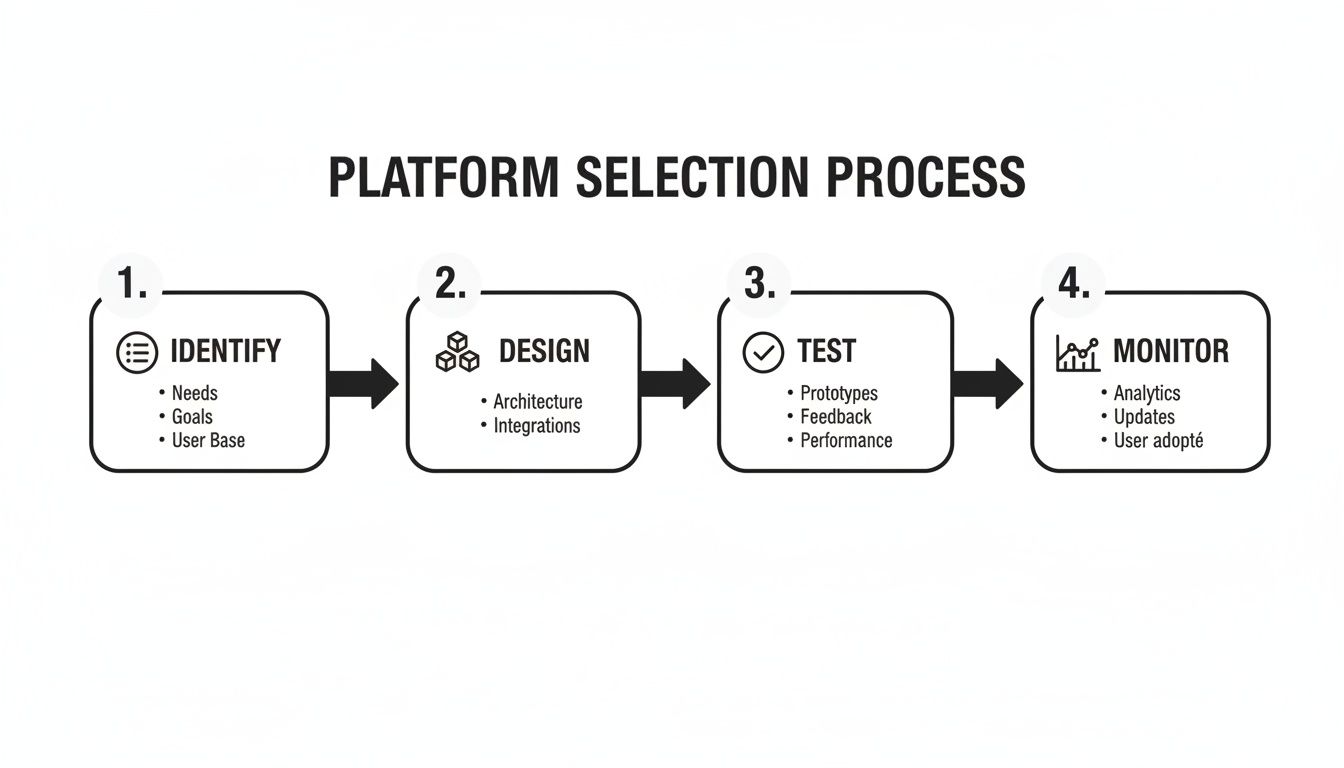
Phase 1: Identify and prioritize
First, identify the right starting point. Look for tasks that are repetitive, rule-based, and frequent. These are the low-hanging fruit of automation, offering the quickest return on investment.
Focus on high-impact bottlenecks. Where are processes consistently slowing down? Where do manual errors create the most significant problems? Create an "automation backlog" in a spreadsheet, scoring potential processes on frequency, time consumption, and strategic importance.
Phase 2: Design and build
Once you have selected a target, begin building. The goal is a workflow that is both functional and resilient. Before using the platform, map the process on a whiteboard or in a document. Define the trigger, the sequence of actions, and any conditional logic.
This is the architectural phase. Consider potential failure points. What happens if data is missing or an API is temporarily unavailable? A well-designed workflow includes error handling, such as sending a Slack notification if a step fails. This ensures the automation never breaks silently.
Phase 3: Test and deploy
Never skip testing, even for a "simple" workflow. A mistake here can have significant consequences, such as accidentally sending an incorrect email to your entire customer list.
Use a safe sandbox environment with test accounts and dummy data to run the workflow from start to finish. Verify that the trigger fires correctly, data transfers accurately, conditional logic performs as expected, and the final outputs are correct. Only after rigorous testing should you deploy to a live environment. When you're ready to expand, you can explore advanced ways to streamline business processes.
Phase 4: Monitor and iterate
The work is not finished after deployment. This is not a "set it and forget it" process. APIs change, business needs evolve, and yesterday's solution may be suboptimal today.
Establish simple dashboards or regular check-ins to monitor workflow performance. Track key metrics: How much time is being saved? Has the error rate decreased? Use this data to justify expanding your automation efforts. Most importantly, gather feedback from the team using the process. This iterative loop of monitoring and refinement drives true operational excellence.
The implications are clear: no code automation is no longer just about efficiency. It is about embedding the capacity for rapid, continuous improvement directly into your operations, transforming the very way your organization adapts and grows.