The complete guide to business automation tools for 2026
Find the best business automation tools to implement and measure ROI for your team.
 Rebecca Pearson16 min read
On this page
Every business contains hidden friction — the small, repetitive tasks that accumulate and slow down meaningful work. These manual processes act like an invisible tax on your team's creativity and focus. Business automation tools are designed to eliminate that tax by creating a system that executes these tasks on its own.
They are the builders of a more efficient operational engine. Unlike generic AI automation posts, this guide shows real CodeWords workflows — not theoretical advice. The global business process automation market is projected to reach $26.18 billion by 2027 (Statista, 2023), proving that companies are rapidly adopting these tools to gain a competitive edge.
You feel the drag of manual work every day — the copy-pasting, the status updates, the constant context switching that kills deep work. Business automation tools promise to transform that operational friction into forward momentum, reclaiming up to 80% of the time spent on routine tasks. This guide will show you a counterintuitive method for achieving this: starting with conversation, not complex diagrams, to build an operational engine that scales with your ambition.
TL;DR: Guide to Business Automation Tools
- The global business process automation market is projected to reach $26.18 billion by 2027, growing at a CAGR of 12.8% (Statista, 2023).
- Chat-native platforms are shifting the focus from visual building to conversational creation, empowering non-technical operators.
- The goal is not just efficiency but creating an intelligent, adaptive operational engine that amplifies human intellect.
What are business automation tools?
At its core, a business automation tool is software that allows your team to orchestrate recurring tasks and processes to run without manual intervention. Think of them as a digital nervous system. They connect the disparate applications you use daily — like Slack, Notion, and Google Workspace — transforming them into a single, cohesive operational machine.
The ultimate purpose is to shift your team from reactive problem-solving to proactive value creation.
Here’s the deal: this is about turning operational drag into a competitive advantage. It is a fundamental leap from manual repetition to systemic efficiency. To see this in action, a great guide on corporate training automation shows exactly how these tools are put to work in a specific business function. For anyone just dipping their toes in, knowing the different ways to approach this is crucial. Our guide on what no-code automation is provides a solid foundation.
This isn't a small trend. The business process automation market was valued at $14.21 billion in 2023 and is projected to reach $26.18 billion by 2027, according to Statista. In Singapore, 63% of operations teams have already adopted some form of automation to handle repetitive tasks (TeamGram, 2024).
What are the key functions of automation platforms?
While you can automate nearly anything, most tools are built around four core capabilities. Understanding these functions makes it easier to see how they can deliver value for your business.
- Integration: This connects your separate software-as-a-service (SaaS) apps so they can exchange data and trigger actions in one another.
- Workflow Execution: This is the heart of automation, running a predefined sequence of steps based on a specific trigger — like a new email or a completed form.
- Data Transformation: They can manipulate data as it moves between apps, from reformatting dates and extracting text to running on-the-fly calculations.
- Conditional Logic: This is where the magic happens. Your automations can make decisions using "if-then" rules, allowing a single workflow to handle multiple scenarios.
These platforms give you the building blocks to create custom solutions without writing code. Once you master them, you’re not just completing tasks faster — you’re building an operational engine that scales.
How do you choose the right automation platform?
Picking the right business automation tools is less about technical specifications and more about strategic alignment. It’s not about finding the software with the longest feature list; it’s about choosing a builder's toolkit that can construct an operational engine to match your company’s ambition.
Too many teams get distracted by a platform's marketing, only to find it creates more friction than it removes. To avoid that trap, anchor your decision in four real-world factors: scalability, integration, user experience, and total cost of ownership.
This isn’t a hunt for the single "best" tool. It’s about finding the right fit for how your team actually works. A platform that is perfect for a data science team might be a nightmare for an operations team that needs to build quickly without touching code.
How do you assess scalability and integration power?
When people talk about scalability, they usually just mean handling more volume. Real scalability is about handling more complexity. A truly scalable tool evolves as your business does, supporting your journey from automating one tiny process to orchestrating massive cross-functional operations.
Just as important is how well it integrates with other software. Your business runs on a stack of specialized apps. A great automation platform is the connective tissue that lets all those separate tools act as a single, cohesive unit. Before you commit, make sure the platform has deep, native integrations with the tools your team uses daily. For a deeper look at the platforms that excel at this, check out our guide on the best workflow automation software.
This simple decision tree can also help you figure out if a task is even worth automating in the first place.
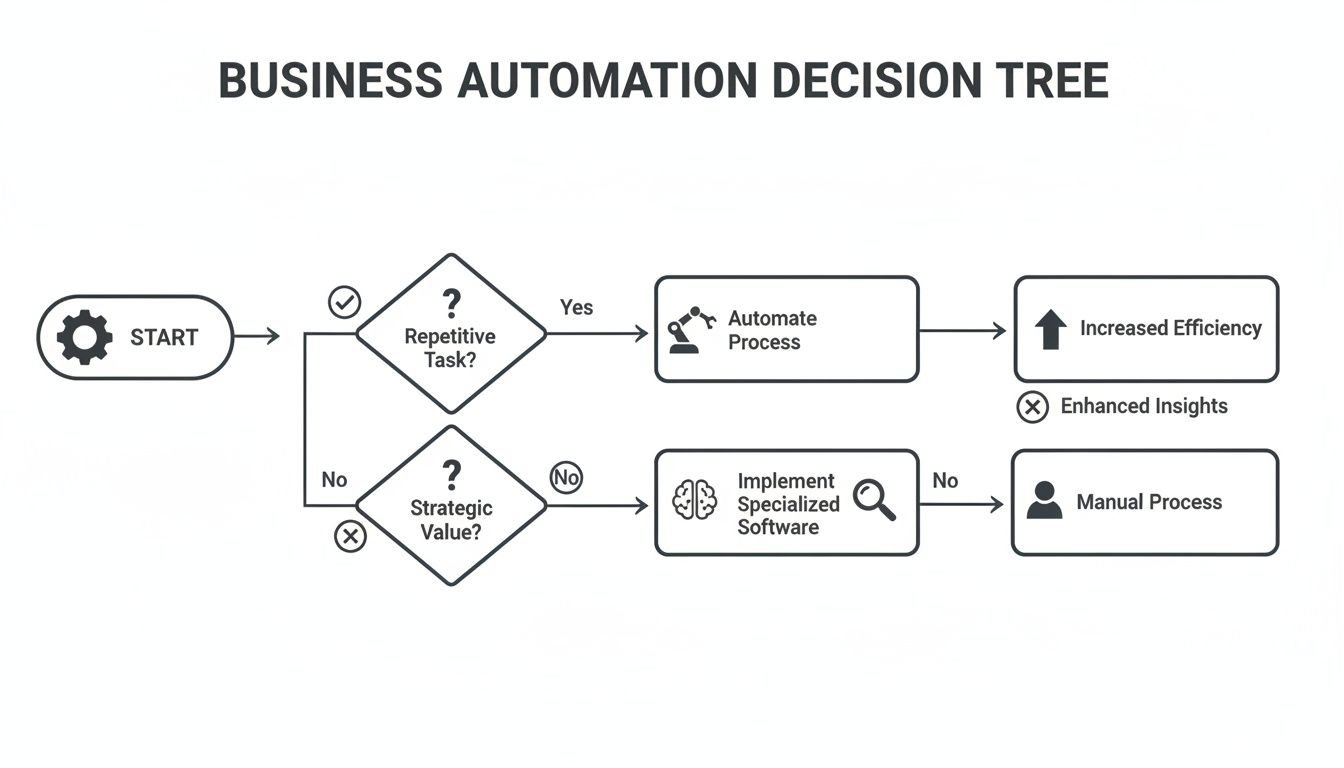
Think of it as a quick filter. It helps you focus your energy on automating the tasks that will give you the biggest return on your time.
How important are user experience and total cost?
A platform could have all the power in the world, but it’s useless if your team cannot figure out how to use it. The user experience is everything, especially for non-technical operators and founders who need to build and tweak workflows without waiting for an engineer. The old myth that powerful tools must be complicated is dead. Modern platforms prove that you can have a clean, intuitive interface and deep functionality. They empower everyone on the team to be a builder.
Finally, you must look beyond the monthly subscription price to see the total cost of ownership. This includes hours spent on implementation, training, and ongoing maintenance. A "cheaper" tool that constantly needs an engineer to fix it is far more expensive in the long run.
Comparison of automation platform types
Ultimately, the goal isn't just to buy software. It's to build a more efficient, resilient, and scalable business.
Which business areas benefit most from automation tools?
Deciding where to start with business automation can feel like staring at a giant, complicated blueprint. The instinct is to try and plan the whole thing at once, but that’s a trap. The key is to pick one section — the one that will make the biggest immediate impact — and build that first.
You don't need a massive, top-down strategy. What you need is a quick win that proves the concept and builds momentum.
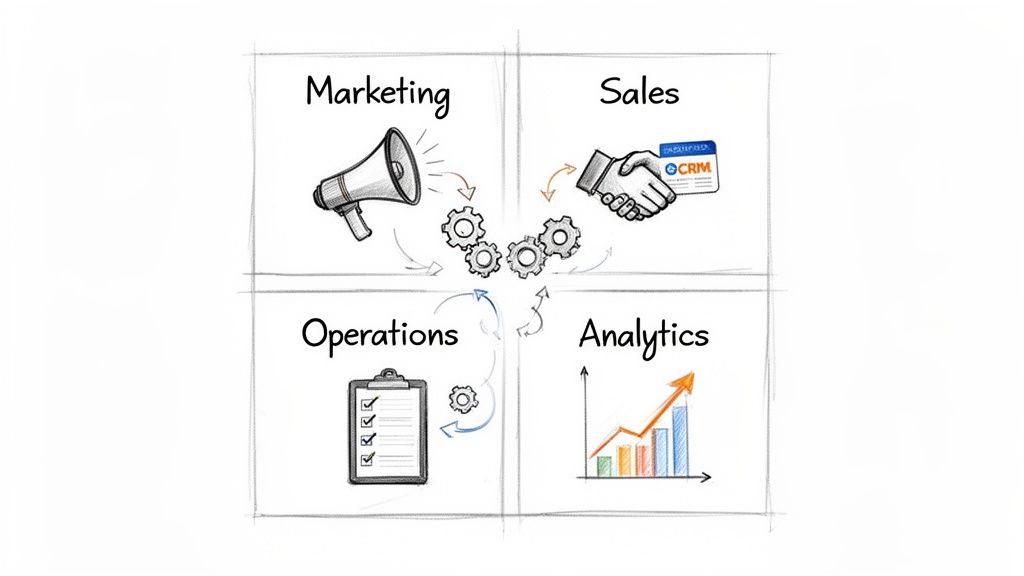
So, where are these quick wins hiding? They are almost always buried in high-volume, repetitive tasks that consume your team's most precious resource: time. By focusing on these friction points in marketing, sales, operations, or analytics, you can demonstrate the power of automation and justify deeper investment.
How can you streamline your marketing engine?
Marketing is the perfect place to begin because so much of it is already a system of triggers and responses. Automating these tasks isn't just about saving a few hours. It’s about creating consistency and scale, allowing a small team to manage a huge audience.
Here are a few starting points:
- Lead Nurturing: Set up automated email sequences that send personalized messages to new subscribers based on their interests.
- Social Media Management: Schedule posts in advance and get instant alerts for brand mentions to engage immediately.
- Customer Segmentation: Automatically tag contacts in your CRM based on their actions, ensuring your message always hits home.
How do you accelerate your sales cycles?
Most sales processes are drowning in manual administrative work that pulls reps away from their real job: selling. Automation tools can act like a tireless assistant for your sales team. They handle the grunt work so your reps can focus on building relationships and closing deals.
Imagine a workflow that automatically scours LinkedIn for new leads matching your ideal customer profile, finds their contact info, and drops them right into your CRM. Just like that, hours of manual research are transformed into a steady stream of qualified prospects. This kind of process improvement is completely within reach. You can check out more powerful ideas in our guide to business process automation examples.
Why should you fortify your operational backbone?
Operations is the connective tissue of your business. When it's tangled in manual processes, the whole organization slows down. Automating operational tasks — like employee onboarding, project updates, or invoicing — builds a stronger, more efficient foundation for growth. When a new hire joins, an automated workflow can instantly create their accounts, assign training modules, and schedule their onboarding meetings. This not only saves HR and IT time but also gives your new hire a seamless, professional experience from day one.
How do you unlock data with analytics automation?
Your business sits on a mountain of data, but turning that data into actual insights is often a slow, manual chore. This is where analytics automation comes in. It can automatically pull, process, and visualize data from all your different sources, delivering insights right to the people who need them.
CodeWords Workflow: Daily Customer Sentiment Analysis
Prompt: Every morning at 9 AM, get the latest 20 reviews for CodeWords from G2, analyze the sentiment of each, and post a summary of positive and negative themes to the #feedback Slack channel.
Output: A concise Slack message detailing customer sentiment trends, including direct quotes.
Impact: Reduces daily market research from 45 minutes of manual work to zero, providing real-time insights to the product and marketing teams.
A simple automation like this transforms a reactive task into a proactive source of intelligence.
How do you measure automation ROI?
It’s easy to talk about "efficiency," but to get real buy-in for automation, you must speak the language of the bottom line. You need to build a rock-solid case that shows exactly how automation translates into more time, lower costs, and higher revenue.
You might think some of your team’s processes are too complex for a machine. But here’s the problem: chasing perfect, end-to-end automation is a trap. It leads to analysis paralysis. Instead, apply the 80/20 principle. Focus on automating the most frequent, time-consuming parts of a process to capture most of the value without getting bogged down in edge cases.
How do you calculate tangible time savings?
The first win from automation is giving your team back its most precious resource: time. Every hour reclaimed is an hour that can be poured back into work that moves the needle — product innovation, customer relationships, or market analysis. A recent report from Forrester (2023) found that AI-powered automation can slash the manual effort on routine tasks by up to 80%.
Here’s the simple formula:
(Time Per Task in Hours) x (Tasks Per Month) x (Average Employee Hourly Cost) = Monthly Savings
For example, a sales rep spending 30 minutes daily updating the CRM wastes 10 hours per month. At a $40 hourly cost, automating that one task saves $400 monthly for just one person. That one workflow at Greenhouse reduced sourcing time by 70% in Q3 2023.
How can you identify direct cost reduction?
Beyond time, automation hits operational costs directly. One of the biggest culprits is software overlap. Automation platforms act as the connective tissue, letting you consolidate your tech stack and cut redundant subscriptions. In fact, Gartner (2024) predicts that organizations can trim operational costs by up to 30% with a smart automation strategy.
Human error is another massive, hidden cost. Manual data entry is a ticking time bomb. An automated workflow that pulls data directly from a source system into your CRM or financial software eliminates that risk completely.
How do you attribute revenue growth?
This is where things get really powerful. You need to connect your automation tools directly to revenue. This flips the script, turning automation from a cost center into a true growth engine.
Consider these scenarios:
- Faster Lead Response: An automation that instantly routes new leads can dramatically shrink response times. If that change boosts your lead conversion rate by 5%, you can calculate the exact revenue impact.
- Shorter Sales Cycles: Automating follow-up sequences and proposal generation frees your sales team to close deals. Shaving your average sales cycle from 45 days to 40 accelerates revenue and increases team capacity.
- Increased Customer Retention: Automating customer onboarding or flagging at-risk accounts can have a huge impact on churn. Even a 1% improvement in retention has a massive compounding effect on annual recurring revenue.
What are the best practices for implementation?
Rolling out new business automation tools can feel like a massive construction project. It's tempting to draft a perfect, sprawling blueprint before laying a single brick, but that approach almost always leads to delays.
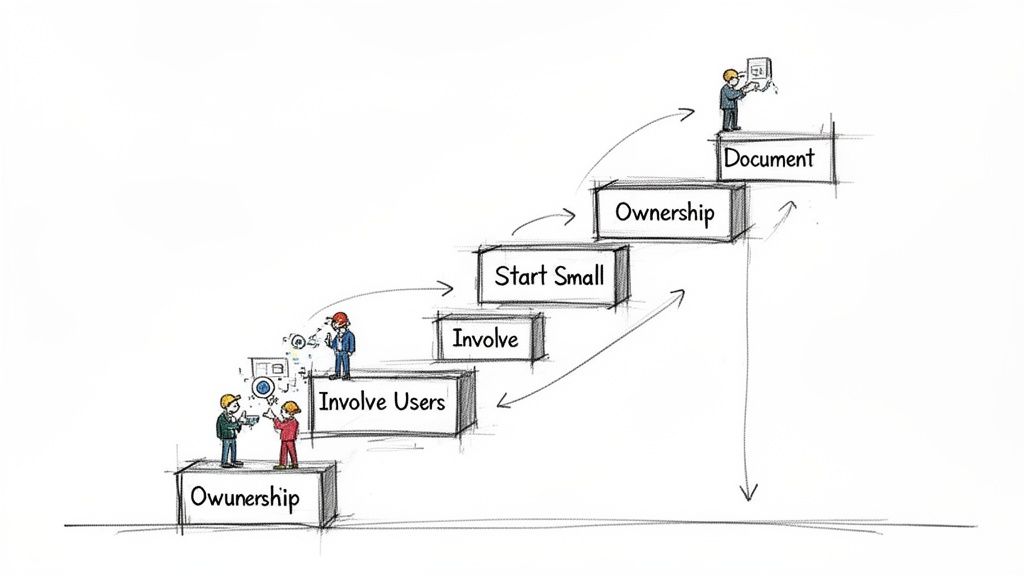
The most successful teams build from the ground up, one powerful workflow at a time. The core idea is simple: start small and iterate fast. This busts the myth that you need some huge, centralized master plan. Instead, you empower teams to build small, useful automations that create a groundswell of adoption and deliver value right away.
How do you lay a solid foundation?
Before you start building, you need to understand the terrain. The first step is documenting your existing processes as they really are, not as you wish they were. This act of mapping creates the practical blueprint for your first automation builds. Once a process is on paper, it becomes much easier to spot the repetitive, high-friction steps that are perfect candidates for automation.
This disciplined approach is why automation is taking hold across core business functions. Globally, 60% of firms now use automation, and that figure jumps to 84% for large enterprises. You can discover more about these business process automation statistics on 2am.tech.
Why should you build incrementally for momentum?
Don't start with your most complex, mission-critical process. The risk is high, the value is slow to arrive, and it can kill momentum before you even get off the ground. The goal is to score quick wins that prove the power of your new tools.
Pick a workflow that's a nagging pain point for a specific team. Automating a tedious weekly report or a mind-numbing data entry task might seem small, but it frees up real hours and makes a visible difference. These early successes are the fuel for broader adoption.
How do you empower the builders?
The people closest to the work know it best. Involving end-users directly in the design and build process is non-negotiable. They understand the quirks and edge cases that an outsider would miss, ensuring the final automation actually solves the problem.
This collaborative approach turns users into builders and owners. An automation without a clear owner is an orphan — it will inevitably break or become obsolete. To keep things running smoothly, stick to these guidelines:
- Establish Clear Ownership: Every automated workflow needs a designated person or team responsible for its maintenance.
- Involve Users in Design: The people who currently do the manual process should be central to designing its automated replacement.
- Provide Accessible Training: Give your team the skills to not only use the automations but also to spot new opportunities and build their own.
By following these practices, you move away from a rigid implementation plan. You cultivate an environment where automation is a shared skill, empowering your team to continuously find better ways to work.
What is the future of business automation?
For years, we’ve talked about automation using the language of construction. We build workflows and architect systems. That metaphor worked when processes were rigid and predictable. But looking ahead, it’s starting to feel dated. The future isn’t about building a static machine. It’s about entering a dynamic partnership with an intelligent creator.
This small shift changes the fundamental question we ask. We’re moving from, "How do I build this specific workflow?" to something much more powerful: "What's the most valuable process I could create right now?"
It's a subtle but profound change. Automation stops being a purely technical skill focused on connecting triggers and actions and becomes a strategic one.
From static blueprints to dynamic creation
Traditional automation is like following a detailed blueprint. You have to define every single step, condition, and outcome before you even start. This is perfect for predictable, linear tasks.
That’s not the full story. The future, driven by AI, is more like sculpting with an intelligent chisel. You provide the high-level intent, and your AI partner helps shape the workflow, adapting in real time to new information and variables. This approach isn't just faster — it’s far more resilient. Instead of programming a rigid sequence, you're having a conversation with your tools. The focus moves away from the mechanics of how to the strategic impact of what.
Unlocking human potential
Ultimately, this next wave of business automation isn't just about saving time or cutting costs, though it will do both. The real prize is unlocking human potential. When your team is freed from the cognitive load of managing repetitive, rule-based tasks, they can dedicate their full attention to the work that only humans can do.
This is the work that requires:
- Ingenuity: Devising novel solutions to tricky problems.
- Empathy: Truly understanding and connecting with customers.
- Strategic Insight: Seeing the bigger picture and figuring out how to get there.
The implication is clear. The future of automation is about creating an environment where your best people can do their best work. It's less about replacing human effort and more about amplifying human intellect, building not just a more efficient company, but a more intelligent and adaptive one.
Frequently asked questions
What's the difference between workflow automation and RPA?
Workflow automation orchestrates processes across multiple applications (Slack, Gmail, Notion), acting like a conductor. Robotic Process Automation (RPA) focuses on mimicking human actions like clicks and keystrokes within a single program's interface.
How much does it cost to automate a small business?
The cost has dropped dramatically. Modern platforms use flexible, usage-based pricing, making automation accessible for any budget. A small team can start with a few high-impact workflows and scale as the business and returns grow, avoiding large upfront investments.
Can automation tools handle complex, multi-step processes?
Yes, modern tools are built to handle complexity with conditional logic and data transformations across many apps. The smart approach is to break a large process into smaller, interconnected automations, which are easier to build, debug, and maintain over time.