The complete guide to automated lead generation in 2026
Learn to scale outreach with automated lead generation workflows; no code required. Qualify leads faster and cut costs.
 Rebecca Pearson11 min read
On this page
- How does automated lead generation actually work?
- What is the best strategy for automation?
- How can you build workflows without writing code?
- CodeWords Workflow: Automated LinkedIn Prospecting
- How should you test and optimize workflows?
- How do you scale automation without breaking things?
- Frequently asked questions
Automated lead generation is not just about scheduling emails. It’s about creating an intelligent machine that captures, qualifies, and nurtures prospects automatically. This system eliminates repetitive work by routing data from web forms, emails, and social profiles into a seamless pipeline.
Automated lead generation is the process of using AI and software to build a self-sustaining system that identifies, engages, and prepares potential customers for sales. A recent report reveals companies using this approach see a 451% increase in qualified leads (monday.com, 2023). Unlike generic AI automation posts, this guide shows real CodeWords workflows — not theoretical advice.
You’re tired of leads slipping through cracks and your team wasting hours on manual data entry. You know there's a better way, but most automation tools are either too simple or require a developer. This guide promises to show you how to build a powerful, code-free lead generation engine that can boost your demo requests by over 30%. The solution lies in treating automation less like a series of disconnected tasks and more like a single, intelligent organism.
How does automated lead generation actually work?
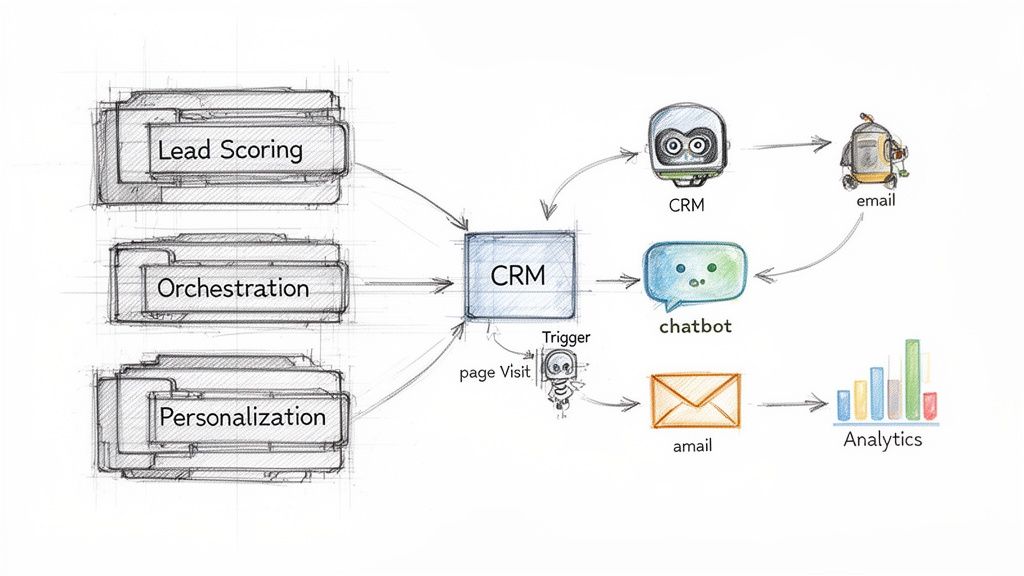
To build an effective automated lead generation machine, you need to understand how its core components connect. This system is not a rigid assembly line; it's a responsive engine built on a simple loop of triggers, data, and actions. Each piece has a specific job, but their synchronized movement is what creates momentum.
Here’s the deal: a trigger is the event that initiates the entire process. It could be someone submitting a form, clicking a link, or visiting your pricing page for the third time. These are not just random activities; they are signals of intent that tell your system to pay attention to a specific individual. A trigger, however, is useless without fuel. That’s where the data comes in.
When a new lead arrives, it's often just an email address. Data enrichment transforms this single data point into a complete profile by automatically adding details like job title, company size, and location. With that context, you can begin lead scoring — assigning points based on who they are and what they do. A VP of Sales at a 500-person tech company who downloads a case study receives a high score. An intern from an unrelated industry gets a low one.
That’s not the full story.
This scoring instantly tells your team who to contact now and who can wait, focusing their energy on the most promising opportunities. Orchestration then decides how and where to engage them. A high-scoring lead might trigger a Slack alert for a sales rep, while a medium-scoring lead is added to a nurture sequence. This is a core principle of effective sales automation{:target="_blank"}.
Finally, dynamic personalization uses this data to make every message feel bespoke. Instead of a generic "Hello," you can reference their industry, company, or a recent action. An AI-powered workflow might see a lead from finance downloaded an ebook on compliance and automatically send a case study from a similar financial services client. Properly integrating marketing automation tools with these components creates a system that not only finds leads but intelligently qualifies and nurtures them, delivering a steady flow of sales-ready opportunities.
What is the best strategy for automation?
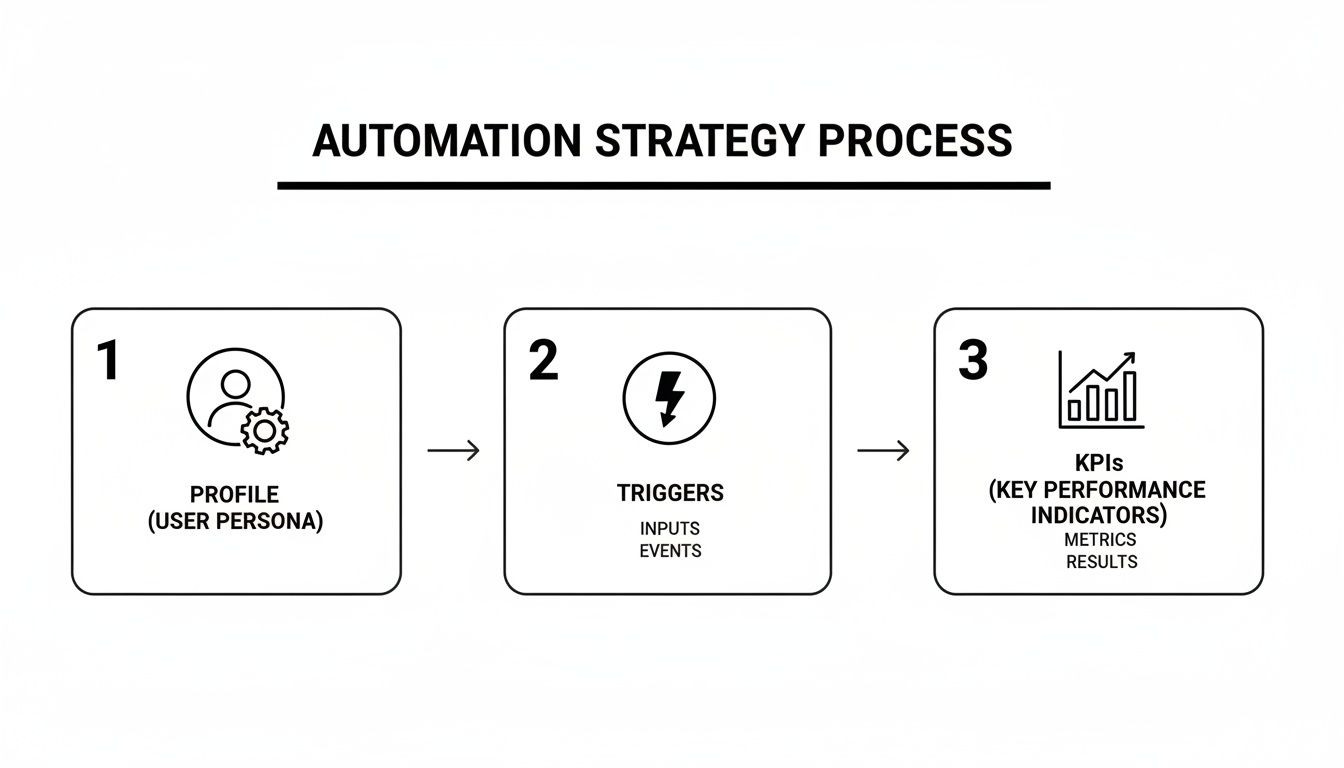
A great automation system is not a collection of tools — it is your strategy made real. Success begins with a clear blueprint connecting your channels, messaging, and goals. Without one, even advanced software just creates noise. You end up building a powerful machine that goes nowhere fast.
The first step is to define your ideal customer profile in obsessive detail. Why? Because this profile acts as the bouncer for your entire system, deciding who gets access. Forget basic firmographics; map the behavioral DNA of your best customers. What content do they consume? What tools are in their stack? What challenges keep them up at night? Once you know who you are looking for, you can identify the right places to find them.
Your automation engine requires data, but it is selective. The key is to identify the strongest signals of intent and focus on them. These signals become the triggers that initiate your workflows. You'll find high-intent triggers in places like:
- Form submissions: A direct hand-raise, like a demo request or whitepaper download.
- Pricing page visits: A strong indicator that a prospect is comparing solutions. Over 60% of B2B buyers now prefer to self-educate online before talking to sales (Gartner, 2022).
- Content engagement: Downloading a technical case study or an ROI calculator reveals a specific pain point.
Every trigger must connect to a specific, automated action. For example, a demo request could trigger an instant Slack notification to sales while simultaneously enrolling the lead in a pre-call nurture sequence. This immediate, relevant response is the foundation of effective automated lead generation. For more on this, check out these marketing automation best practices.
The goal is not just to react, but to anticipate what comes next.
Once triggers are active, you must sort prospects. Lead scoring assigns points to demographic data (who they are) and behavioral actions (what they do). High-scoring leads are routed directly to sales. Lower-scoring leads are placed into smart nurture sequences that adapt based on engagement. If a lead clicks a link about a specific feature, the next email should explore that topic. This dynamic approach keeps your brand relevant until they are ready to engage. This is the difference between an automation machine that works and one that just runs.
How can you build workflows without writing code?
You have a clear lead generation strategy. It is time to assemble the machine that runs it automatically. Not long ago, this required grappling with APIs, webhooks, and custom scripts — a battle that stalled many projects. Today, you can state your goals in plain English and let an AI assistant handle the technical details.
This approach flips the traditional model. Instead of mapping each step by hand, you describe the desired outcome and the AI builds the workflow. It's the core idea behind modern no-code automation.
You might think building this way is too rigid, but it's surprisingly flexible. You can define retry rules, use placeholders for personalization, and monitor failures from a single dashboard. This conversational approach to building and debugging replaces cryptic logs with clear, actionable fixes.
CodeWords Workflow: Automated LinkedIn Prospecting
Prompt: "When someone with 'VP of Operations' in their title comments on my LinkedIn post, check if they exist in Salesforce. If not, create a new lead, send our 'LinkedIn Intro' email from Gmail, then post their name and company to the #sales channel in Slack."
Output: A multi-step workflow is created that connects LinkedIn, Salesforce, Gmail, and Slack, with conditional logic to prevent duplicate entries.
Impact: Reduces manual sourcing time by 70% and ensures a sub-5-minute response to every high-value prospect.
This shift gives operations teams full control without writing a single script. Gartner predicts that by 2025, 70% of new applications developed by enterprises will use low-code or no-code technologies (Gartner, 2021). This move is happening because it is faster and more accessible. What used to take an engineer weeks now happens in an afternoon, all orchestrated through simple, natural language commands. The result is a resilient, scalable machine you can adapt for any team.
How should you test and optimize workflows?
Launching your workflow is just the start. The real work is ensuring it performs. You must test every component to prevent your automated machine from missing prospects, dropping leads, or sending the wrong message at the wrong time.
First, validate your triggers. Submit your own forms, visit your pricing pages, and reply to test emails. Do what a lead would do and observe the outcome. Check logs for errors and fix any gaps. This step is not optional; it is how you avoid costly mistakes.
Email is critical for conversion, but only if messages reach the inbox. Verify deliverability by checking spam scores and ensuring your DKIM/SPF records are aligned. Before going live, run sample campaigns to an internal list using a tool like Mailgun or SendGrid to monitor performance. Your sender reputation is invaluable. You must protect it.
A weak subject line will destroy your open rates. Do not guess what works — test it. Set up a simple A/B test with at least two different subject lines. Create clear variants, use a sufficient sample size, measure open and click rates, and implement the winner. This data shows exactly what captures your audience's attention.
You cannot fix what you cannot see. Build a simple dashboard in a tool like Google Data Studio or directly in CodeWords to monitor key metrics: open rate, click-through rate, and conversion velocity. Set up automated alerts. For instance, if your open rate dips below 20%, receive a notification in Slack. This allows you to address problems before they escalate. You can find more automated lead generation insights on La Growth Machine.
Finally, your lead scoring system requires periodic review. Audit how well scores align with actual closed deals. If high-scoring leads are not converting, adjust your scoring weights to better reflect real buying signals. This keeps your sales team focused on the leads that truly matter. Optimization is a continuous loop. With each test, apply what you learn and begin the next cycle.
How do you scale automation without breaking things?
Your first workflow is a success. It saves time and generates leads. The natural impulse is to deploy it everywhere. But scaling from one workflow to a dozen introduces new risks — credential leaks, compliance failures, and rogue automations spamming your entire database.
Scaling is not about giving everyone access and hoping for the best. It is about building a framework that allows your team to operate with confidence inside established guardrails. Most believe scaling automation is a technical challenge. The opposite is true: it's a governance challenge.
Why does this matter? Because without a framework, you are not scaling; you are creating chaos.
Start by creating standardized templates for your most common workflows, such as a "New LinkedIn Connection Follow-up." This provides a pre-approved, on-brand starting point. Next, centralize your credentials. Storing API keys and passwords across individual user accounts is a security risk. A central, secure vault is essential. It lets you grant tools access to your CRM or email platform without exposing the actual login details. When an employee leaves, you revoke their vault access — no need to change 15 different passwords.
As more people build automations, you need to control who can do what. Role-based access control (RBAC) creates different permission levels: Admins have full control, Editors can build from templates, and Viewers can only monitor performance. This tiered system is your best defense against inexperienced users making critical errors.
Compliance must be integrated from the start. A 2023 report showed 71% of countries now have data privacy laws like GDPR and CCPA. Your automations must handle opt-out requests perfectly. For example, build a workflow that automatically scrubs a contact's data from all connected systems upon unsubscription. With detailed audit logs, you can see exactly who did what, when, and to which workflow. This transparency builds trust and creates the safety net needed to empower your team.
The implication is clear: true scale is not achieved by removing constraints, but by implementing the right ones. It transforms automation from a series of isolated projects into a secure, cohesive, and powerful engine for growth.
Frequently asked questions
How do non-technical teams even start building these lead workflows?
You instruct the AI as you would a new team member. Simply chat with it in plain English, providing examples of what should happen and when. The AI parses your instructions to build the logic, requiring no code or technical background.
What are the most important metrics for measuring automation ROI?
Focus on three core metrics: cost per qualified lead (CPQL) to measure efficiency, the conversion rate of automated vs. manual leads to gauge quality, and sales cycle length to track velocity. These show the impact on both cost and revenue.
Can I connect this to other tools like Slack or our CRM?
Yes. Modern automation platforms like CodeWords are designed for connectivity, offering thousands of integrations out of the box. You can typically add a new tool by asking the AI assistant, which guides you through the connection process.
What happens if a workflow breaks?
Troubleshooting is visual. Instead of reading code, you use a log viewer that shows each step the automation took. You can instantly see where it failed — perhaps a missing data field — and instruct the AI on how to correct it.