YouTube Thumbnail Analyzer — boost click-through rates
Analyze any YouTube thumbnail and get instant, actionable tips to boost your click rate. Maximize channel performance with no manual work.
Example starting point only. Verify every connection and any sending, booking, inventory, approval, or handoff action before deployment.
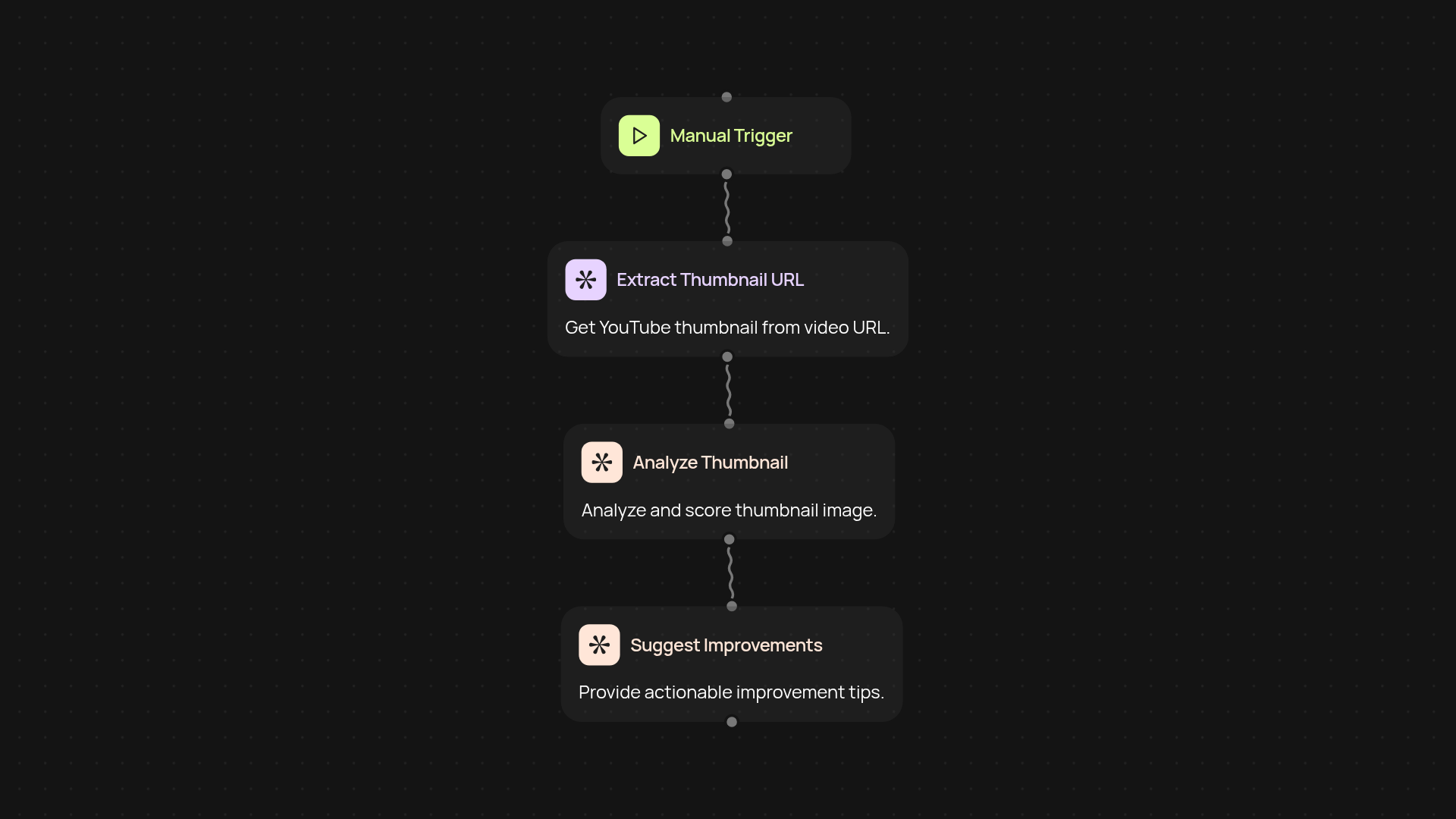
How does the YouTube Thumbnail Analyzer help you get more clicks?
The YouTube Thumbnail Analyzer reviews your chosen thumbnail and provides clear, targeted advice on how to make it more eye-catching. In just seconds, you’ll know exactly how to tweak your image to attract more viewers — all without the guesswork. Get guidance that's proven to improve your click-through rate, so your videos reach the audience they deserve.
What tips do you receive for boosting click-through rates?
You’ll receive direct feedback on your thumbnail’s visual appeal, text quality, and image clarity. The tool also shares simple ideas for color, composition and design that can increase your video's visibility. Every recommendation is focused only on elements that impact actual viewer engagement — so you can focus your energy where it matters most.
Why analyze thumbnails instead of changing video titles or tags?
Thumbnails play a crucial, front-row role in grabbing attention. While titles and tags help discovery, it’s the thumbnail that sparks curiosity and drives viewers to click. This analyzer ensures you're not missing out on potential views just because of image-related issues, saving you time and effort you’d spend guessing what works.
What do I need to get started and how do I set it up?
All you need is your YouTube thumbnail image — upload it in seconds, and let the analyzer handle the rest. There’s nothing technical to install. Just drop in your image and review your results. You’ll be able to optimize your thumbnails instantly, after setup and review or wasting hours experimenting.
Get started today
Your first workflow is free to build.
Describe what you need. Cody handles the build, the connections, and the deployment.