AI influencer generator: create custom AI portraits for any persona
Effortlessly generate realistic AI influencer images for your campaigns. Instantly create photorealistic, customizable portraits with just a few clicks.
Example starting point only. Verify every connection and any sending, booking, inventory, approval, or handoff action before deployment.
Key takeaways
- The AI influencer generator creates custom photorealistic portraits from the attributes you enter, using Replicate's Flux 1.1 Pro model.
- You control hairstyle, background, outfit, ethnicity and mood, so one template covers many personas and audiences.
- You can run it on a schedule or on demand, with no photographer or stock library.
- The images suit websites, ads, presentations and social media.
How can I instantly generate unique AI influencer images?
Enter the attributes of the persona you need, and the AI influencer generator creates a custom, photorealistic portrait using Replicate's Flux 1.1 Pro model. The template works for a professional LinkedIn look, an Instagram style or a range of virtual models, so each campaign gets visuals that match its audience.
What customization options do I have for my portraits?
You control hairstyles, backgrounds, outfits, ethnicities, moods and other details. Adjust the parameters to match your brand tone or target audience, with no photographer needed. Each portrait follows the attributes you set, so you can produce versions for several market segments or regions.
Can I use these images in marketing campaigns right away?
Yes, you can use the images in campaigns straight away on your website, ads, presentations or social media. The generator replaces photo shoots and stock images that do not fit your persona. Check each image before publishing, and follow the advertising and platform rules that apply to AI-generated content in your market.
How do I start and what do I need?
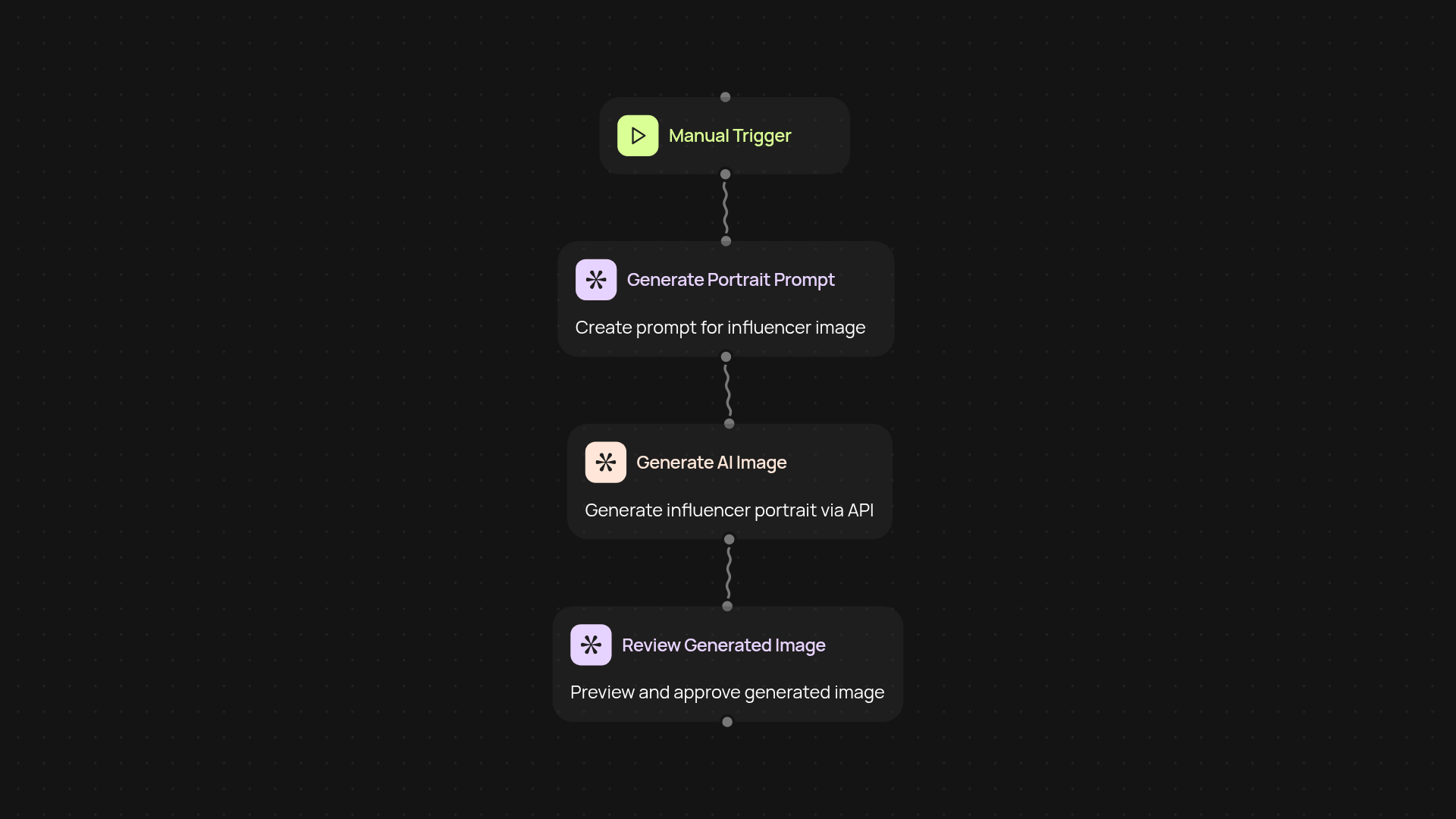
Set the trigger to generate a new image on a schedule or at the push of a button. You supply the details of the portrait you want, and CodeWords runs the generation in the background. Marketing, human resources (HR) and content teams can use it to create visuals whenever they need them.
Get started today
Your first workflow is free to build.
Describe what you need. Cody handles the build, the connections, and the deployment.