Website monitoring — detect website content changes
Monitor websites for content changes and get strategic impact insights. Instantly spot updates with AI-powered alerts and versioned snapshots.
Example starting point only. Verify every connection and any sending, booking, inventory, approval, or handoff action before deployment.
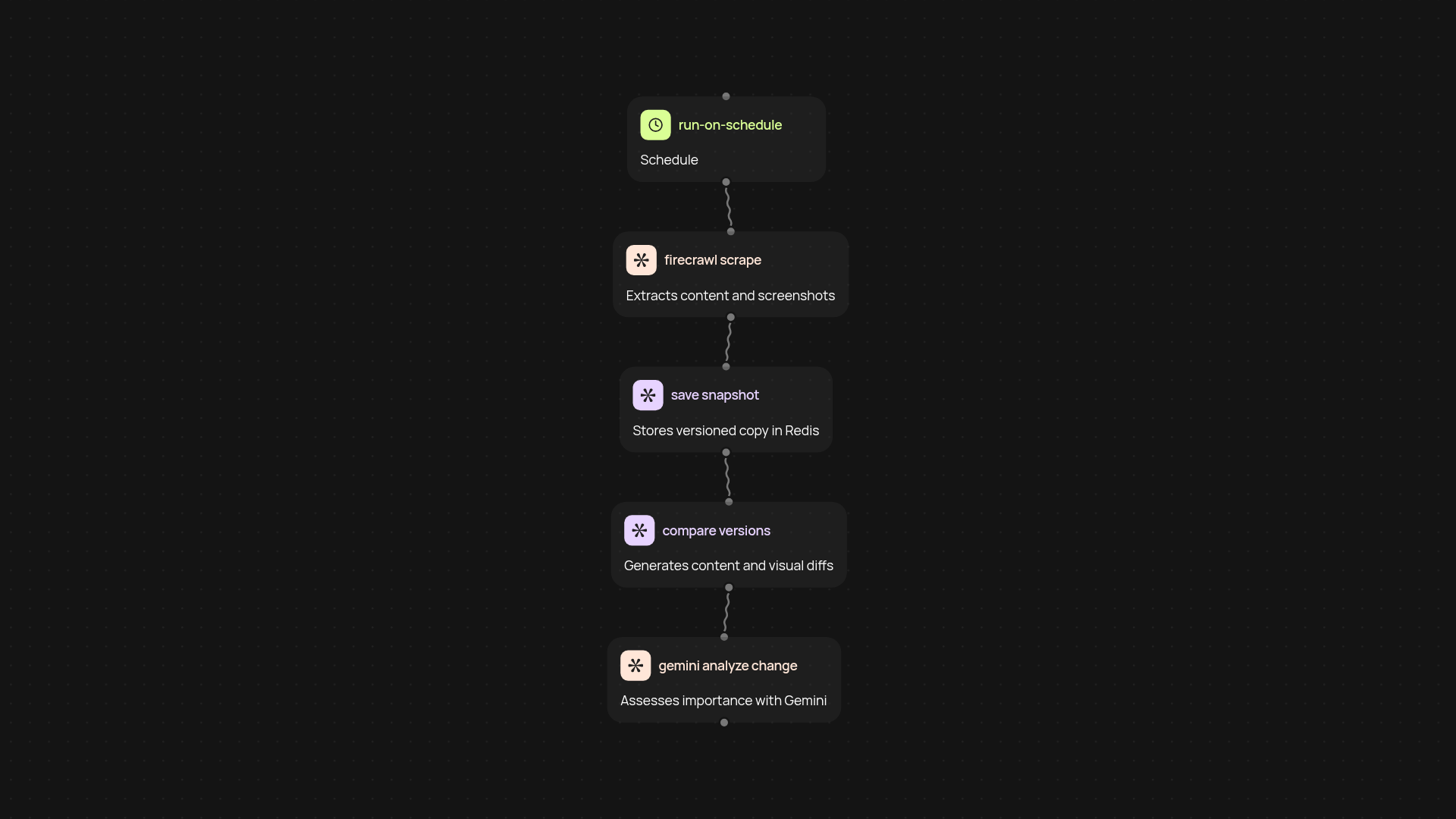
How does this template monitor websites and surface meaningful changes?
This template takes the work out of keeping tabs on your most important web pages. It regularly scans any site you specify using Firecrawl, turning web pages into easy-to-read markdown and capturing full-page screenshots. Every snapshot is saved and compared with previous versions, so you get a clear record of updates after setup and review. No more checking sites manually or missing crucial changes — the system keeps watch in the background.
How do I know if a website change is significant?
You’re not just alerted to every tiny update. After spotting a difference, CodeWords runs an AI (Gemini) analysis to assess the strategic impact of changes—so you’re only notified about what truly matters. Whether it’s a policy shift, a new product launch, or an update to key pricing, you’ll know about it right away and can act with confidence.
Does it help me keep a history of website content?
Yes, every scan stores versioned snapshots of the page—both as markdown text and screenshots—so you have a detailed, chronological history of what changed and when. You can review past versions at a glance, track trends over time, or share evidence of updates with stakeholders instantly.
What do I need to set this up?
All you need is a list of web pages to monitor. The setup is simple: select URL(s) and schedule how often you want scans to run. CodeWords handles the rest—including storing, comparing, and analyzing content. There’s no manual configuration or coding required. Just plug in your sites and let the monitoring happen automatically.
Get started today
Your first workflow is free to build.
Describe what you need. Cody handles the build, the connections, and the deployment.