Slack WhatsApp Bridge — sync chats
Easily relay messages between Slack channels and WhatsApp groups in both directions. Simplify team comms and respond faster on all channels.
Example starting point only. Verify every connection and any sending, booking, inventory, approval, or handoff action before deployment.
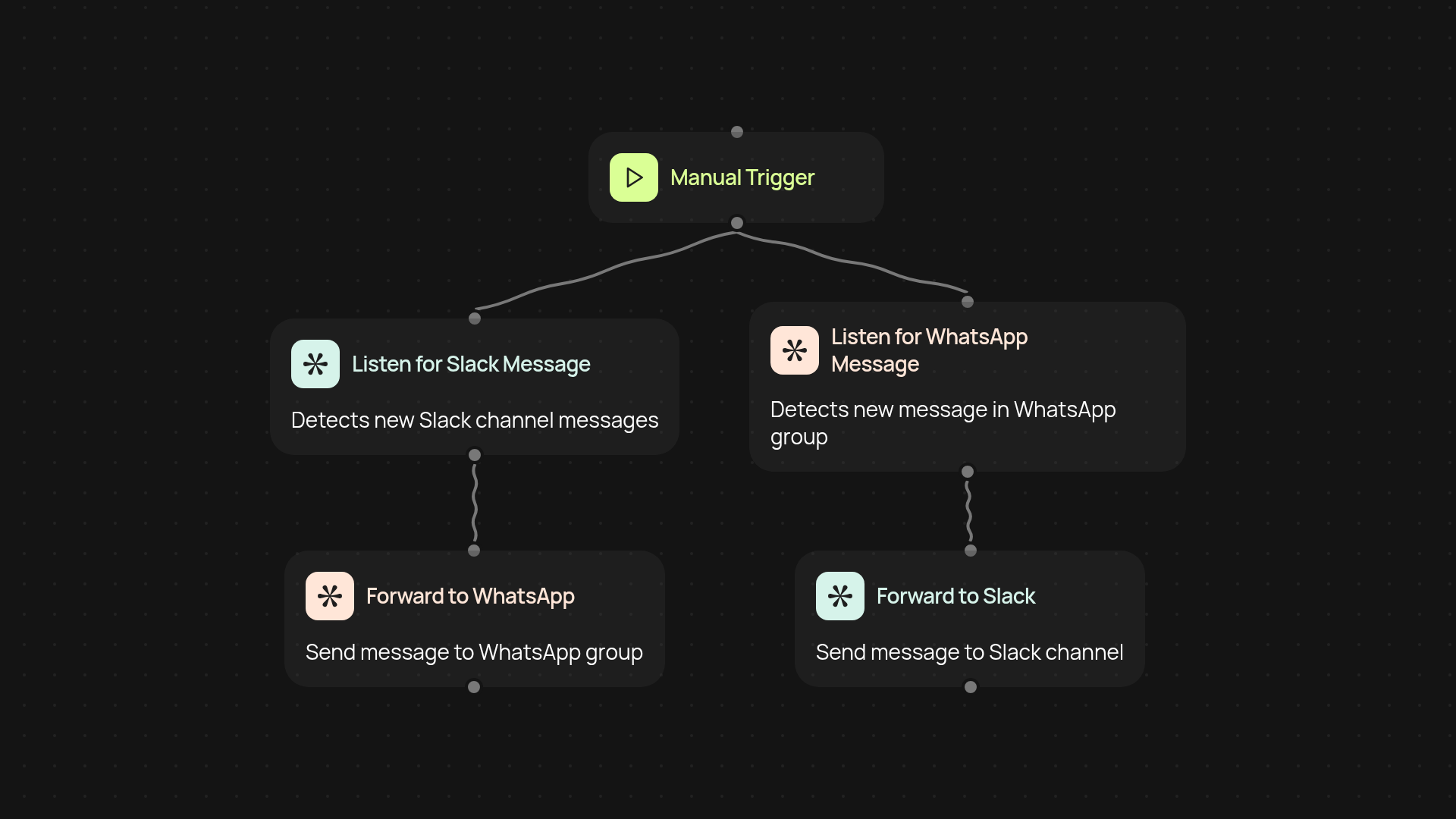
How does the Slack WhatsApp Bridge keep chats in sync?
The Slack WhatsApp Bridge connects your Slack channels and WhatsApp groups so messages flow between them without manual copy-pasting. Send a message in Slack—it appears in WhatsApp. Someone replies in WhatsApp—it pops into the correct Slack channel. All this happens instantly, letting teams communicate more freely and respond faster, no matter their preferred platform.
How do replies work between Slack and WhatsApp?
Replies and new messages relay both ways. Your teams or customers can chat where they’re most comfortable. There’s no need to monitor multiple apps—just check one, and you are less likely to miss a message again. Messages maintain their context, so conversations make sense in both Slack and WhatsApp.
What does setup look like and what will you need?
Setup takes one minute and only needs your Slack and WhatsApp group details. Deploy webhooks with a single click—no technical background needed. Just select your Slack channel, connect your WhatsApp group, and the bridge takes care of the rest in the background. Everything runs automatically from then on.
More templates
Get started today
Your first workflow is free to build.
Describe what you need. Cody handles the build, the connections, and the deployment.