Adaptive Multilingual TTS — create expressive speech, from its configured trigger
Turn any text into expressive, natural-sounding speech in dozens of languages. Adaptive Multilingual TTS detects language, matches tone to content, and reads out unlimited text from its configured trigger.
Example starting point only. Verify every connection and any sending, booking, inventory, approval, or handoff action before deployment.
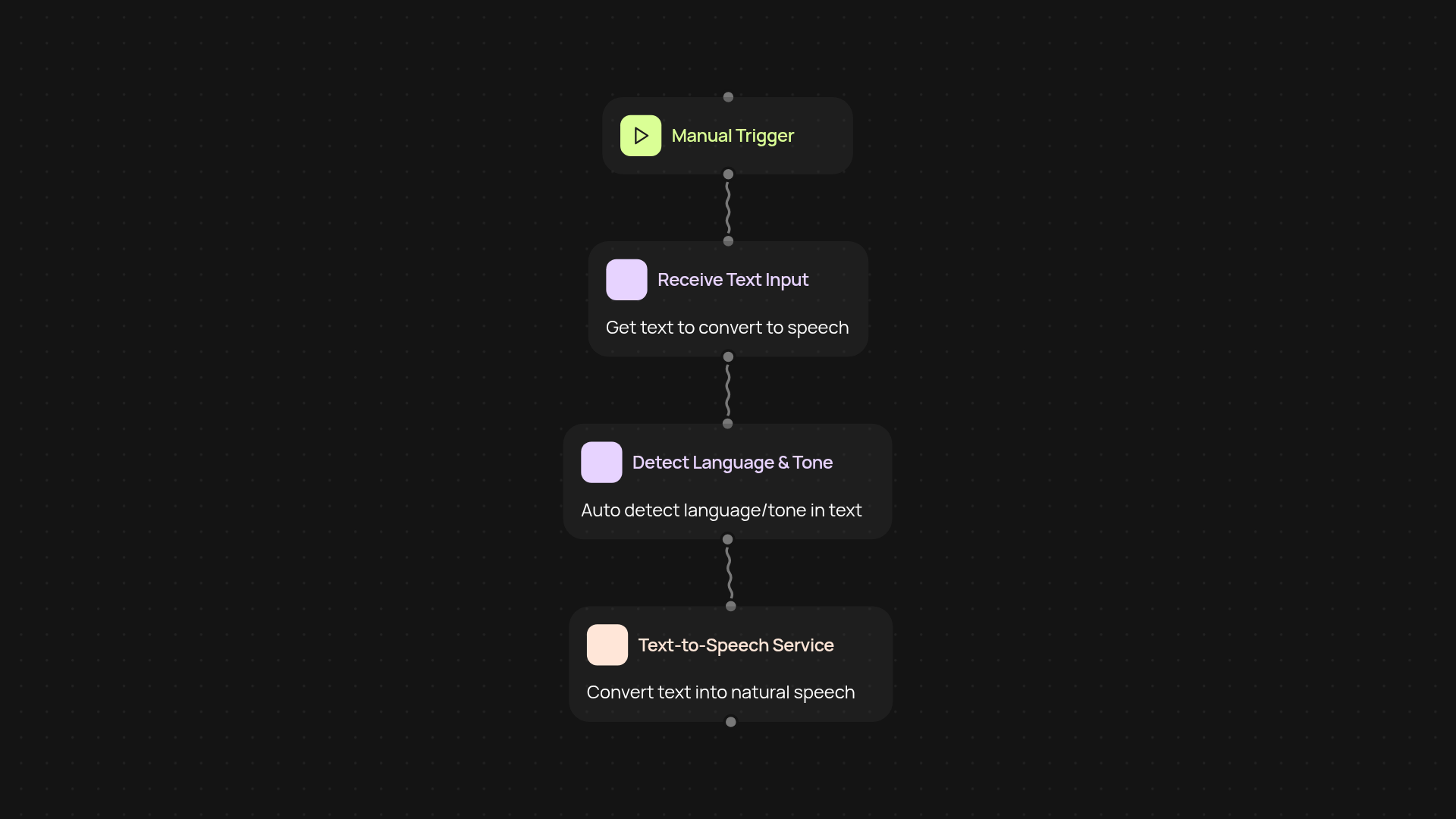
What does adaptive multilingual TTS do for you?
Adaptive Multilingual TTS transforms text—no matter the language—into lifelike speech, instantly. Just provide your content, and TTS takes care of the rest: it figures out what language it is, understands if the content is a story, email, or report, and picks the most natural voice style for the job. You get crystal-clear, expressive audio output delivered right away, even for lengthy content, after setup and review.
How does it handle multiple languages at once?
Built-in language detection means you don’t have to pick a language ahead of time. Adaptive Multilingual TTS recognizes and adapts its voice across dozens of languages and accents. So whether your content is a single language, a mix, or even contains regional phrases, it flows smoothly in the right voices—automatically—making it perfect for international teams or global audiences.
Can it really match voice style to my content?
Yes. Adaptive TTS doesn’t just read out words—it analyzes the type of content and selects the right vocal style for maximum impact. Formal, conversational, energetic, or calm, your audience hears speech that matches your intent. This gives your communications a professional polish and keeps listeners engaged, every time.
How do you get started with adaptive multilingual TTS?
Getting up and running is simple. All you need is your text content—no complex setup. Pick Adaptive Multilingual TTS from the CodeWords library, upload your file or paste your text, and decide how you want your speech delivered (save to audio file, stream, or send). Everything works automatically in the background, so you can focus on what matters while TTS does all the talking.
More templates
Get started today
Your first agent is free to build.
Describe what you need. Cody handles the build, the connections, and the deployment.