Room Layout Optimizer — get the best furniture arrangement instantly
Discover the easiest way to arrange your space. Room Layout Optimizer gives you instant, data-driven furniture suggestions for any room.
Example starting point only. Verify every connection and any sending, booking, inventory, approval, or handoff action before deployment.
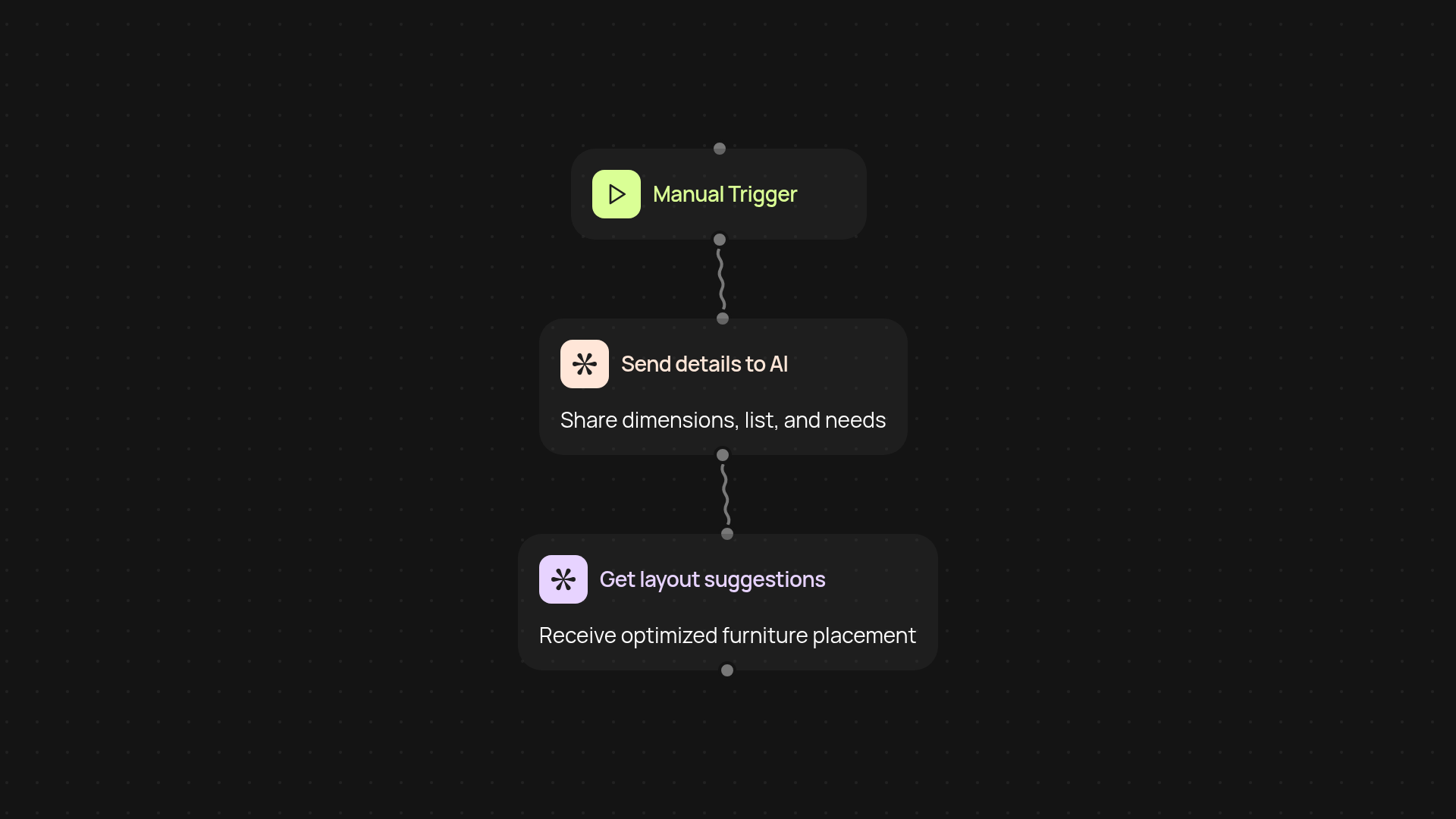
How does the room layout optimizer simplify your space planning?
Get the perfect room setup in seconds. With the Room Layout Optimizer, just provide your room’s dimensions and furniture list—then let AI suggest the best arrangement for flow, comfort, and function. It takes the guesswork out of designing any room, from living spaces to home offices. You’ll see a clear, actionable layout you can implement instantly.
Can you tailor the suggestions to your style and needs?
Absolutely. The optimizer takes your room’s purpose, preferred aesthetic, and key priorities into account before generating suggestions. Whether you want a cozy reading nook, a collaborative workspace, or a practical family room, the tool adapts to your goals. Forget tedious manual planning—get layouts that feel like you.
What makes these layouts smarter than manual arranging?
First, Room Layout Optimizer processes spatial data and design principles in the background, so every suggestion is rooted in best practices. Second, your feedback is incorporated with each use, making the suggestions more personalized over time. You get an arrangement that’s traffic-friendly and functional, after setup and review.
How do you set it up and what’s required?
Setup is fast: just trigger the optimizer, enter your room details, and describe your needs. No technical know-how needed—everything runs automatically. You’ll get your optimal layout in moments, ready for you to bring to life. All you need is the room size, a list of furniture, and a few style notes to get started.
More templates
Get started today
Your first workflow is free to build.
Describe what you need. Cody handles the build, the connections, and the deployment.