RFP Response Generator — win more bids
Automate every RFP response from intake to expert-level draft. Save hours, reduce errors, and ship winning proposals faster with CodeWords.
Example starting point only. Verify every connection and any sending, booking, inventory, approval, or handoff action before deployment.
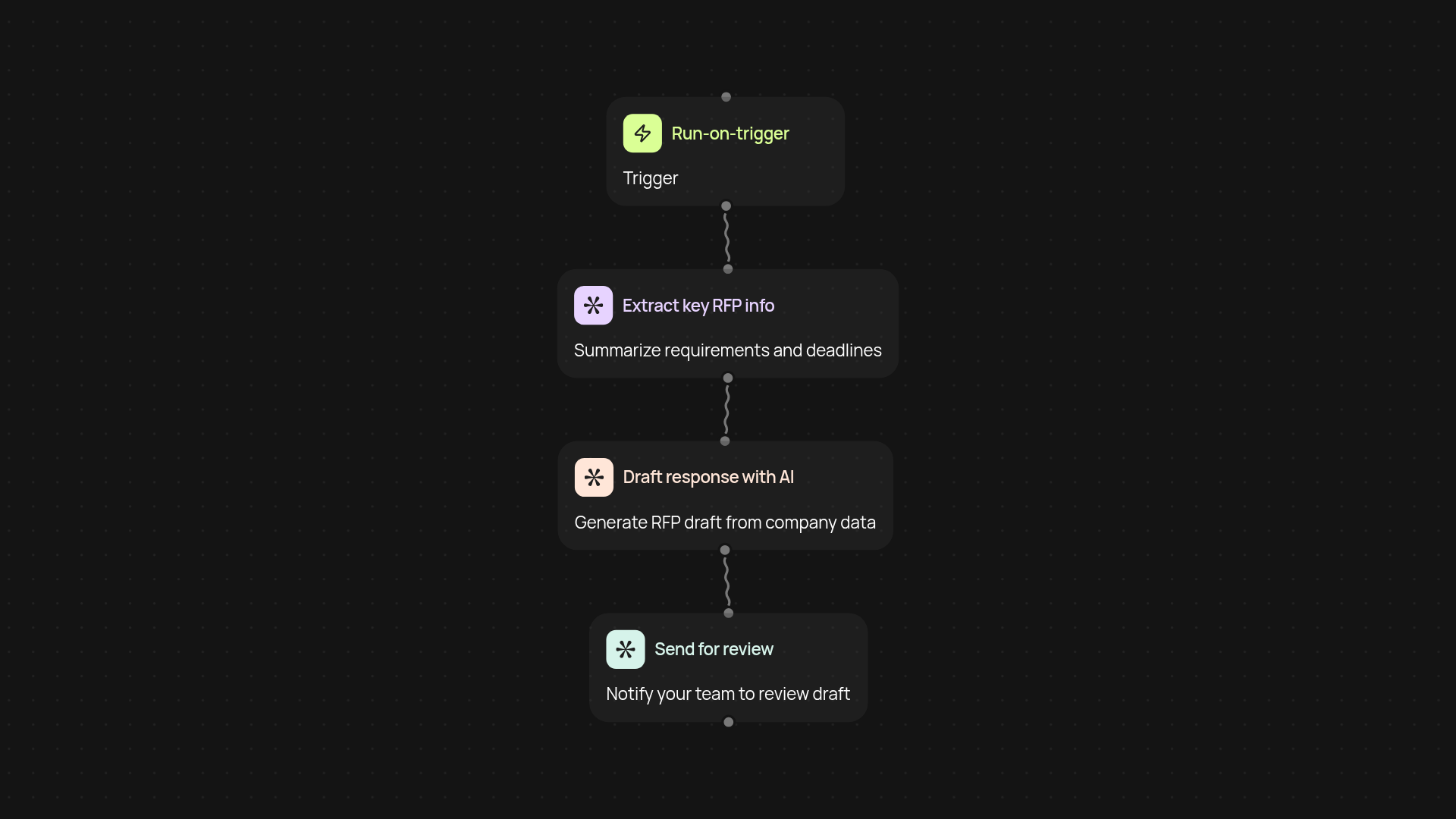
How does this template turn RFPs into standout proposals?
This workflow takes the hassle out of responding to RFPs. It starts by receiving RFP details—whether submitted manually or through your CRM—and instantly crafts a tailored, insightful response draft you can review. Your team can quickly polish and submit, cutting days off your proposal process.
Can it really reduce errors and improve win rates?
Absolutely. By pulling consistent, up-to-date info from your knowledge base, every response is accurate and compliant. No more last-minute scrambles or forgotten details—just high-quality, customized answers sent out quickly. Claim back hours while boosting your chances to win new business.
What kinds of RFPs can you automate?
You can handle nearly any industry or submission format. The RFP response generator provides drafts for government, enterprise, or custom partner proposals alike. Tweak the tone, length, and details to fit your needs—without manual rewriting every time.
How do you get started with CodeWords for RFPs?
You'll need your standard company materials (like capabilities decks or prior responses) and access to CodeWords. Setup takes minutes: connect your intake (email, form, or CRM), select your draft preferences, and you're ready to respond automatically. No coding or technical setup required.
Get started today
Your first workflow is free to build.
Describe what you need. Cody handles the build, the connections, and the deployment.