Clutch Company Scraper — export targeted profiles in seconds
Scrape Clutch.co for industry and location-based company data. Export profiles to CSV for CRM updates. No manual copy-paste needed.
Example starting point only. Verify every connection and any sending, booking, inventory, approval, or handoff action before deployment.
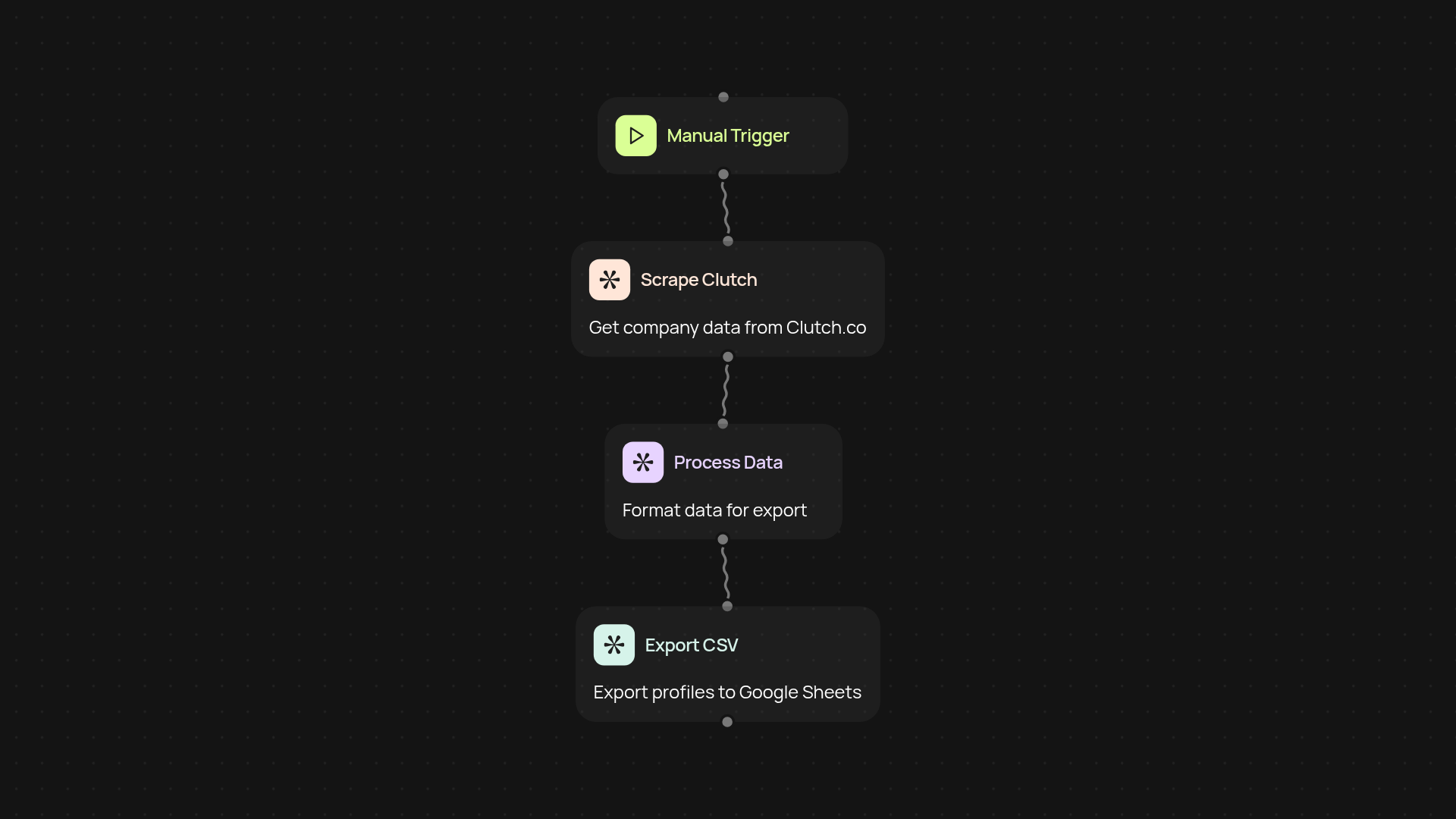
What does the Clutch Company Scraper do for you?
Instantly collect company profiles from Clutch.co, filtered by your chosen industry and location. Skip the hours of manual copy-paste — this template hunts down the company details you need, organizes them, and delivers a ready-to-import CSV file. The result? Your sales or marketing team gets high-quality, targeted lead lists after setup and review. Perfect for B2B outreach, CRM updates, and keeping your team focused on growing relationships, not wrestling with data entry.
How does it pick the right companies?
You get total control over the filters you use. Just choose your target industry and preferred geographic area. The automation will gather all the latest, available Clutch.co profiles that match your search and ensure key information — like company name, website, LinkedIn, and more — is neatly arranged for your next campaign or CRM upload.
Can I use these lists right away in my CRM?
Yes — your CSV download is formatted for use in nearly any CRM. Just upload or import and you're ready to segment, email, or assign leads as you like. If you need specific columns or formats, you can adjust your filters at the start and get exactly what you want, without any extra hassle.
How do I set this up and what do I need?
Setup is simple. Start the workflow manually or schedule it to run regularly for fresh lists. You'll just need your chosen industry and location — no other accounts or technical setup required. Hit start, and Clutch Company Scraper does the digging for you in the background.
Get started today
Your first agent is free to build.
Describe what you need. Cody handles the build, the connections, and the deployment.