Recruitment Pipeline Analyzer — see your hiring funnel, clearly
Get clear insights into your hiring process. Analyze your recruitment funnel — from applicants to offers — automatically with CodeWords.
Example starting point only. Verify every connection and any sending, booking, inventory, approval, or handoff action before deployment.
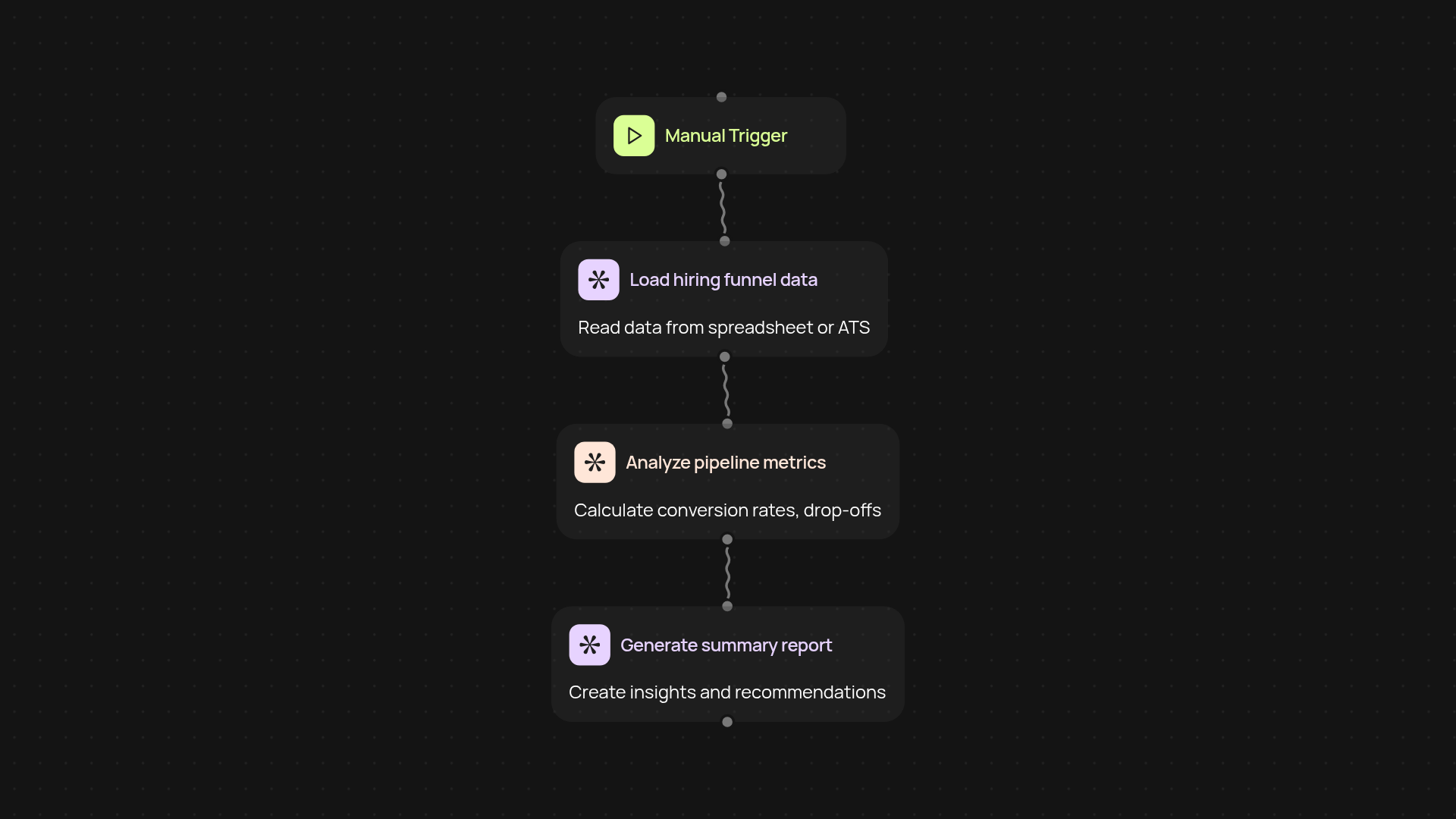
What does the recruitment pipeline analyzer do for you?
Quickly understand your entire hiring funnel — from initial applicants to final offers — with one automatic report. The recruitment pipeline analyzer collects your hiring data, reviews each stage, and highlights where candidates drop off or bottlenecks slow you down. Get meaningful insights, so you know exactly where the process needs attention.
How can you use these hiring insights to improve?
You’ll receive an easy-to-read breakdown showing conversion rates and time spent at each step. This gives your team actionable guidance to fix slow or leaky stages without digging through spreadsheets. If you want to track improvements over time, run the analysis regularly — changes will stand out immediately, helping you make smarter HR decisions, faster.
What data do you need for a full funnel analysis?
All you need is access to your recent hiring data: numbers at each step, from applications to hires. The analyzer reads your spreadsheet (or connects to your ATS), so there’s no manual data entry. Everything else runs quietly in the background, saving you precious HR hours.
How do you get set up in minutes, not days?
Getting started is simple. Trigger the pipeline analyzer in CodeWords, connect your spreadsheet or ATS tool, and relax — your report is prepared for you. No technical skills required. Follow simple prompts, and you’ll have deep recruitment insights at your fingertips, after setup and review.
Get started today
Your first workflow is free to build.
Describe what you need. Cody handles the build, the connections, and the deployment.