Project Risk Register — track every risk with ease
Identify, log, and track project risks automatically. The Project Risk Register template for CodeWords automates risk management from start to finish.
Example starting point only. Verify every connection and any sending, booking, inventory, approval, or handoff action before deployment.
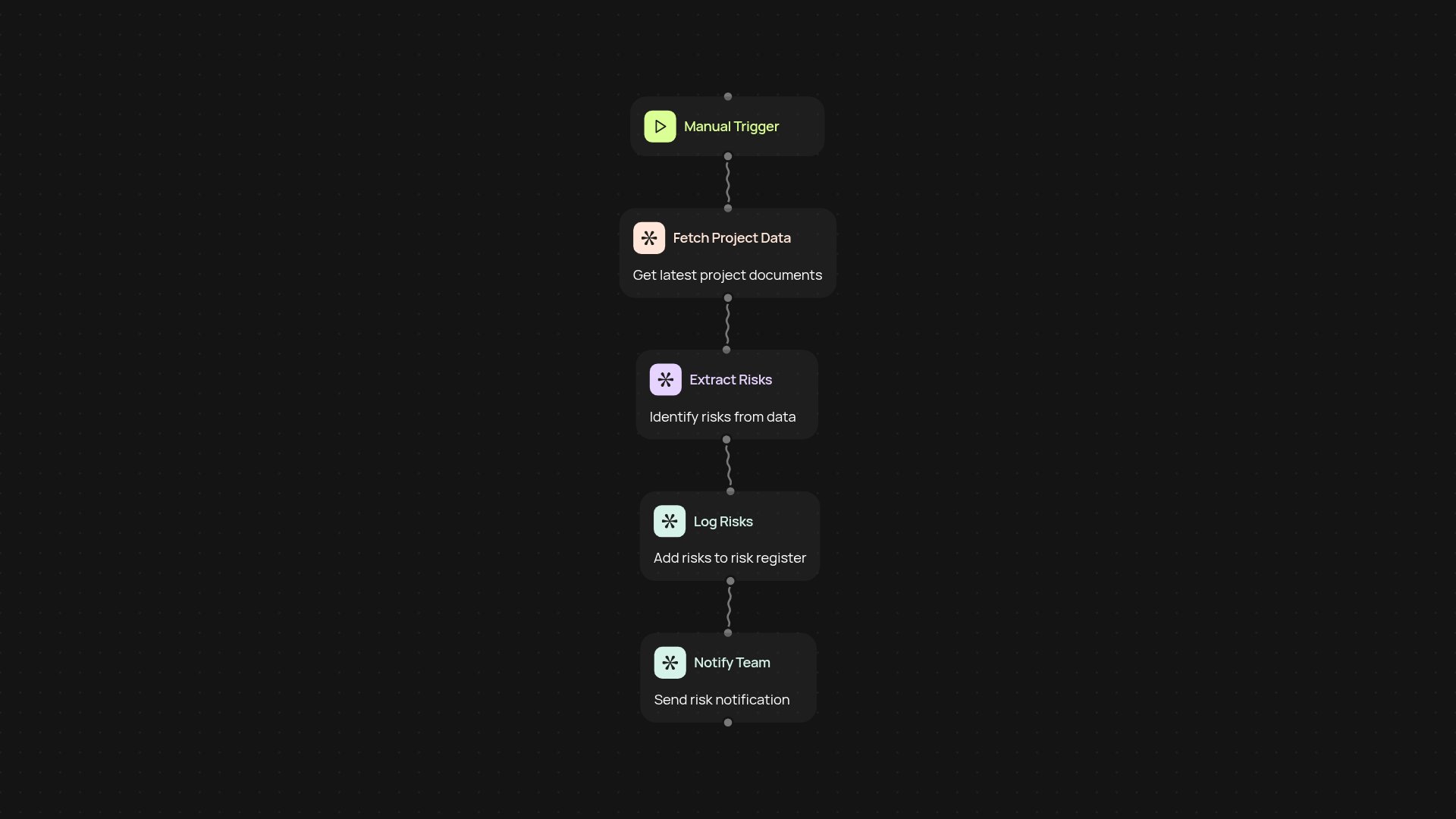
What does the project risk register template do?
This template helps you stay on top of project risks after setup and review. It collects potential risks, logs them into a risk register, and keeps your team informed — so you are less likely to miss a threat to your project's success. Instead of chasing updates or worrying about lost details, you’ll know exactly where every risk stands. All of this happens in the background, freeing you up for bigger priorities.
How do I capture and log project risks?
You can simply enter risks, trigger a scan for unaddressed issues, or schedule regular check-ins. Risks are logged automatically, categorized, and assessed for impact. Each time new information appears — like a flagged email or updated project document — the register stays current, so your risk record is always complete and actionable.
How is risk tracking kept up to date?
No more manual checks. The risk register updates itself whenever new risks are detected. Notifications can be sent to stakeholders right away, keeping everyone in the loop effortlessly. This reduces the chance of surprises and helps your project stay on track, even as new challenges appear.
How do I get started with this template?
You only need three things: the project name, a place to store your risk log (like Google Sheets or Airtable), and a minute to set up the workflow. Just follow the simple setup process and your risk register will run without manual work from day one.
More templates
Get started today
Your first workflow is free to build.
Describe what you need. Cody handles the build, the connections, and the deployment.