Planly Social Media Uploader — Auto-post videos and images to YouTube, TikTok, LinkedIn, Twitter/X, and Instagram
Upload videos and images to YouTube, TikTok, LinkedIn, Twitter/X, and Instagram using Planly API. Auto-discovers channels with platform-specific formatting.
Example starting point only. Verify every connection and any sending, booking, inventory, approval, or handoff action before deployment.
 Rithul Palazhi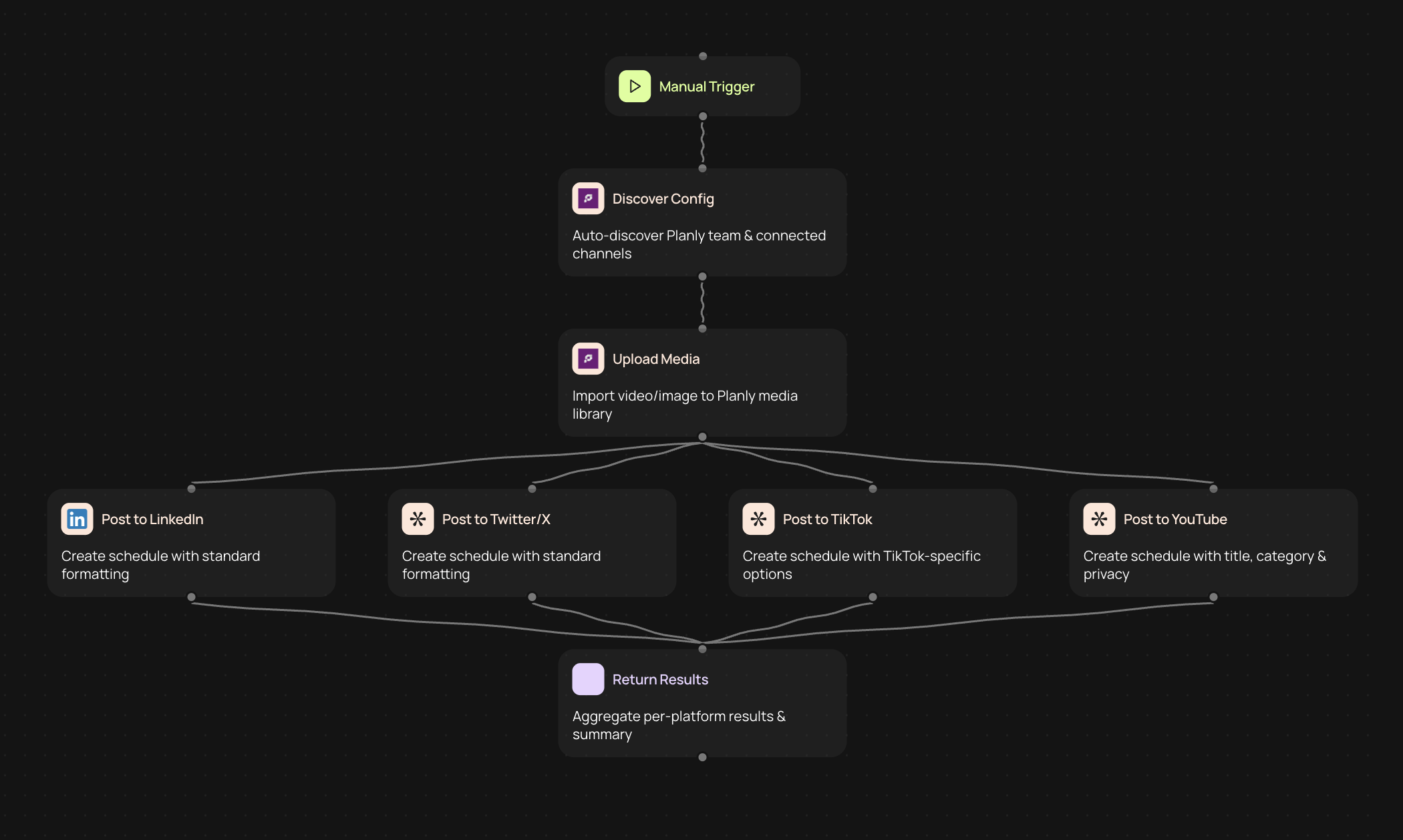
What is the Planly social media uploader?
The Planly social media uploader connects your content workflow directly to YouTube, TikTok, LinkedIn, Twitter/X, and Instagram through the Planly API. Upload videos and images to multiple platforms from one place, without logging into each account separately or copying and pasting captions across different apps.
This automation handles platform-specific formatting requirements in the background, so your content looks right on every channel. Whether you're posting a vertical video to TikTok or a professional image to LinkedIn, the formatting adjusts seamlessly for each platform's unique specifications.
How social media managers save time with this automation
Social media managers and content teams typically spend hours each week manually uploading content to different platforms. Each network has its own interface, file requirements, and character limits, which means reformatting and re-uploading the same content multiple times.
This automation eliminates that repetitive work. Upload your content once, and it distributes to all your connected platforms instantly. The system auto-discovers your team accounts and channels, so you don't need to configure complex settings or maintain lists of where content should go.
Your team can focus on creating great content and engaging with your audience rather than wrestling with upload forms and platform quirks.
What you need to get started
You'll need a Planly API key to connect this automation. Once you provide your API key, the system automatically discovers your team members and all connected social media channels.
Guided setup, and no coding required. The automation handles platform authentication and channel discovery automatically, so you can start uploading content right away.
Supports all major social media platforms
This uploader works with the platforms your audience uses most:
• YouTube — Upload videos with descriptions, tags, and thumbnails
• TikTok — Post vertical videos with captions and hashtags
• LinkedIn — Share professional images and videos with your network
• Twitter/X — Post images and videos with text updates
• Instagram — Upload photos and videos to your feed
Each platform receives content formatted specifically for its requirements, ensuring your posts look professional and perform well.
Platform-specific formatting handled for you
Every social network has different technical requirements — aspect ratios, file sizes, caption lengths, and character limits. Managing these differences manually is time-consuming and error-prone.
This automation applies the correct formatting for each platform without manual work. Your vertical videos go to TikTok in the right dimensions, your professional content posts to LinkedIn with appropriate tone, and your Twitter/X updates stay within character limits.
You create your content once, and the system adapts it for each destination.
Who benefits from multi-platform social media uploading?
Social media managers juggling multiple accounts save hours each week by centralizing their upload workflow. Instead of switching between browser tabs and native apps, you manage everything from one place.
Content teams coordinating across different brands and channels can distribute approved content quickly and consistently. Everyone works from the same source, reducing miscommunication and version control issues.
Marketing teams running coordinated campaigns can publish content simultaneously across all platforms, ensuring your message reaches your entire audience at the optimal time.
Streamline your content distribution workflow
This Planly integration transforms how you distribute content across social media. Instead of treating each platform as a separate task, you upload once and reach everywhere your audience engages with your brand.
Your content calendar becomes easier to execute, your team spends less time on administrative tasks, and your social media presence stays consistent across all channels — all through a simple connection with your Planly API key.
Get started today
Your first workflow is free to build.
Describe what you need. Cody handles the build, the connections, and the deployment.