Notion to Sheets Sync — export Notion databases in seconds
Easily export Notion database content to Google Sheets. Automate and sync your records for fast sharing and analysis.
Example starting point only. Verify every connection and any sending, booking, inventory, approval, or handoff action before deployment.
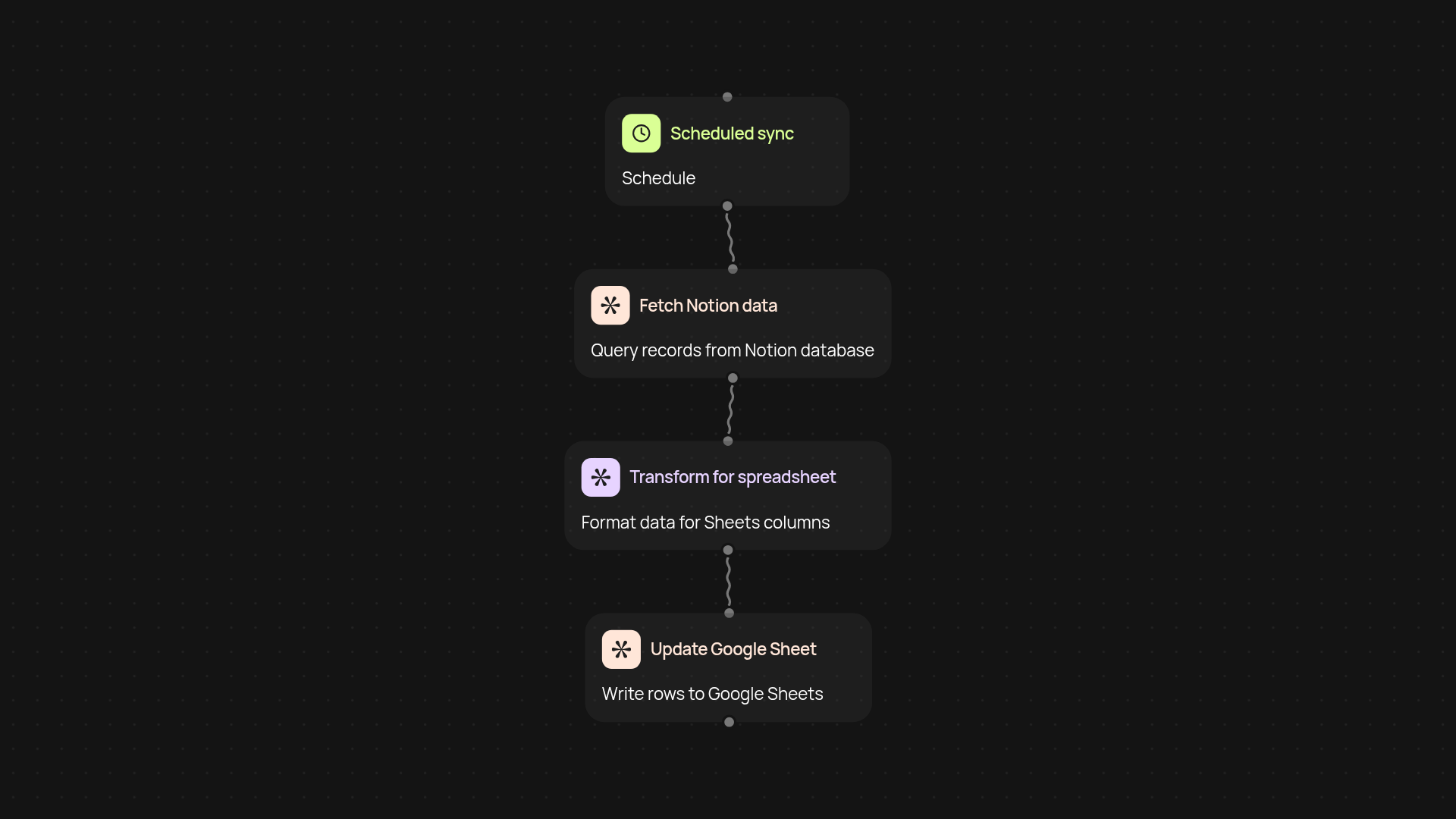
How can you move Notion data into Google Sheets automatically?
Skip the spreadsheet shuffle—this template sends your Notion databases right to Google Sheets, no copy-paste required. Every record is gathered, sorted, and placed into your chosen spreadsheet, making updates and sharing simple. Tracking meeting notes, project plans, or to-do lists? You get everything organized and ready to use, all after setup and review.
How does the export process actually work?
Your Notion database is queried for the latest content. The process extracts every field and transforms your valuable info so it fits perfectly inside Google Sheets. Formatting, schema, and special Notion properties are handled instantly in the background. You always have an up-to-date version that’s easy to filter, analyze, or share with your team.
Are updates to my Notion data reflected in Sheets?
Yes. Set things up once and your Sheets can update automatically — whenever you add, edit, or delete records in Notion. No more manual imports or worrying that your reports are out of date. Rely on this template to keep your Sheets in sync with your workspace.
What do I need to get started?
You'll need an active Notion workspace, a Google account with Google Sheets access, and basic permissions for both. Setup takes just a few clicks, and you can customize which database or records are included. Start syncing and make Notion far more actionable—right inside your spreadsheets.
More templates
Get started today
Your first workflow is free to build.
Describe what you need. Cody handles the build, the connections, and the deployment.