Notion Database Assistant — query your Notion data with AI
Get plain-English answers from your Notion database instantly. The Notion Database Assistant saves hours each week by using AI to find information for you — no digging or manual searching.
Example starting point only. Verify every connection and any sending, booking, inventory, approval, or handoff action before deployment.
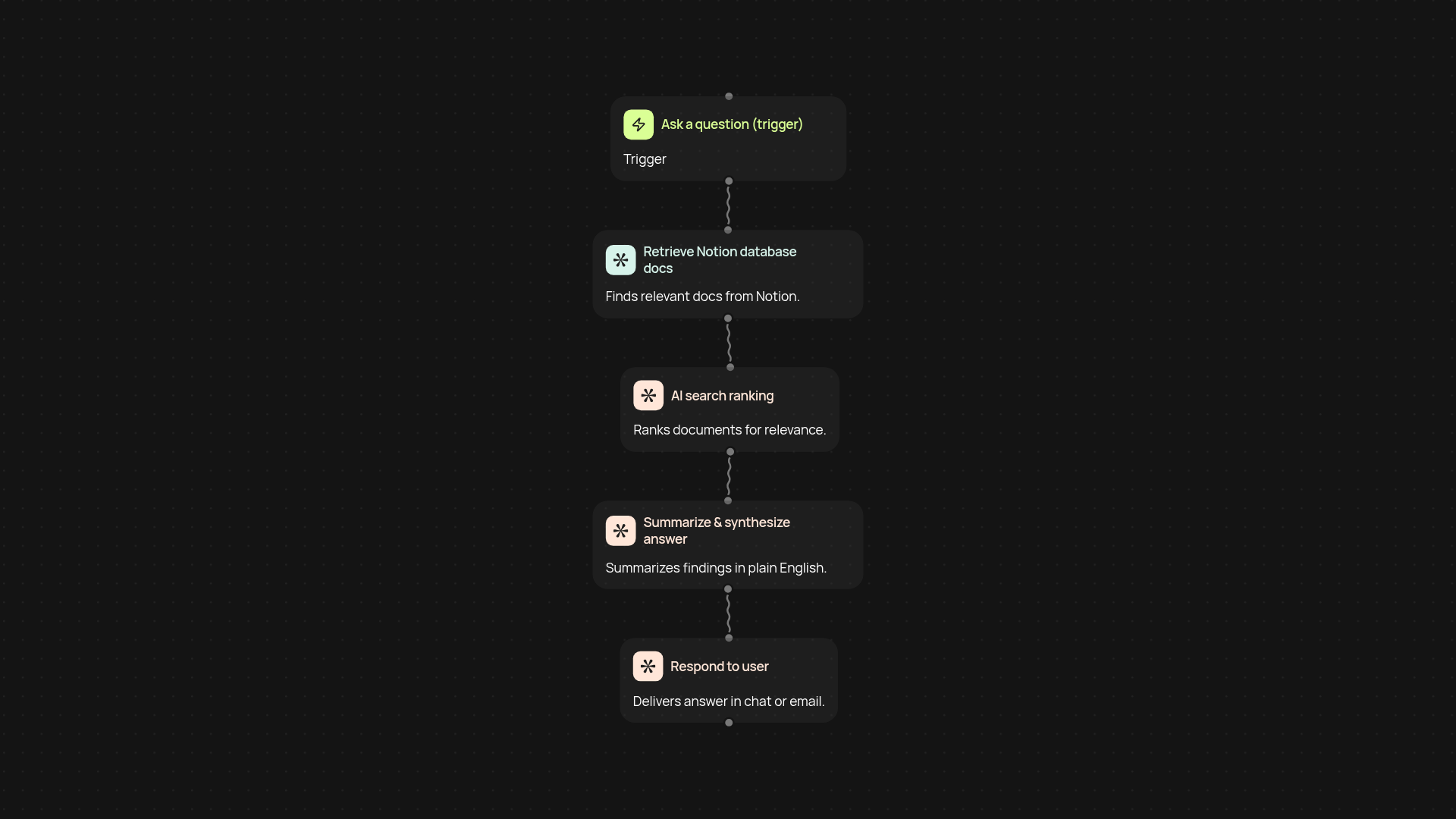
What can the Notion Database Assistant do for you?
The Notion Database Assistant gives you fast, plain-English answers to any question about your Notion data. Just ask, and the assistant automatically searches your Notion database, finds the most relevant info, and provides a clear answer — all in one step. Forget sifting through pages or remembering where you stored details. Get reliable insights from your data instantly, freeing up time for what matters most.
How does it find answers in your Notion workspace?
You ask a question, and the assistant instantly combines AI-powered retrieval with deep search of your Notion collections. It scans your database, picks out key facts and insights, then synthesizes a concise response in easy-to-read language. No need to copy-paste or extract data by hand — answers come to you automatically, whenever you need them.
What are the benefits over manual search?
Unlike manual queries or filter views, the database assistant removes the guesswork and busywork. You don’t have to know SQL, set up complicated formulas, or click through Notion menus. Just ask your question in plain language, and get only what’s relevant right away. This not only reduces time spent but also helps your whole team stay aligned and well-informed without any special training.
How do you set it up and what do you need?
Setup is quick — connect your Notion account and specify which database to use. You’ll also link an OpenAI key to power the AI processing. From there, you can trigger the assistant automatic or manually whenever a question arises. No deep tech knowledge required. In minutes, you’ll start getting smart, text-based answers directly from your Notion data.
More templates
Get started today
Your first workflow is free to build.
Describe what you need. Cody handles the build, the connections, and the deployment.