Multi-scene video generator — create videos end-to-end
Generate dynamic multi-scene videos with keyframes and animations, without lifting a finger. Build brand stories, explainer content, and ads in minutes.
Example starting point only. Verify every connection and any sending, booking, inventory, approval, or handoff action before deployment.
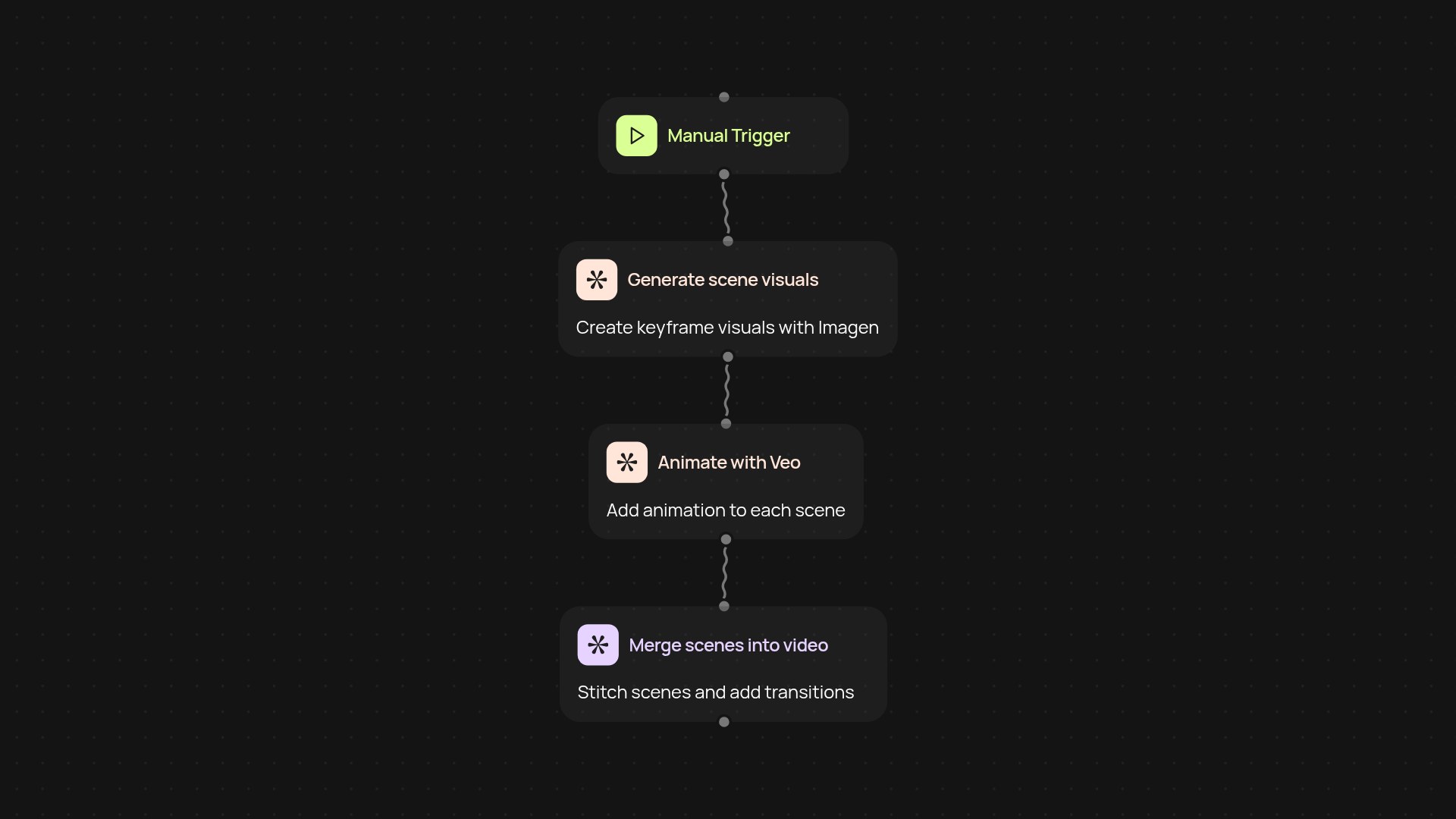
How does the multi-scene video generator work from start to finish?
With the multi-scene video generator, you can build complete brand stories, explainer content, or ads—without the hassle. Describe your scenes and watch as they come to life using Imagen for visual generation and Veo for seamless animations. Just set your story points and let CodeWords bring everything together, handling transitions, visuals, and timing without manual effort.
Can I customize scenes and keyframes?
Yes, you’re in full control over each individual scene and keyframe. Simply specify the look and feel you want—distinct for every part of your video story. The video generator uses your prompts to design key moments and stitches them together, so you always get a result that matches your vision.
How quickly can I create a multi-scene video?
You can produce a dynamic video faster than you think. Once your scene inputs are ready, the generator works in the background—combining imagery, motion, and transitions into a professional-quality video. There’s no need to spend hours on video editing platforms again.
What do I need to get started?
All you need is your video idea, a few text prompts for each scene, and a minute to set up the workflow. Just launch the generator and let it do the heavy lifting. No previous design or video editing skills required.
Get started today
Your first workflow is free to build.
Describe what you need. Cody handles the build, the connections, and the deployment.