AI Icon Designer — create custom SVG icons instantly
Create high-quality SVG icons in iconoir.com style. Benchmark libraries, generate unique icons from its configured trigger, and speed up your design workflow with AI Icon Designer.
Example starting point only. Verify every connection and any sending, booking, inventory, approval, or handoff action before deployment.
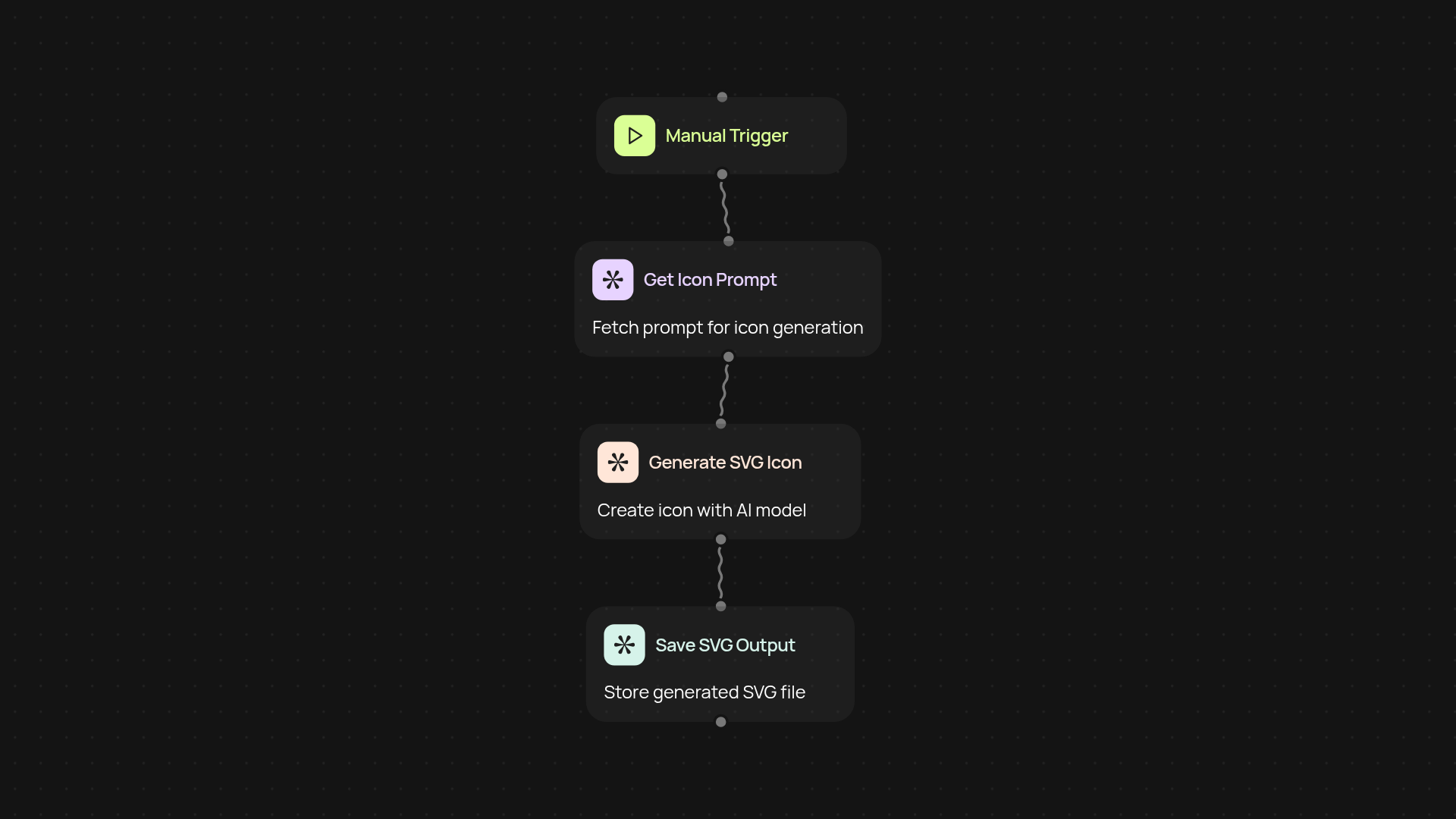
What does the AI Icon Designer do from start to finish?
AI Icon Designer lets you generate ready-to-use SVG icons in the iconoir.com style, without any hassle. It benchmarks top icon libraries for inspiration, then creates unique icons using advanced AI — so you get the exact designs you need, from its configured trigger. Forget sifting through endless icon packs; now you can create the right look for every project in moments.
How do you get the best icon suggestions for your needs?
You simply describe the icon you're after. AI Icon Designer instantly scrapes the web to review the latest and best icon libraries, comparing style, clarity, and relevance. The tool then offers you icon suggestions to match your requirements, so you always start with the strongest ideas.
How does it create a unique SVG icon for you?
After benchmarking, the platform prompts its AI (powered by Claude Sonnet 4.5) to design a brand-new SVG icon in the same visual language as iconoir.com. The result is a striking, pixel-perfect design tailored to your use case — without any manual drawing or editing.
How do you set up AI Icon Designer and what do you need?
Getting started takes only a few clicks. Start a new project, enter your icon description, and the rest runs from its configured trigger. You'll need an active CodeWords account and a clear idea of the icon you want — everything else happens in the background. Your SVG is ready for download or direct use right away.
Get started today
Your first agent is free to build.
Describe what you need. Cody handles the build, the connections, and the deployment.