Multi Format Document QA — answer any file instantly
Unlock instant answers from PDFs or docs. Multi Format Document QA makes file Q&A easy—no manual data entry or complex setups required.
Example starting point only. Verify every connection and any sending, booking, inventory, approval, or handoff action before deployment.
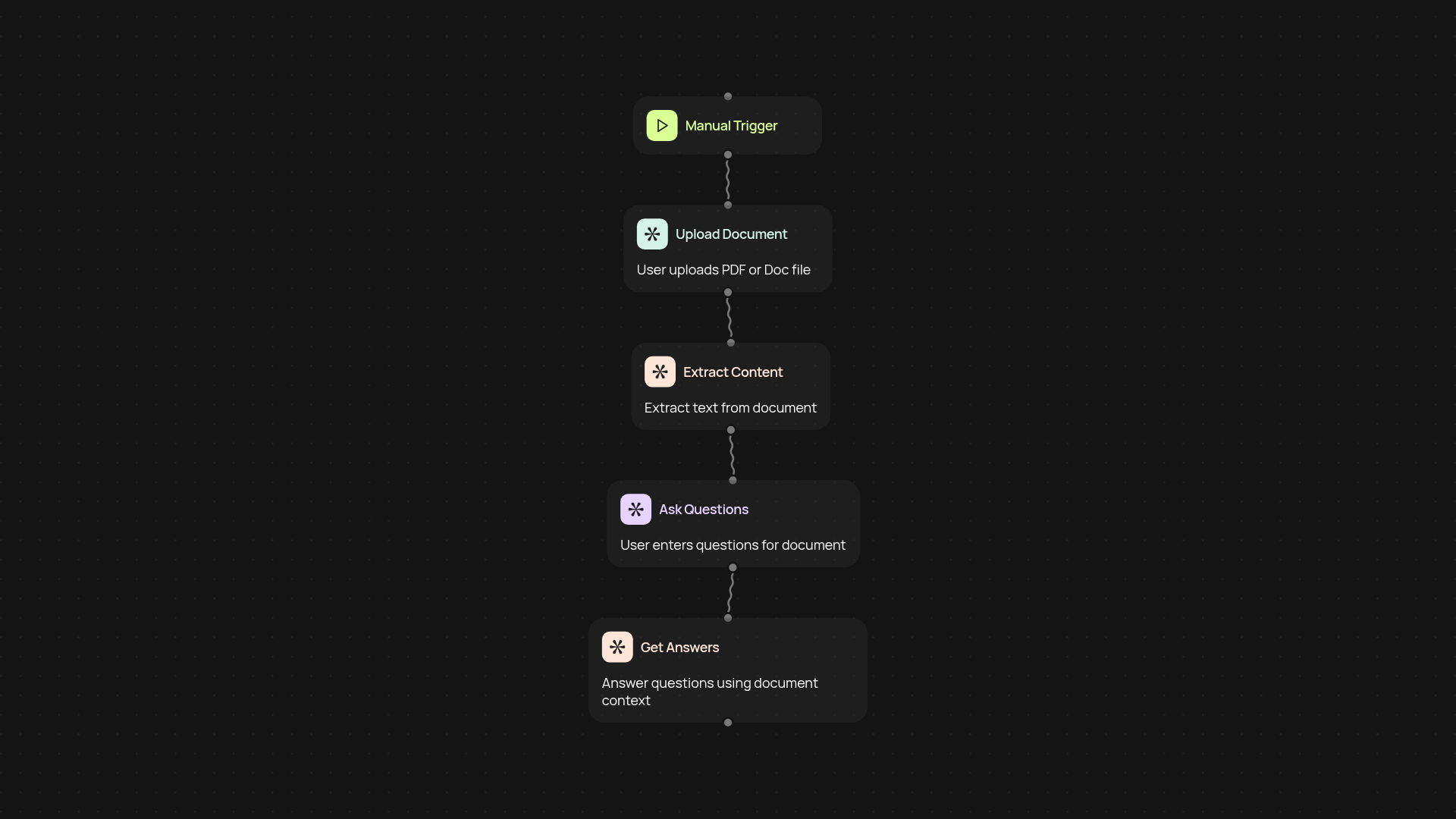
How does multi format document QA work to answer your file questions?
Get answers from any document—PDFs, Word docs, and more—without jumping through hoops. Just upload your file, type your question, and get responses in seconds. You don’t need to worry about complex setups, external databases, or manual data entry. The system uses advanced LLMs to find what’s most relevant in your files and delivers clear answers automatically.
Can I use it with all my documents, no matter the format?
Yes, nearly every document type is supported. Whether you rely on internal PDFs, office memos, or customer presentations, you can surface answers instantly. Forget reformatting or splitting files. Just connect, ask, and receive the information you need—when you need it most.
What’s special about relevance scoring for my questions?
The system works behind the scenes to understand your query and match it with the most useful content—no manual tagging needed. You always get the most helpful, precise answers to your question, so you can trust what you find. Everything happens in the background, so you can focus on what matters.
How do I set it up and what do I need to start?
It only takes a few minutes. First, choose whether you want to trigger answering by uploading a file manually or connect another service. Then, point to your document. Ask your first question and watch answers appear—no training or technical knowledge required. Perfect for busy teams who want knowledge at their fingertips after setup and review.
More templates
Get started today
Your first workflow is free to build.
Describe what you need. Cody handles the build, the connections, and the deployment.