Meeting Notes Summarizer — instantly capture and share insights
Generate structured meeting summaries automatically with CodeWords. Send actionable notes to Slack for fast team alignment — no manual copy-paste needed.
Example starting point only. Verify every connection and any sending, booking, inventory, approval, or handoff action before deployment.
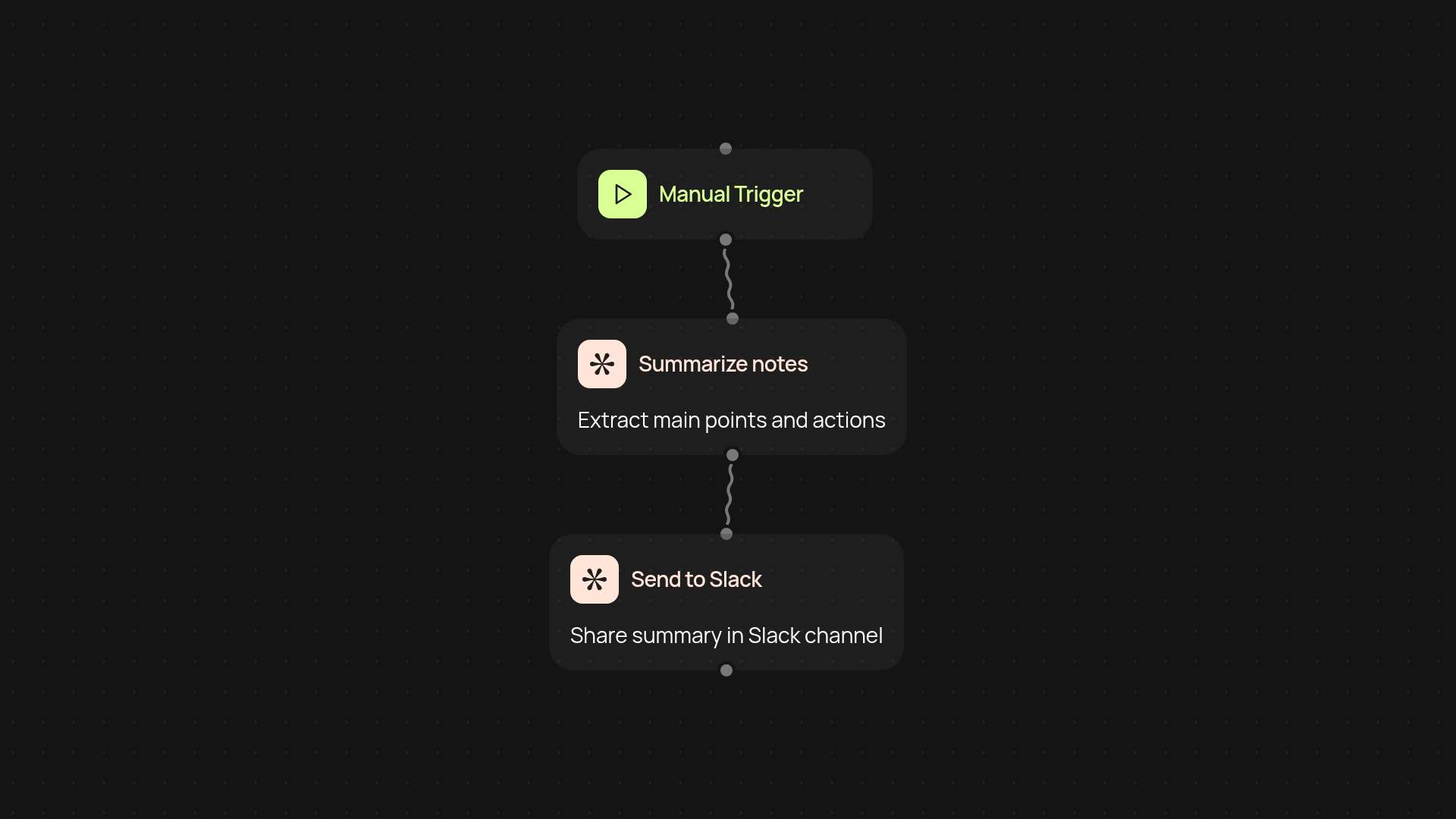
How does this template turn meeting notes into shared insights?
This template transforms raw meeting notes into clear summaries and instantly shares them with your team on Slack. You upload or paste meeting text, and CodeWords takes care of structuring the key points, highlights, and action items—so your team stays aligned, even if someone misses the meeting. There’s no more manual copy-pasting into chats, or struggling to remember important decisions.
How are summaries structured and what can you expect?
Summaries include the most important topics, concise action items, and decisions captured in easy-to-read sections. Your team receives an organized Slack post, so everyone can digest details and assign follow-ups in minutes. It’s formatted for quick skimming—meaning less back-and-forth and more focused progress.
What makes this better than doing it by hand?
You don’t need to spend time reviewing every minute of a conversation or retyping details. The summarizer works in the background to pull out what matters. Actionable notes land in Slack right after your meeting, limiting confusion and vastly reducing post-meeting admin. This means your team acts faster, without anyone lifting a finger after the meeting wraps up.
How do you set it up, and what do you need?
Setup is quick: connect your Slack account, drop in your meeting notes, and you’re ready to go. No technical skills needed. Just paste your notes—the automation instantly delivers the summary to your chosen Slack channel. Start sharing structured recaps after every meeting, right away.
More templates
Get started today
Your first workflow is free to build.
Describe what you need. Cody handles the build, the connections, and the deployment.