Meal Delivery Optimizer — streamline routes and timing
Plan the most efficient routes and timing for meal deliveries. Save hours every week and delight your customers with prompt service — all without manual mapping.
Example starting point only. Verify every connection and any sending, booking, inventory, approval, or handoff action before deployment.
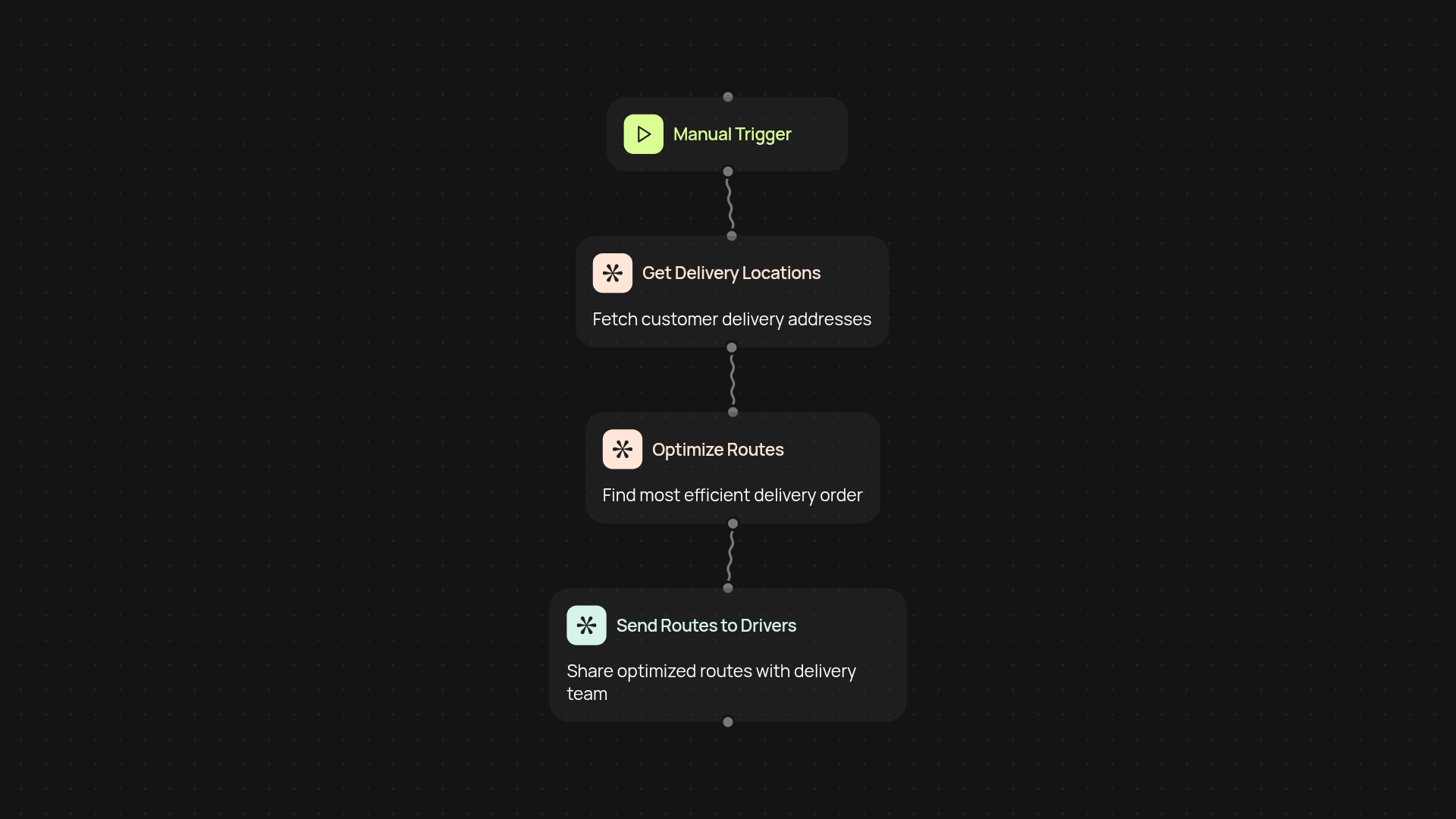
What does the meal delivery optimizer do from start to finish?
The meal delivery optimizer plans your delivery routes and timing in just a few clicks. When you add new delivery addresses and times, it instantly calculates the most efficient order for drop-offs. No more shuffling papers, spreadsheets, or last-minute detours — just reliable, on-time meals for your customers, without manual work.
How does it decide a direct delivery routes?
First, it gathers your list of orders and their destinations. Then, using smart algorithms and real-time data, it finds the quickest route for your team to follow. You’ll see exact timing windows for each stop, so your drivers avoid traffic and wait times. This means you get more deliveries done each day.
Can I adjust deliveries as orders come in?
Yes, you can add or remove orders throughout the day. The optimizer recalculates routes in the background, making sure new stops fit neatly into your schedule — all after setup and review. This keeps your operation flexible and avoids delays, even with last-minute changes.
What do I need to set up the optimizer?
Getting started only takes a few minutes. You’ll need your list of daily meal orders, customer addresses, and preferred delivery times. Just upload these details, and the optimizer takes care of the rest. No extra software or training required — just watch your deliveries run smoothly.
More templates
Get started today
Your first workflow is free to build.
Describe what you need. Cody handles the build, the connections, and the deployment.