Market cap monitor — track company market caps automatically
Track company market caps automatically. Get alerts on changes in market capitalization without manual work. Stay updated, save time, and automate financial monitoring.
Example starting point only. Verify every connection and any sending, booking, inventory, approval, or handoff action before deployment.
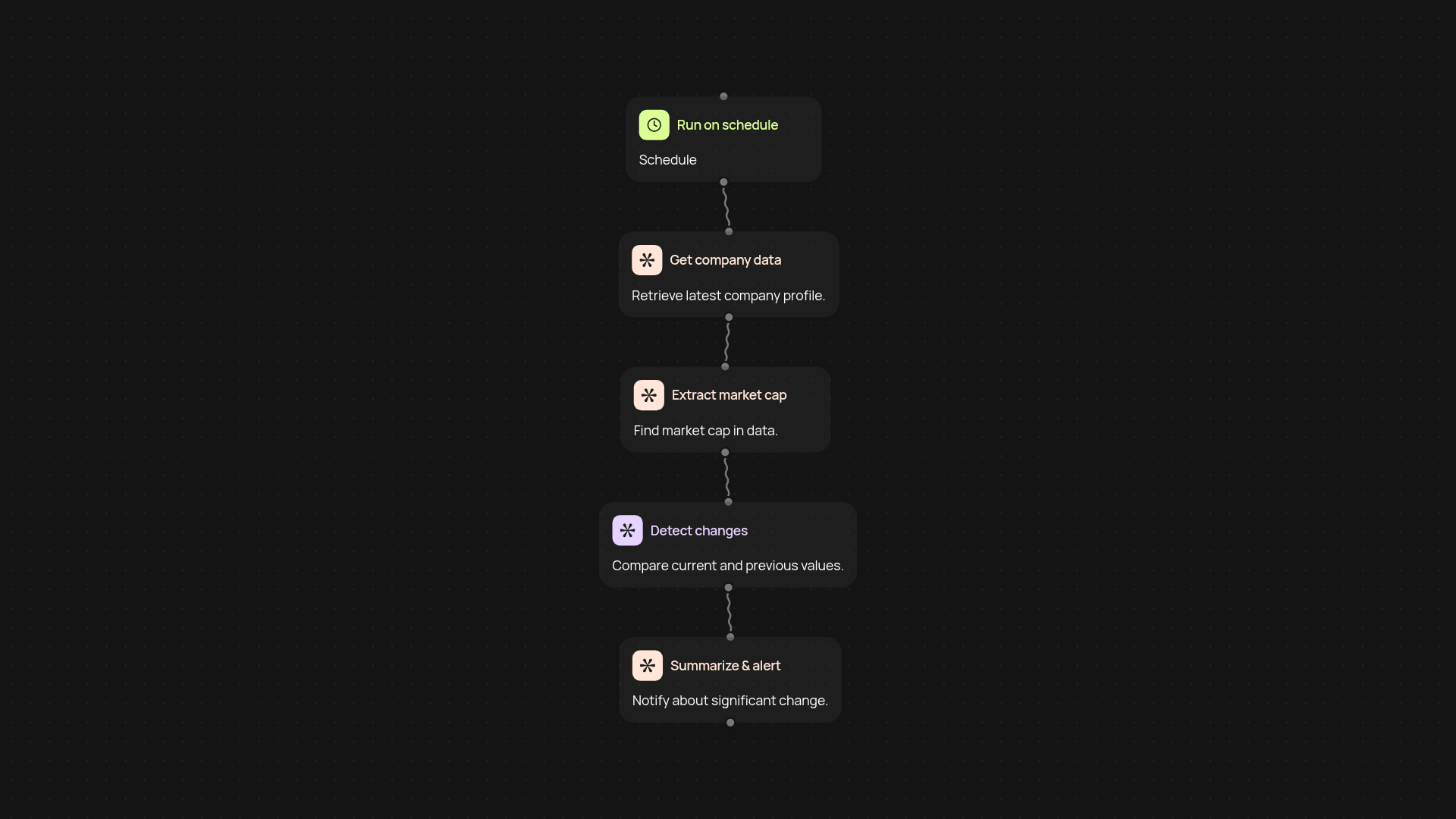
How does this template track company market caps automatically?
This template makes it easy to monitor company market capitalizations—after setup and review. Once set up, it tracks market cap values from your selected sources and compares them for changes. If a notable change is detected, you receive a timely alert. There’s no need to spend your day checking financial sites or gathering numbers, saving you hours typically spent on manual research or data entry.
What happens when a company’s market cap changes?
You’re notified whenever a change is detected—instantly. The template checks for updates, analyzes the differences, and delivers an alert, so you know exactly when company valuations move. This approach lets you stay informed in real-time and avoid missing important shifts in the market.
Can I monitor multiple companies and sources?
Yes. You can monitor several companies at once by specifying them in your setup. The system works quietly in the background, scanning across data sources so you always have a current view. That means fewer surprises, better context, and more confidence in your decisions.
What do I need to get started and how is it set up?
All you need is a list of the companies you want to monitor. Connect your preferred sources—CodeWords handles the rest. Just set your trigger, add sources to track, and start receiving alerts. No technical skills required. start in minutes, and then your market cap monitoring runs automatically.
Get started today
Your first workflow is free to build.
Describe what you need. Cody handles the build, the connections, and the deployment.