Manufacturing QC Analyzer — spot defects instantly in your product images
Analyze product images for defects in seconds with Manufacturing QC Analyzer. Classify defect severity without manual checks. Fast, accurate quality control.
Example starting point only. Verify every connection and any sending, booking, inventory, approval, or handoff action before deployment.
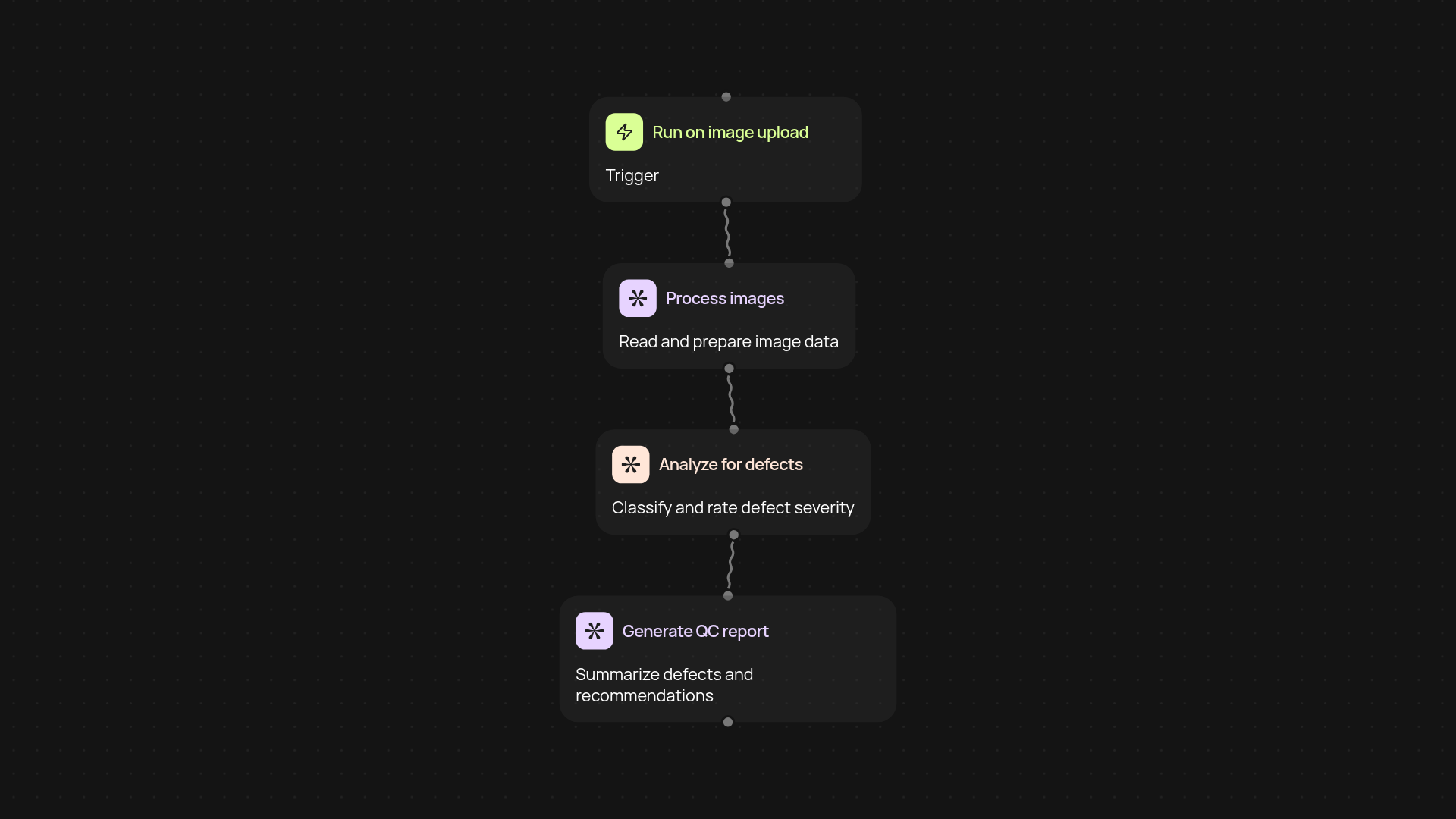
How does the manufacturing qc analyzer help you catch defects faster?
Manufacturing QC Analyzer reviews your product images and highlights defects—classifying each by severity so you know exactly where to focus. Skip the manual reviews and let the platform handle the detection process automatically. You’ll get fast, reliable results for every batch, and stay ahead of costly quality issues.
What kinds of defects does it find in product images?
The analyzer can spot a wide range of visible defects, including scratches, dents, misalignments, or surface issues. It works across different product types and materials, so your team spends less time hunting for flaws and more time ensuring quality output.
How quickly can you see results and reports?
You receive instant summaries and clear severity classifications for every product image uploaded. No need to wait for a manual review or worry about missed errors—your QC process runs smoothly in the background, reducing bottlenecks on your production line.
How do you set up the manufacturing qc analyzer?
Getting started is easy. First, choose your trigger—like uploading images or selecting a folder. Next, connect your image data source and let the analyzer start processing. You'll just need access to your product image files and a few minutes to get things running. Most users are up and running after setup and review after setup.
More templates
Get started today
Your first workflow is free to build.
Describe what you need. Cody handles the build, the connections, and the deployment.