LinkedIn Thought Leader Finder — discover and analyze top voices
Find LinkedIn thought leaders automatically. Analyze post engagement and content quality to connect with top voices in your industry.
Example starting point only. Verify every connection and any sending, booking, inventory, approval, or handoff action before deployment.
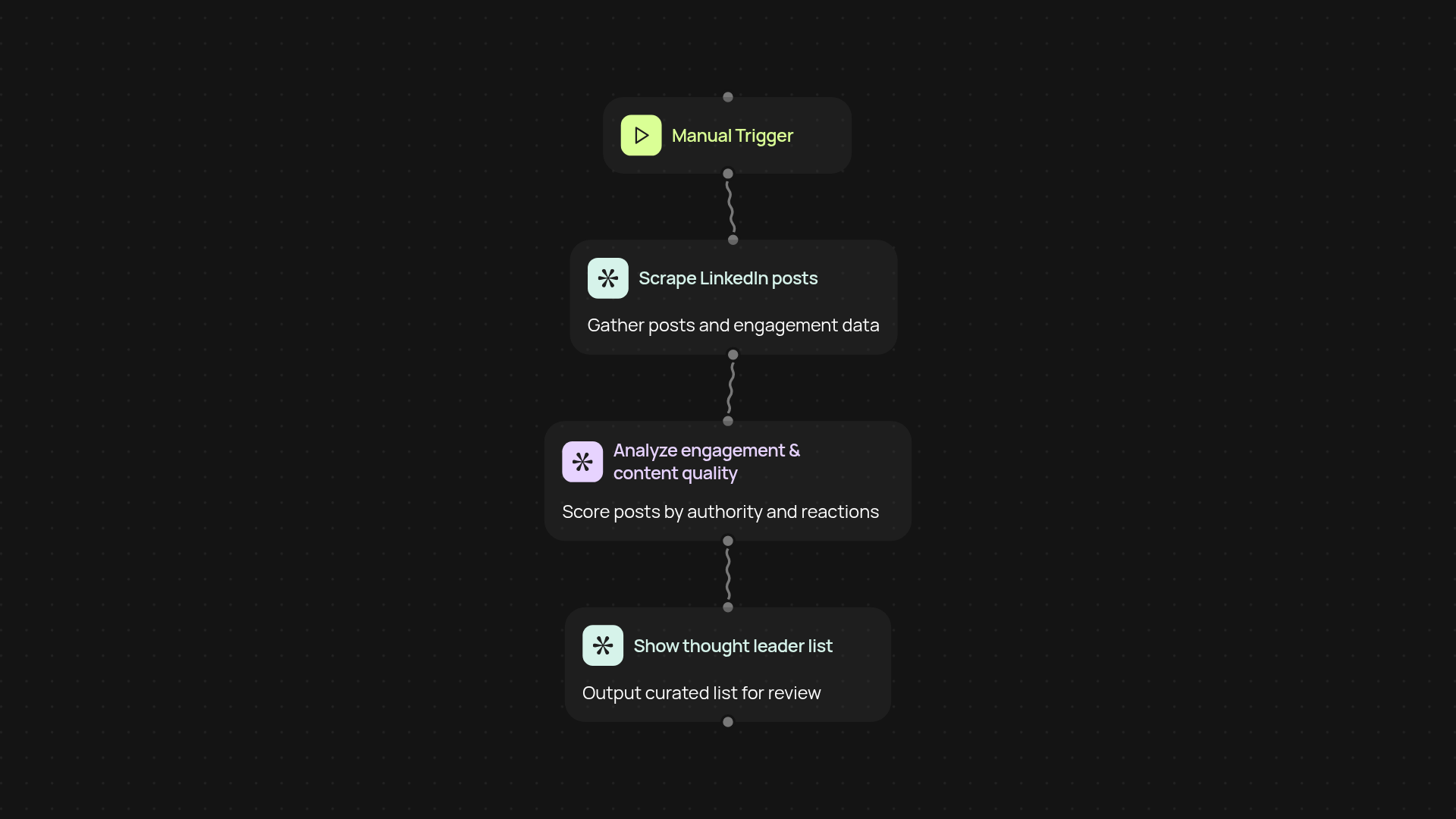
How does the LinkedIn Thought Leader Finder work end-to-end?
The LinkedIn Thought Leader Finder handles the entire process for you — from scanning posts to surfacing the most influential voices in your niche. No need to spend hours scrolling or sorting through profiles. It reviews engagement levels and analyzes the quality of posts so you see only the people who really matter, after setup and review.
How does it pick the top thought leaders?
This template looks for industry professionals whose content gets strong engagement and demonstrates deep knowledge. It checks likes, shares, comments, and the authority shown in their posts. As a result, you cut through the noise and quickly spot who’s genuinely respected in your field.
Can I use this without technical know-how?
You don’t need a technical background. Everything runs automatically after a quick setup. You just activate the Chrome extension, let it scan LinkedIn according to your chosen criteria, and review the results in one place. It's built to save you time so you can focus on networking and outreach.
What do I need to get started?
All you need is a LinkedIn account and the CodeWords Chrome extension. Once added, just launch the thought leader finder, pick your industry or keywords, and run your first scan. In minutes, you’ll get a curated list of top voices to connect with or follow — entirely automatically.
Get started today
Your first workflow is free to build.
Describe what you need. Cody handles the build, the connections, and the deployment.