LinkedIn Post Monitor — track relevant posts automatically
Monitor LinkedIn posts by topic, get daily alerts, and avoid missing key updates — all automatically with CodeWords.
Example starting point only. Verify every connection and any sending, booking, inventory, approval, or handoff action before deployment.
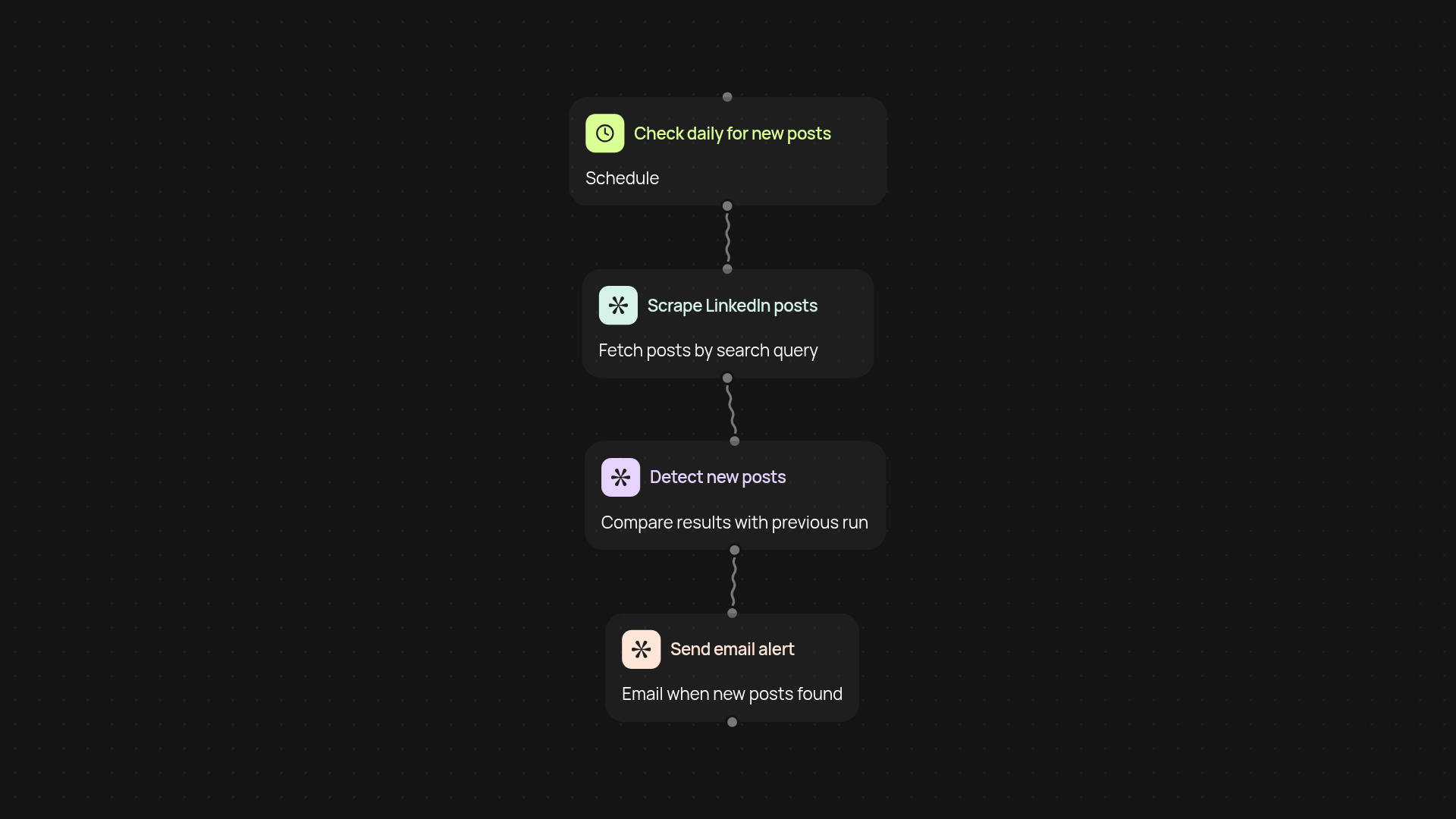
What does the LinkedIn Post Monitor do?
The LinkedIn Post Monitor tracks new posts on LinkedIn that match your chosen keywords or search queries. Every day, your workflow checks for relevant updates — without you lifting a finger. When a new post appears, you’ll get an email notification with details so you’re always up to date. This means you are less likely to miss out on important industry news, leads, or competitor activity again. All the searching happens in the background, so you can focus on your priorities instead of checking LinkedIn manually.
How does it ensure you only get new posts?
You’ll only get notified about new posts you haven’t already seen. The monitor checks for changes using built-in change detection, so you’re not flooded with repeat notifications. Every day, the workflow compares fresh results with previous ones, sending you an update if—and only if—something new appears.
Can you tailor notifications to your needs?
Absolutely. From specific search queries to targeted topics, you control what is tracked. Set your own LinkedIn search terms, and pick the email you want alerts sent to. It’s all designed to help you stay informed about exactly what matters to you.
How do you set this up and what do you need?
Getting started is simple: just connect your LinkedIn (via the Chrome extension) and email (Gmail via Pipedream). Enter your preferred search keywords, and the rest runs automatically—no manual searching required. Your monitoring schedule is daily, but you can adjust queries or notifications at any point through the CodeWords platform.
More templates
Get started today
Your first workflow is free to build.
Describe what you need. Cody handles the build, the connections, and the deployment.