LinkedIn Lead Scraper — find and enrich leads
Instantly find and enrich LinkedIn leads by keywords and location. Search profiles, extract data, and build your pipeline, all automatically with CodeWords.
Example starting point only. Verify every connection and any sending, booking, inventory, approval, or handoff action before deployment.
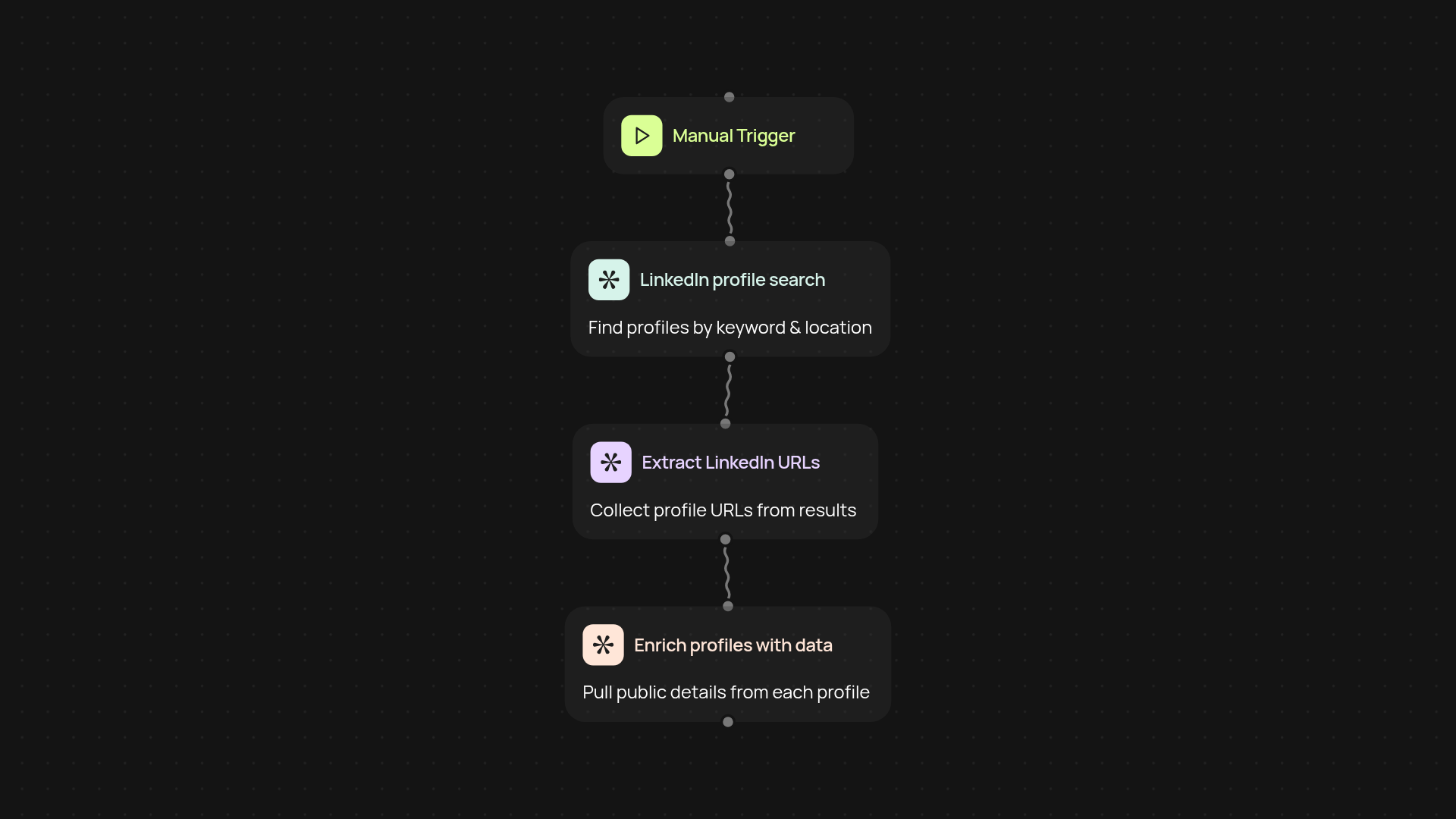
What does the LinkedIn Lead Scraper do for you?
The LinkedIn Lead Scraper template takes you from prospect search to detailed lead enrichment on LinkedIn — after setup and review. Enter your keywords and location, and the workflow instantly searches profiles, collects URLs, and can pull in deeper data about each lead. Build your outreach list in minutes, skipping hours of manual searching and copy-pasting.
How does it collect and enrich LinkedIn leads?
First, the scraper searches LinkedIn for profiles matching your criteria. It grabs the URLs for each result, then, if you choose, enriches each lead with more data—like job title, company, and other public details. This saves countless hours and gives you ready-to-use lead data for outreach or CRM import.
What do you need to get started?
All you need is the CodeWords Chrome Extension for LinkedIn access. Enter search keywords and your target location, then start the template. In just a few clicks, your leads will appear in your preferred format.
Can you automate the whole LinkedIn lead process?
Yes, this template runs in the background, keeping your pipeline fresh. Run it on demand or schedule regular scrapes — ideal for salespeople, recruiters, or marketers wanting the latest LinkedIn leads, always ready for action.
Get started today
Your first workflow is free to build.
Describe what you need. Cody handles the build, the connections, and the deployment.