LinkedIn Headline Optimizer — boost your profile instantly
Create stronger LinkedIn headlines in seconds with CodeWords. Generate and test headline variations. Stand out and attract recruiters today.
Example starting point only. Verify every connection and any sending, booking, inventory, approval, or handoff action before deployment.
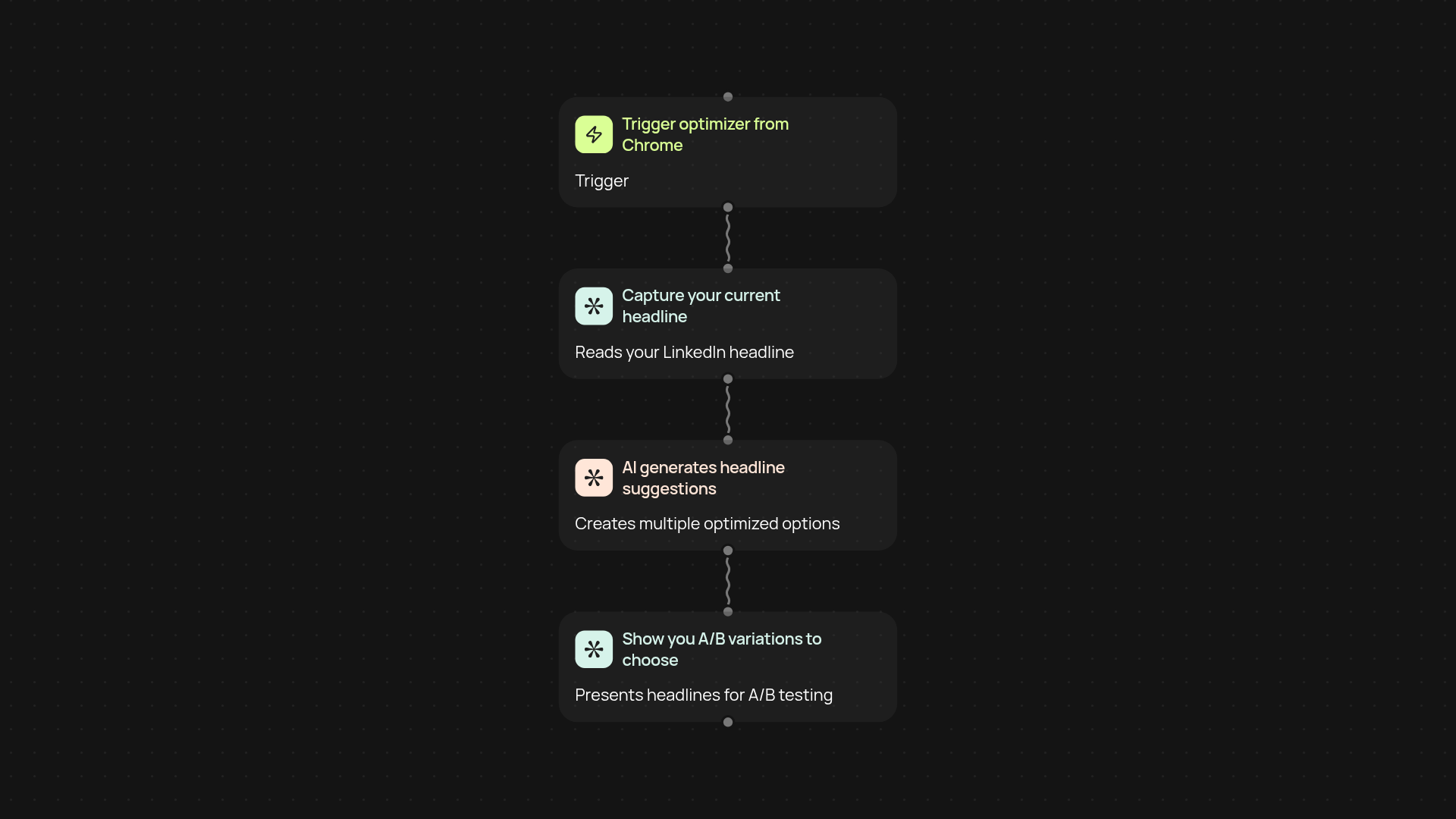
How can you improve your LinkedIn headline without manual rewriting?
Create powerful LinkedIn headlines in less time. This template takes your current headline, generates multiple A/B tested alternatives, and helps you select the perfect one—without the usual back-and-forth edits. Whether you’re looking for more profile views, attracting recruiters, or boosting credibility, you’ll get smart suggestions in seconds through your browser.
What’s the process for generating and testing headline variations?
First, you trigger the workflow from your Chrome browser while on LinkedIn. The tool captures your current headline, then uses AI to suggest several optimized options tailored to your role and goals. You receive easy-to-compare choices, making it simple to see which headline style resonates best. Results appear instantly, so you don’t have to copy and paste or brainstorm new ideas yourself.
How do you know which headline performs better?
Every AI-generated headline variation can be A/B tested—try out different versions over time and track which one gets the most engagement. This process runs automatically, so you can watch your LinkedIn activity grow while the heavy lifting happens in the background. With consistent insights delivered to you, it’s never been easier to find out which message stands out.
How do you set this up and what do you need?
Just install the CodeWords Chrome extension and sign in to your LinkedIn account. No technical skills needed—simply trigger the optimization while viewing your profile. You’ll have headline options ready to use within moments, and you can re-run the optimizer anytime your role or focus shifts. All you need is Chrome and your LinkedIn login.
More templates
Get started today
Your first workflow is free to build.
Describe what you need. Cody handles the build, the connections, and the deployment.