LinkedIn Education Extractor
Extract clean, structured education history from LinkedIn profiles. Save time with automated data collection and organize academic credentials effortlessly.
Example starting point only. Verify every connection and any sending, booking, inventory, approval, or handoff action before deployment.
 Rithul Palazhi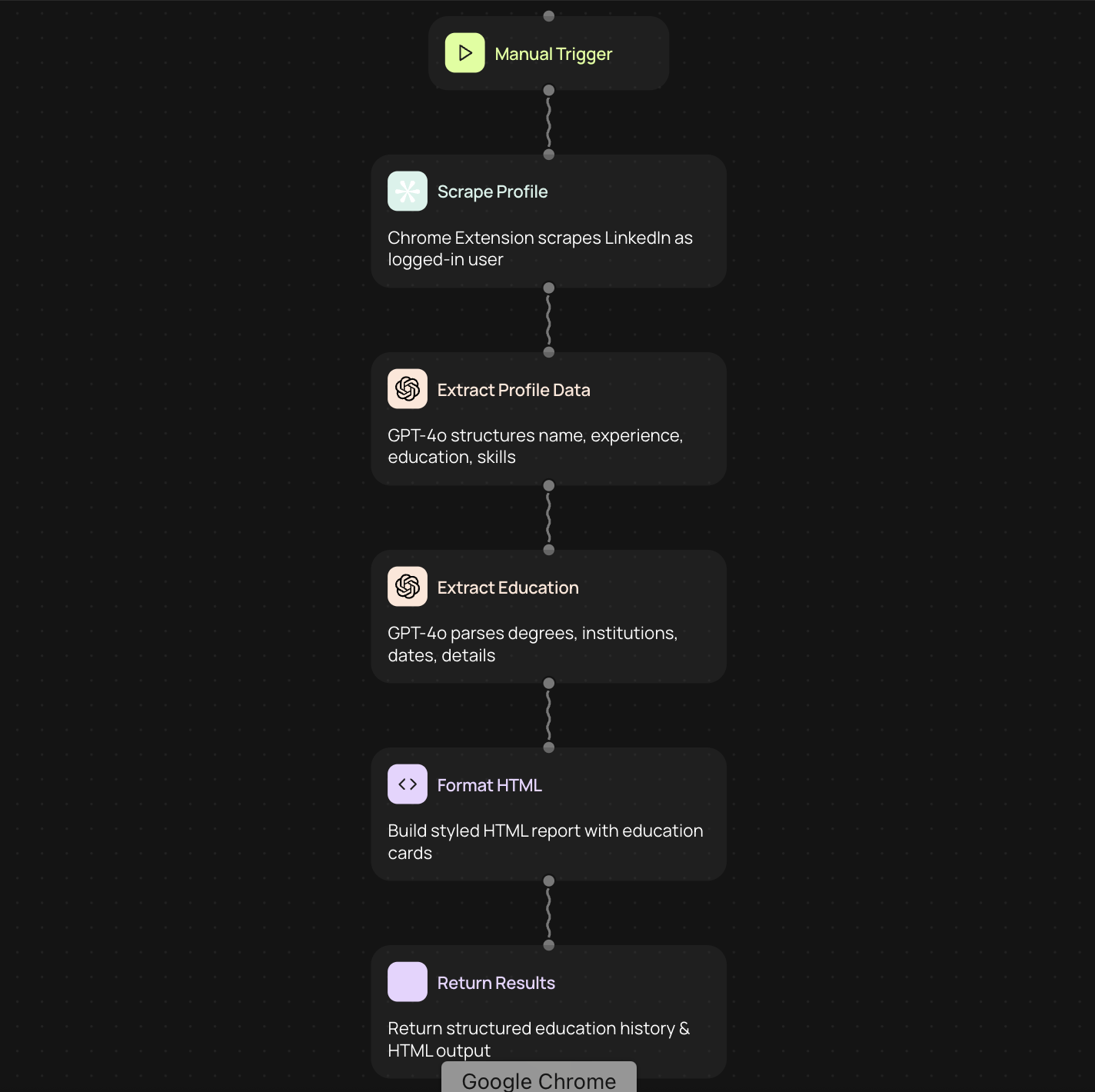
What is a LinkedIn education extractor
A LinkedIn education extractor is a tool that scrapes education history from LinkedIn profiles and organizes it into structured data. Instead of manually copying school names, degrees, and graduation dates, this tool pulls the information automatically and formats it in a way that's easy to use.
Why extract education data from LinkedIn
Education history provides valuable context about candidates, prospects, or contacts. Recruiters use this data to verify qualifications and match candidates with opportunities. Sales teams reference educational backgrounds to personalize outreach. Research teams collect academic credentials to identify experts in specific fields.
Manual extraction is time-consuming and prone to errors. When you're working with multiple profiles, copying and pasting becomes tedious. An education extractor handles this process automatically, saving hours of work while maintaining accuracy.
How the extraction process works
The tool connects to LinkedIn and navigates to the profile you want to analyze. It identifies the education section and extracts key details such as institution names, degree types, fields of study, and attendance dates.
Once extracted, the data is cleaned and formatted into a consistent structure. This might include separating degree levels, standardizing date formats, and organizing multiple entries chronologically. The result is ready-to-use information that can be exported to spreadsheets or integrated with other systems.
Common use cases
• Recruiting teams building candidate databases with verified educational backgrounds
• Sales professionals researching prospects to find common connections or conversation starters
• Market researchers analyzing educational trends across industries or regions
• Event organizers collecting speaker credentials and academic qualifications
• Academic institutions tracking alumni career progression and educational pathways
Getting started with education extraction
1. Connect your LinkedIn account to enable profile access
2. Enter the profile URL or search criteria for the profiles you want to extract
3. Configure which education fields to capture — institution, degree, major, dates, or all available data
4. Run the extraction and review the structured results
5. Export the data to your preferred format or send it to another tool in your workflow
Benefits of automated extraction
Automation eliminates repetitive tasks and reduces human error. You can process dozens or hundreds of profiles in the time it would take to manually handle just a few. Consistency improves when every profile is extracted using the same method, making it easier to compare and analyze information.
Structured data integrates seamlessly with customer relationship management systems, applicant tracking systems, and databases. This connectivity means education information flows directly into your existing tools without manual data entry.
Best practices for using education extractors
Respect LinkedIn's terms of service and privacy guidelines when extracting data. Focus on publicly available information and avoid excessive requests that might trigger rate limits. Always verify critical information directly with individuals when making important decisions based on extracted data.
Keep your extracted data secure and use it only for its intended purpose. Regular updates ensure your records reflect any changes people make to their profiles over time.
Get started today
Your first workflow is free to build.
Describe what you need. Cody handles the build, the connections, and the deployment.