LinkedIn Connection Analyzer — unlock insights from your network
Analyze LinkedIn connections for influence, clustering, and networking prospects. Find hidden opportunities in your LinkedIn network.
Example starting point only. Verify every connection and any sending, booking, inventory, approval, or handoff action before deployment.
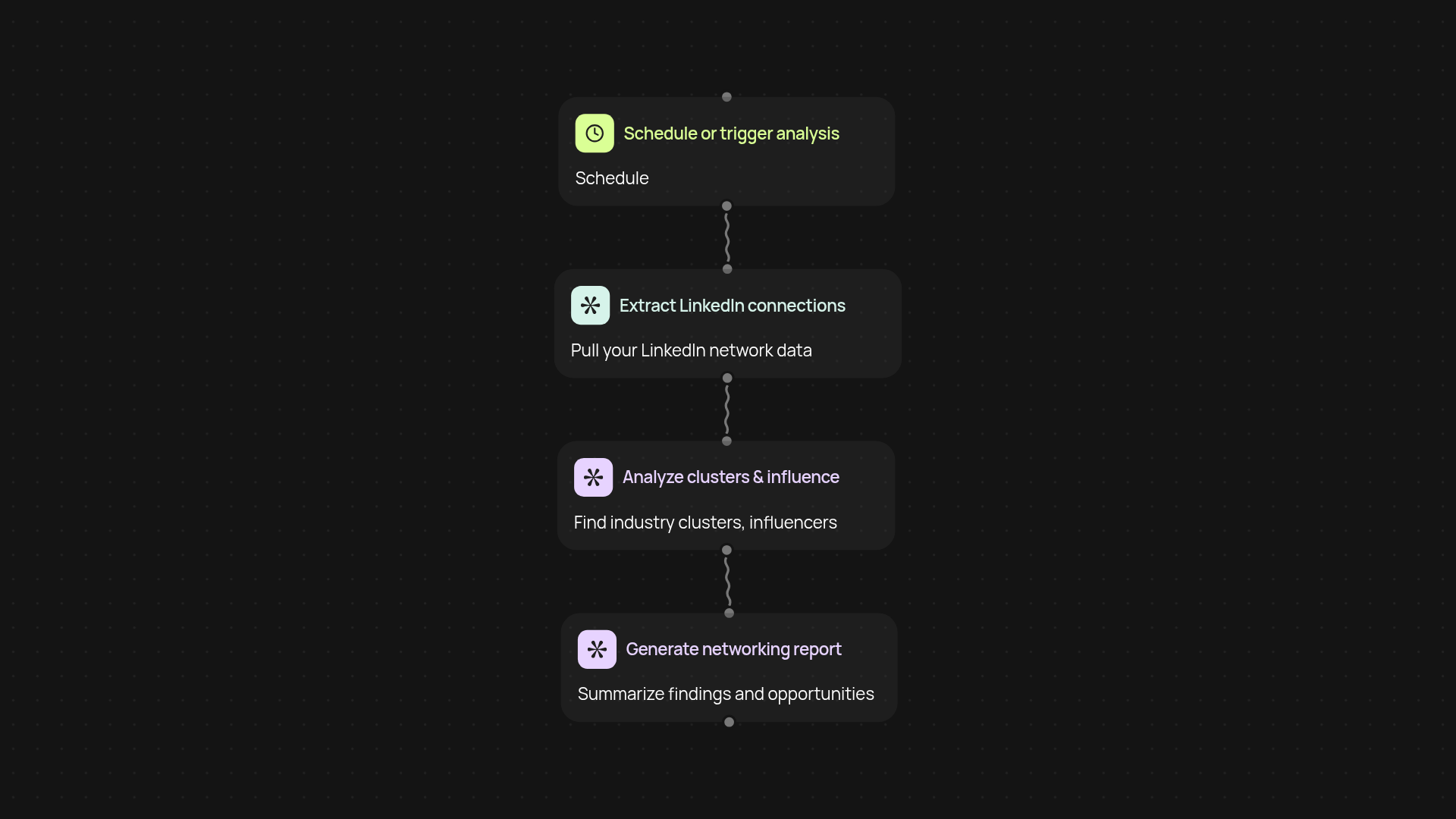
What does the LinkedIn Connection Analyzer do for you?
Unlock a fresh perspective on your LinkedIn network — instantly. This template analyzes your connections to reveal influential contacts, highlight industry clusters, and spot networking opportunities you might miss on your own. Run it after setup and review and get clear reports you can act on right away.
How does it detect industry clusters and influencers?
First, it scans your LinkedIn connections, automatically categorizes industries, then breaks down which sectors dominate your network. The analyzer quickly surfaces influential contacts by measuring connection reach and activity. You get a complete map of who’s who and how clusters relate — so you can plan your next move with confidence.
Where can you find hidden networking opportunities?
The analyzer reviews overlaps, gaps, and dormant links in your network, flagging promising introductions and groups. You’ll get hands-on recommendations about who to follow up with, where to strengthen ties, or which industries may be key to your next goal. All this happens in the background, saving hours of tedious research.
How do you set it up and what do you need?
It’s simple: install the CodeWords Chrome extension, connect your LinkedIn, and choose when to run the analysis — on demand or automatically. No manual uploads or complicated spreadsheets. Everything works together so you can focus on relationship building, not busywork.
More templates
Get started today
Your first workflow is free to build.
Describe what you need. Cody handles the build, the connections, and the deployment.