LinkedIn Comment Scraper
Scrape comments from LinkedIn posts and export them to Google Spreadsheet. Save time collecting engagement data with automated comment extraction.
Example starting point only. Verify every connection and any sending, booking, inventory, approval, or handoff action before deployment.
 Rithul Palazhi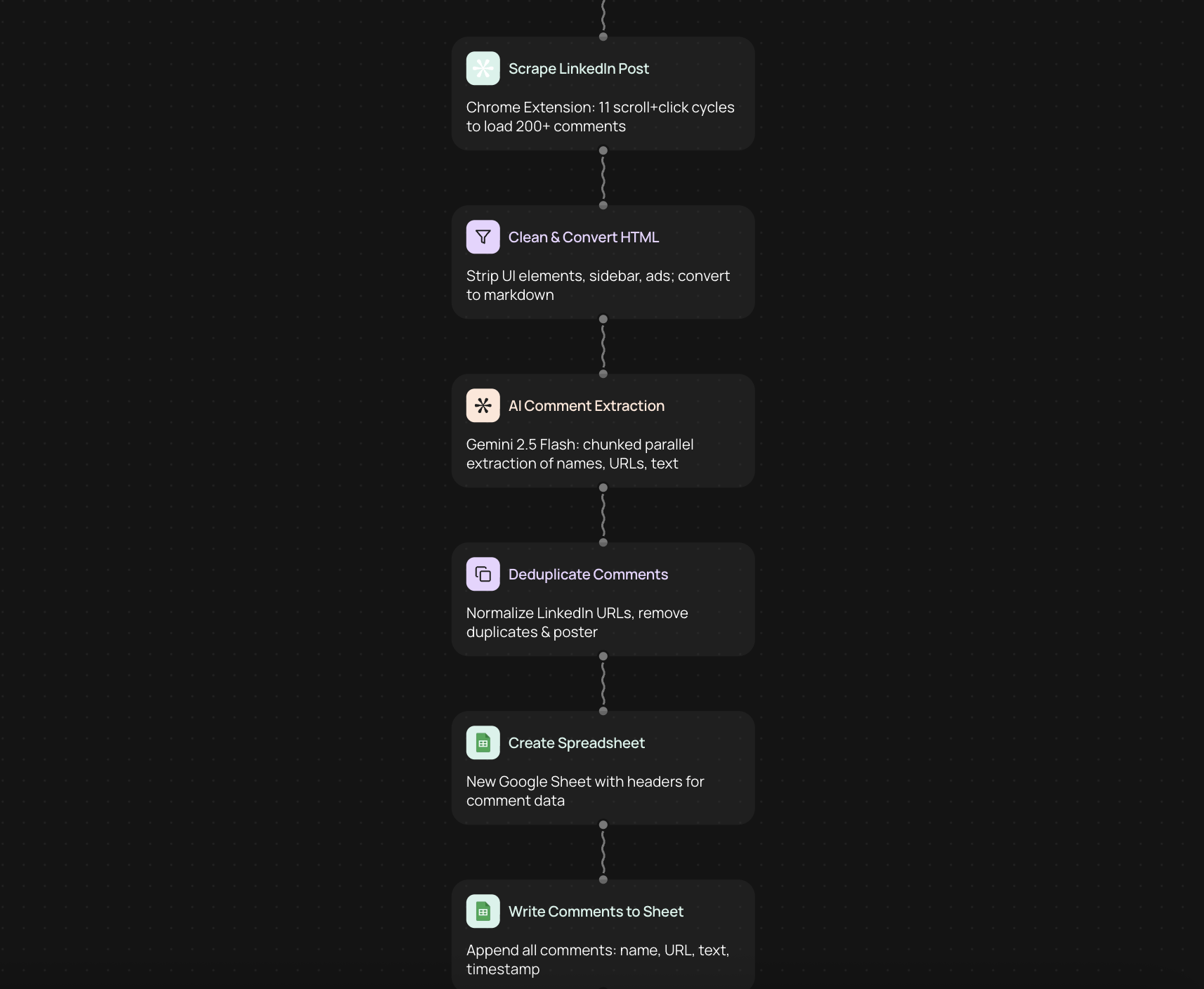
What is a LinkedIn comment scraper
A LinkedIn comment scraper collects all comments from a LinkedIn post and saves them to a spreadsheet. This tool helps you gather feedback, track engagement, and analyze conversations without manually copying each comment.
How to scrape LinkedIn comments to Google Spreadsheet
1. Connect your LinkedIn account to CodeWords
2. Paste the URL of the LinkedIn post you want to scrape
3. Connect your Google Spreadsheet account
4. Select the spreadsheet where you want to export the comments
5. Run the automation to collect all comments
6. Review the exported data in your spreadsheet
Why scrape LinkedIn comments
Scraping LinkedIn comments helps you understand how your audience responds to content. You can identify common questions, measure sentiment, and find potential leads who engage with your posts.
Collecting comments manually takes hours, especially for popular posts with hundreds of responses. An automated scraper does this work in minutes — giving you more time to focus on meaningful conversations.
What data you can extract from LinkedIn comments
• Commenter name and profile information
• Comment text and timestamp
• Number of reactions on each comment
• Replies to comments
• Profile URLs of people who commented
Who uses LinkedIn comment scrapers
Marketing teams use comment scrapers to measure campaign performance and audience engagement. Sales professionals find potential customers by identifying active commenters on industry posts.
Content creators analyze comment patterns to understand what resonates with their audience. Researchers collect public comments for social media analysis and market research projects.
Get started with LinkedIn comment scraping
Set up your LinkedIn comment scraper on CodeWords in minutes. No coding required — just connect your accounts and start collecting engagement data from any public LinkedIn post.
Get started today
Your first workflow is free to build.
Describe what you need. Cody handles the build, the connections, and the deployment.