Invoice automation service — invoice faster, get paid sooner
Automate billing, Stripe invoicing, and Airtable CRM updates. No manual entry—just easy invoicing and payments.
Example starting point only. Verify every connection and any sending, booking, inventory, approval, or handoff action before deployment.
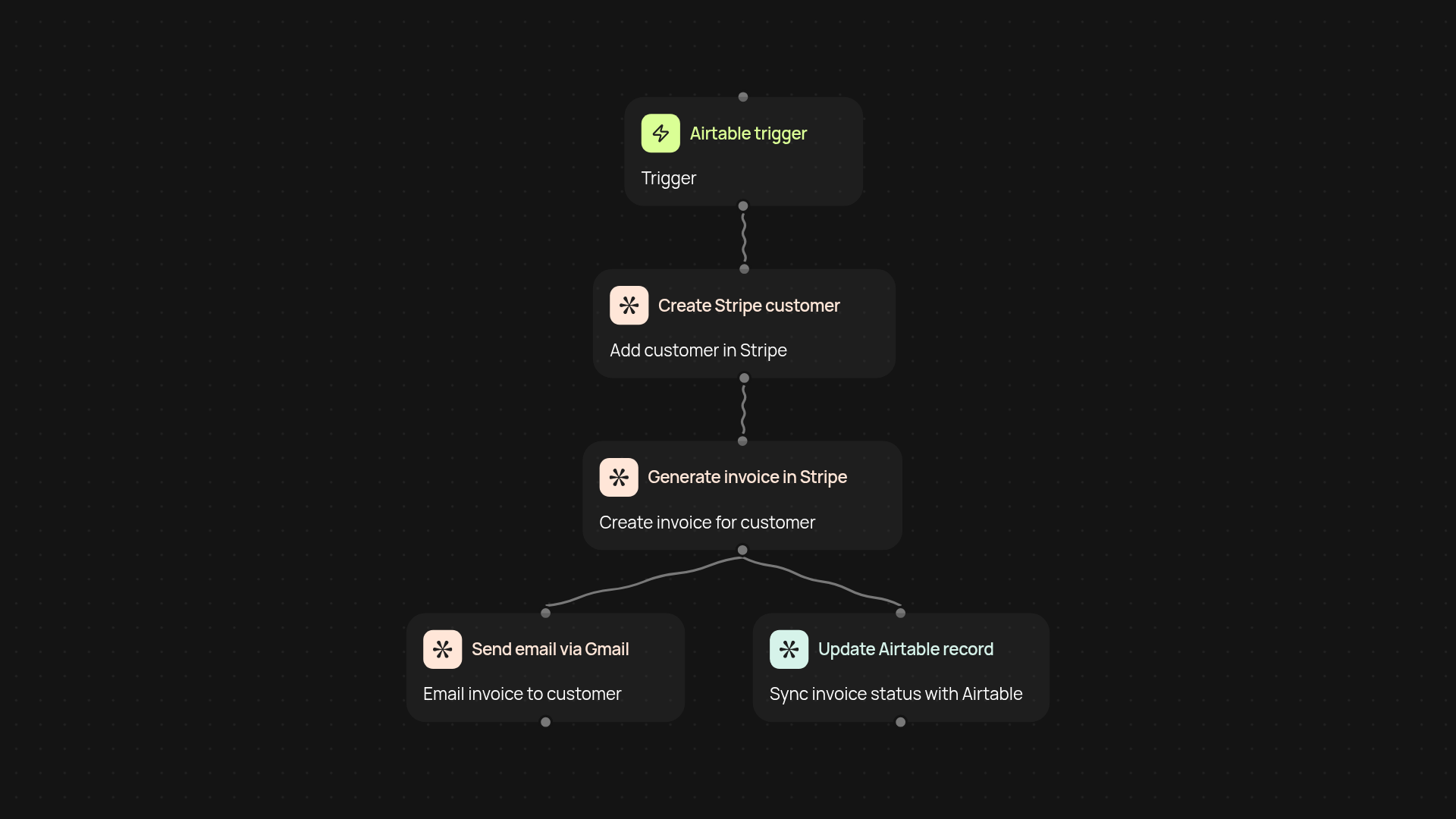
How does invoice automation save you time and effort?
Send invoices and track payments automatically — no more copy-pasting customer data between your CRM and billing tools. This template handles everything: when a new deal appears in Airtable, it creates a Stripe customer, generates an invoice, emails it, and instantly updates Airtable with billing status. All your invoicing steps happen in one smooth workflow after setup and review, freeing you from repetitive admin work.
Can you track invoice status automatically in Airtable?
Yes, every payment status update from Stripe flows right back into your Airtable CRM. The moment your customer pays (or if there’s an issue), your records reflect it — no more spreadsheets or chasing updates. Stay on top of your cash flow and customer history automatically, so you always know what’s paid, pending, or overdue.
How are invoices sent to customers?
Invoices are emailed to your customers as soon as they’re created — you don’t have to download, attach, or send anything yourself. The customer receives all billing details and payment instructions instantly, making it simple for them to pay on time. You control the process, but the manual steps disappear.
What do you need to get started?
You’ll need access to your Airtable CRM, a Stripe account for billing, and Gmail for sending emails. Just connect your accounts — setup is straightforward and only takes a few minutes. Once live, invoice automation begins working in the background, so you can focus on growing your business.
More templates
Get started today
Your first workflow is free to build.
Describe what you need. Cody handles the build, the connections, and the deployment.