Instagram Reels Notion Analyzer — fresh insights from your saved Reels
Automatically extract your saved Instagram Reels, find unique insights, and organize them in Notion—without manual work or copy-pasting.
Example starting point only. Verify every connection and any sending, booking, inventory, approval, or handoff action before deployment.
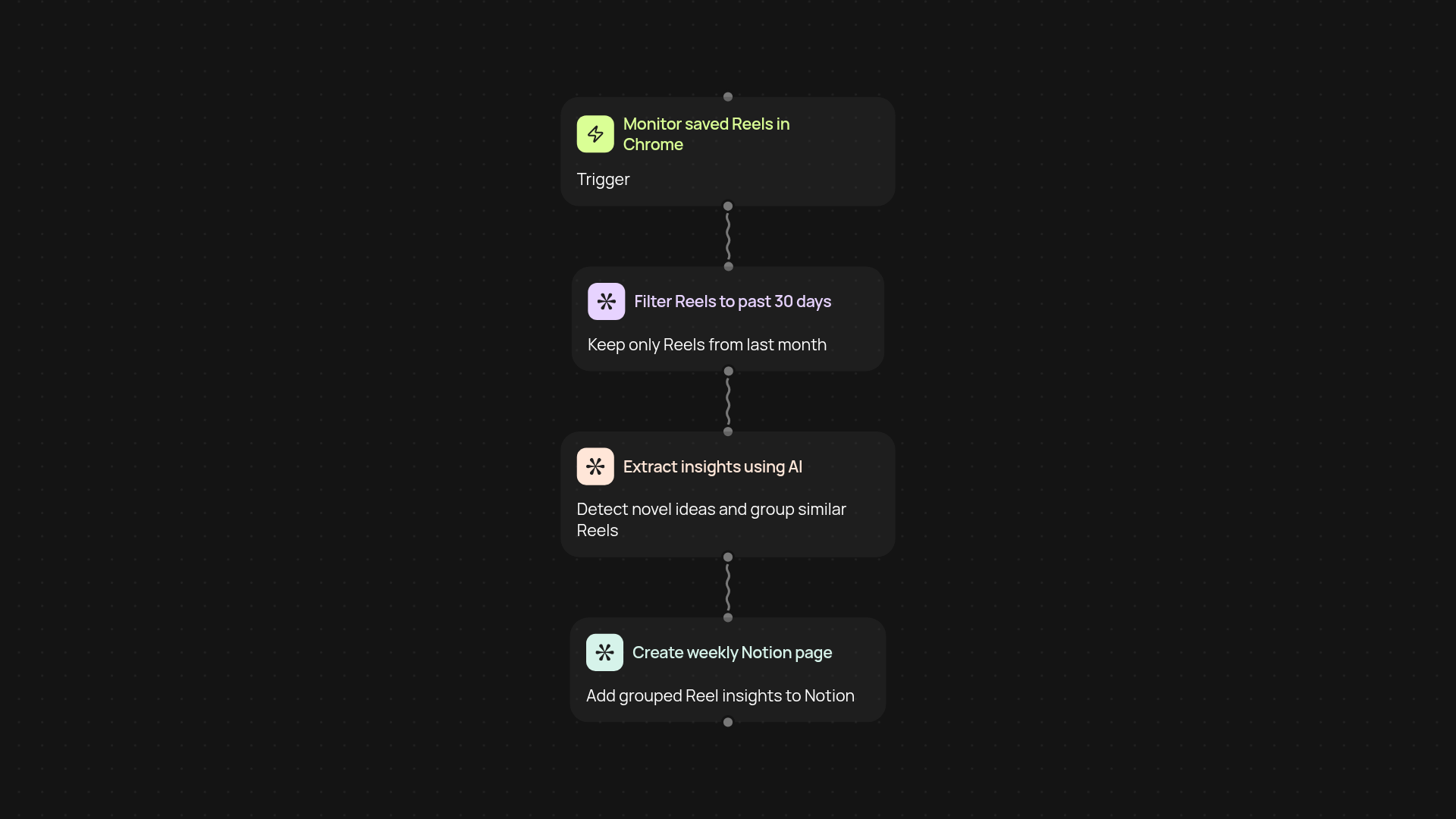
How does it turn saved Reels into weekly Notion pages?
You get a complete summary and organization of your saved Instagram Reels — all in Notion, with no copy-pasting. The template grabs your saved Reels using the Chrome Extension, filters for new posts from the last 30 days, then applies AI to surface standout insights and trends. Finally, similar Reels are grouped and added as polished summaries to Notion each week, making it easy to revisit what's actually valuable.
What insights can AI find from my Reels?
AI sifts through each Reel's content and description to highlight new ideas, fresh perspectives, and patterns you might have missed. Instead of sorting through countless clips yourself, get an instant summary of what’s actually useful — and spot emerging trends. You'll see topics grouped together, so you can identify themes and actionable tips without the clutter.
How does grouping and organizing happen automatically?
After extracting and analyzing your saved Reels, the system automatically groups similar ideas, then adds organized pages to Notion—after setup and review. You'll get one tidy Notion page each week, so insights are easy to find and never get lost in your archive. Save time, stay organized, and let fresh content come to you automatically.
What do I need to get started?
All you need is Chrome, your Instagram account, and a Notion workspace. Install the Chrome Extension, connect your accounts, and you’re set. The process runs in the background—just check your Notion space for new summaries every week. Say goodbye to manual work and scattered links—get insights delivered where you work best.
More templates
Get started today
Your first workflow is free to build.
Describe what you need. Cody handles the build, the connections, and the deployment.