Incident Report Generator — create structured reports in minutes
Create and organize detailed incident reports in just a few clicks. Save hours on manual reporting with our incident report generator automation.
Example starting point only. Verify every connection and any sending, booking, inventory, approval, or handoff action before deployment.
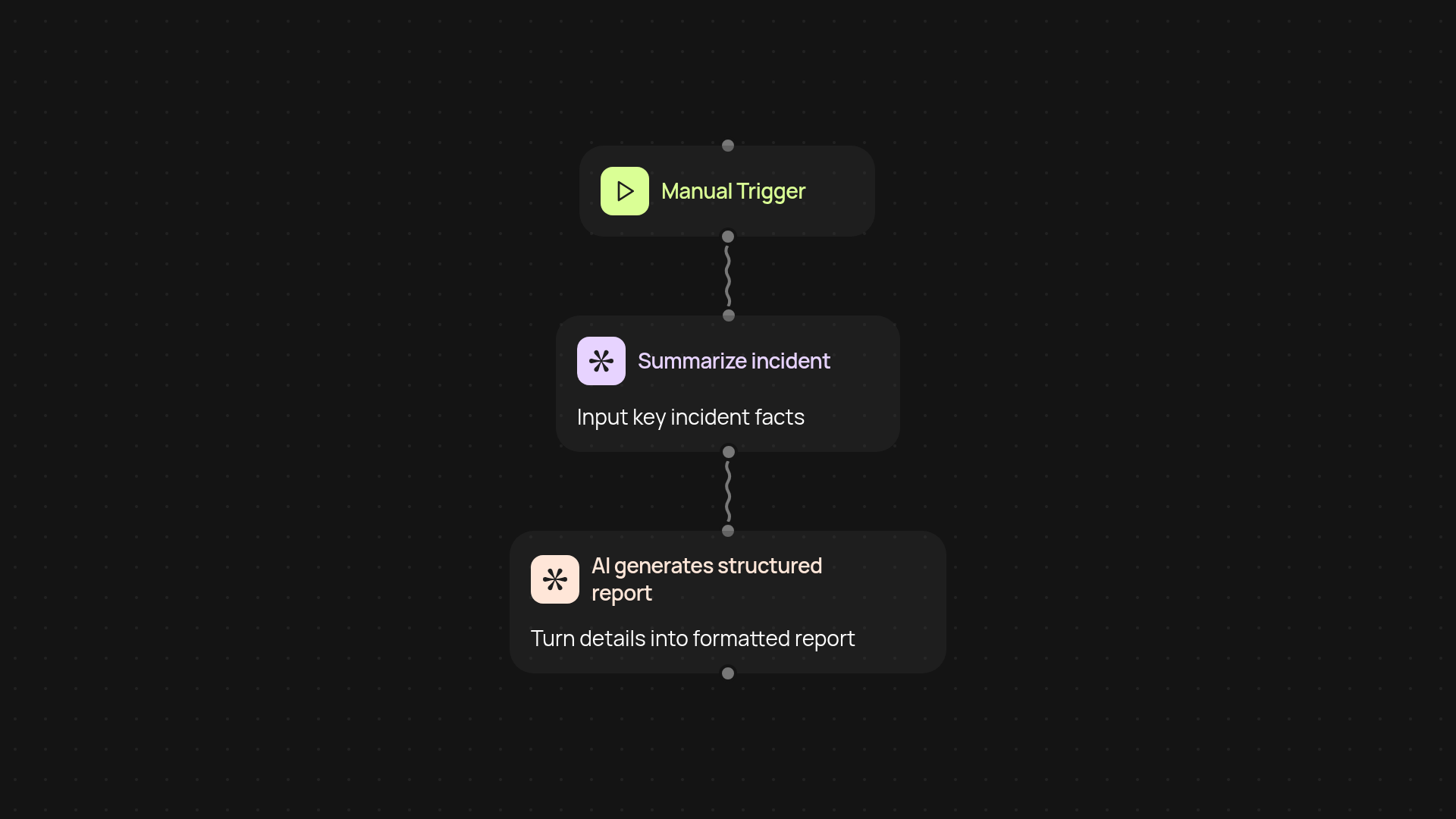
How does the incident report generator help you document events?
Our incident report generator takes you from scattered details to a professional, structured report in one smooth workflow. Just provide a summary of what happened — the system organizes, formats, and delivers a detailed incident report without manual work. Stop wasting hours copying notes and chasing details: you’ll get an organized document ready to share or file in no time.
How accurate and detailed are the reports?
The generator uses advanced AI to analyze your input and fill in all key report sections. It highlights critical facts, organizes timelines, and summarizes important actions — so nothing gets left out. Your final report is clear, consistent, and easy to review, helping you avoid misunderstandings or missing information.
What happens to your information after you submit it?
Your incident report is securely processed and can be delivered to your chosen destination: email, cloud storage, or your team’s system. You stay in control of your data, and can track, review, or update the report whenever needed.
How do you set up and start generating reports?
Setup is fast: just enter your incident details and the generator does the rest automatically. To get started, you only need basic incident information — time, place, people involved, and what happened. With everything running in the background, you can focus on resolution instead of paperwork.
More templates
Get started today
Your first workflow is free to build.
Describe what you need. Cody handles the build, the connections, and the deployment.