Image to 3D model prompt — detailed 3D project briefs in seconds
Turn any image into a ready-to-use 3D model prompt. Save hours crafting detailed project briefs for 3D artists, designers, or AI tools — all automatically.
Example starting point only. Verify every connection and any sending, booking, inventory, approval, or handoff action before deployment.
What does the image to 3D model prompt template do?
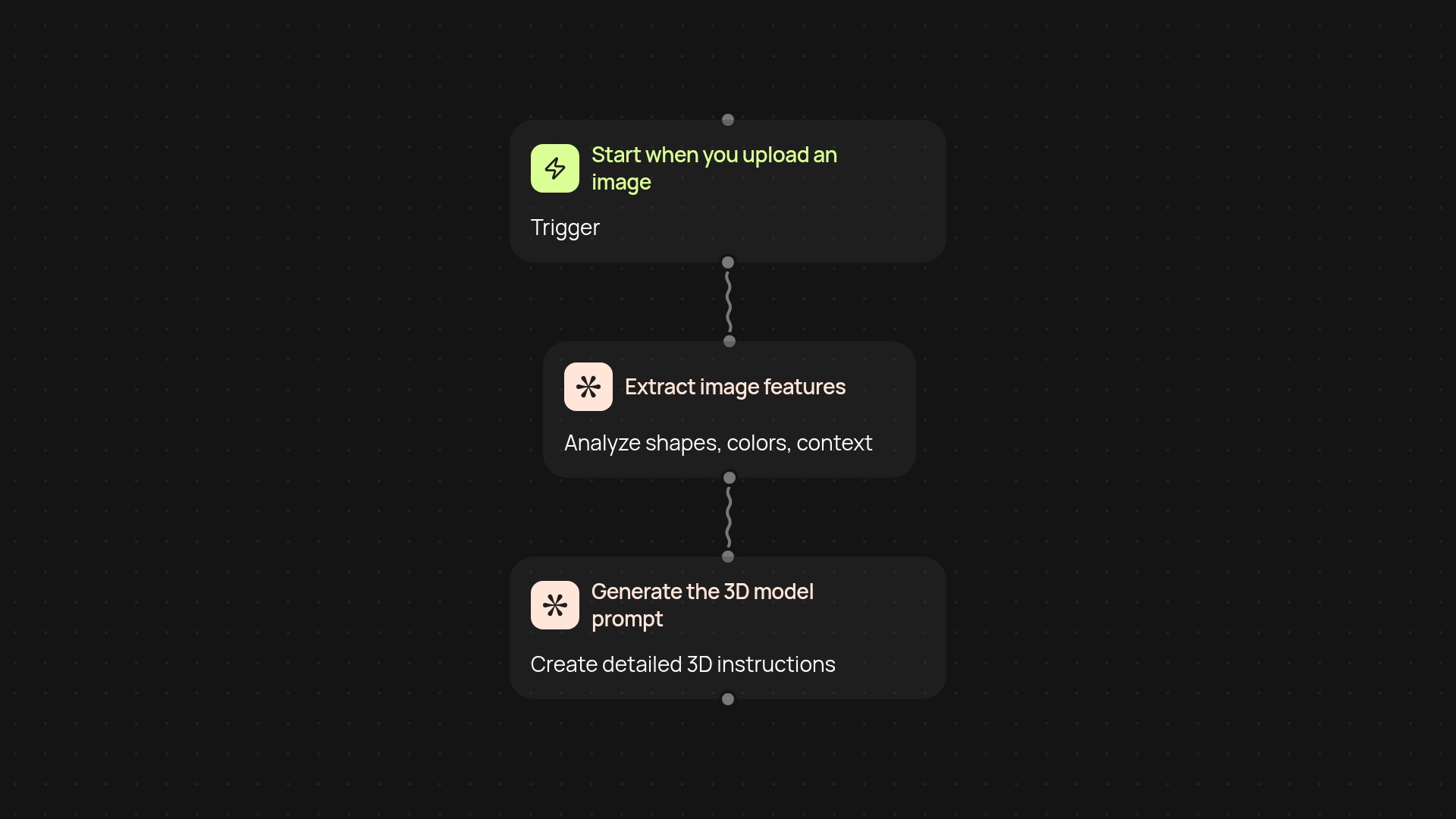
This template turns a photo into a production-ready 3D model prompt — instantly and without manual work. Just upload an image, and you’ll get a detailed brief that a 3D artist or AI modeling tool can use right away. No more endless back-and-forth converting ideas into technical language. Go from inspiration to action in a single step.
How does it analyze my image for the best 3D modeling details?
The process starts by scanning your image for shapes, colors, and context. Then, CodeWords summarizes these key features and brings in the right descriptive details for 3D design — from object proportions to texture cues. All these insights are combined to build a prompt tailored for accurate, realistic models.
Who can use this template — and when should I use it?
Whether you're a designer, architect, or anyone who works with 3D models, you’ll save time and get consistent briefs every time. Use it whenever you want to translate a visual reference into a clear prompt for faster project kickoffs or to help AI modeling software act on real-world photos.
How do I set it up and what do I need to start?
Just sign into CodeWords. Start the template from your dashboard — upload a photo, and the workflow runs in the background. No advanced prep needed. In moments, your new 3D model prompt will be ready to copy, edit, or send to your creative team. That’s all it takes to supercharge your 3D model projects after setup and review.
Get started today
Your first workflow is free to build.
Describe what you need. Cody handles the build, the connections, and the deployment.