Image Alt Text Generator — create SEO-friendly image descriptions
Create WCAG-compliant, SEO-optimized alt text instantly. Describe any image automatically using CodeWords’ image alt text generator powered by AI.
Example starting point only. Verify every connection and any sending, booking, inventory, approval, or handoff action before deployment.
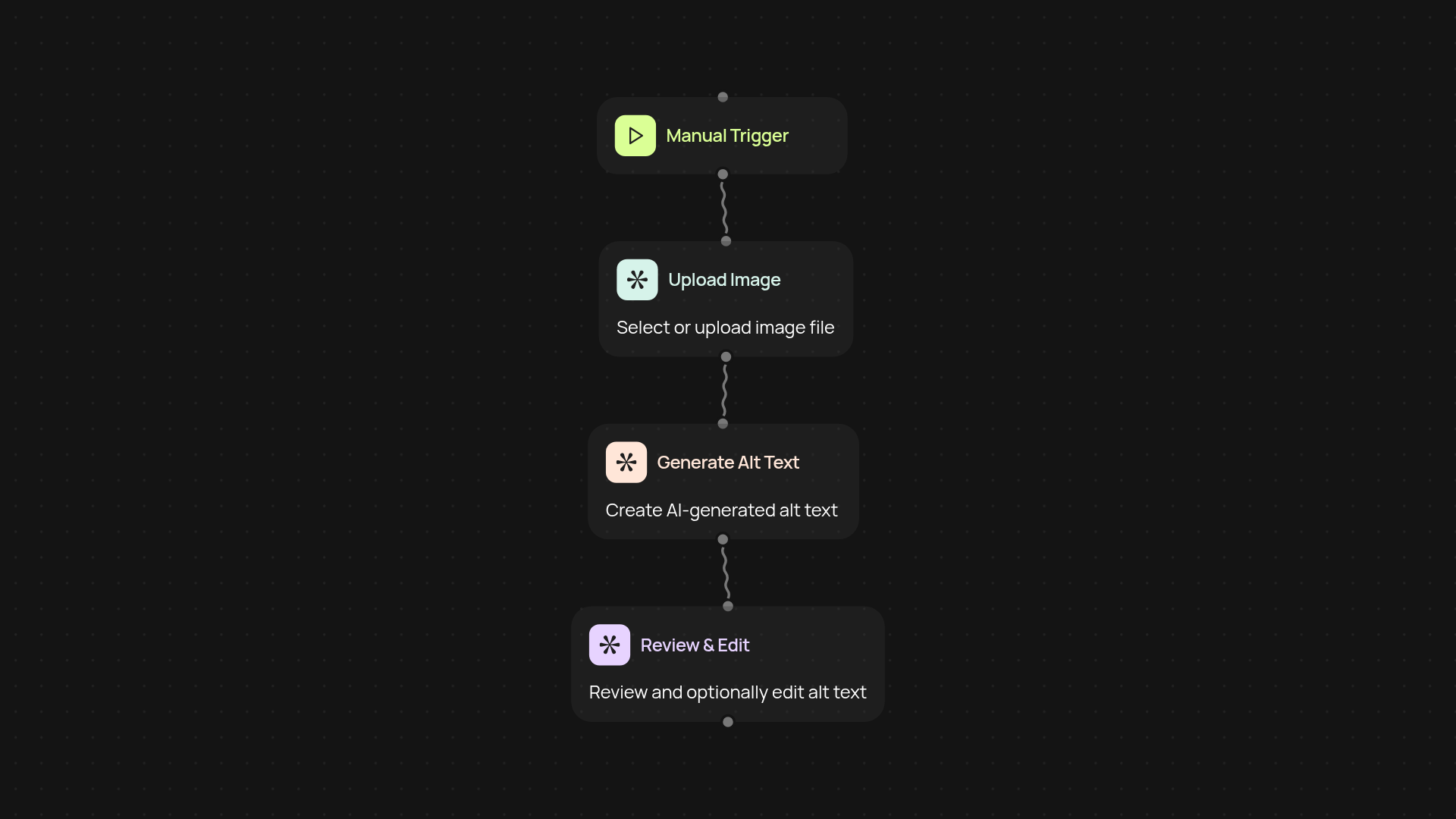
How does the image alt text generator work for you?
In seconds, you’ll get accurate, detailed image descriptions that boost SEO and improve accessibility. Just upload your image or let the automation handle new images as they arrive. CodeWords’ alt text generator reviews each image, writes compliant descriptions, and delivers the results where you need them — all after setup and review. No more manual writing or worrying if you’ve covered every detail for search engines and screen readers.
Can AI-generated alt text really help with accessibility and SEO?
Yes — automatically created descriptions mean every image meets WCAG guidelines and attracts search engine attention. Clear, accurate text makes your site accessible for all users, while including keywords and context gives an SEO boost. CodeWords relies on advanced vision AI to ensure every description is tailored to your content and audience needs.
How does this fit with my current image workflow?
Integrate the image alt text generator with your existing tools: connect to Google Drive, your CMS, or simply upload images. Choose automatic processing for ongoing uploads or run it on-demand when you add new visuals. Enjoy descriptions delivered directly into your image library, website, or export as a handy spreadsheet for quick use.
How do I set up the alt text generator?
Setup is fast and straightforward. Start the workflow with a trigger — such as uploading to a folder or hitting 'run.' Add your images, and let CodeWords process each one instantly. You only need a CodeWords account and your images ready to go. No learning curve, no complex setup — just better descriptions, right away.
Get started today
Your first workflow is free to build.
Describe what you need. Cody handles the build, the connections, and the deployment.