Grocery Receipt Analyzer — get itemized budgets from receipt images
Instantly turn grocery receipt images into itemized lists with budget insights. No manual typing needed—analyze grocery spending in seconds.
Example starting point only. Verify every connection and any sending, booking, inventory, approval, or handoff action before deployment.
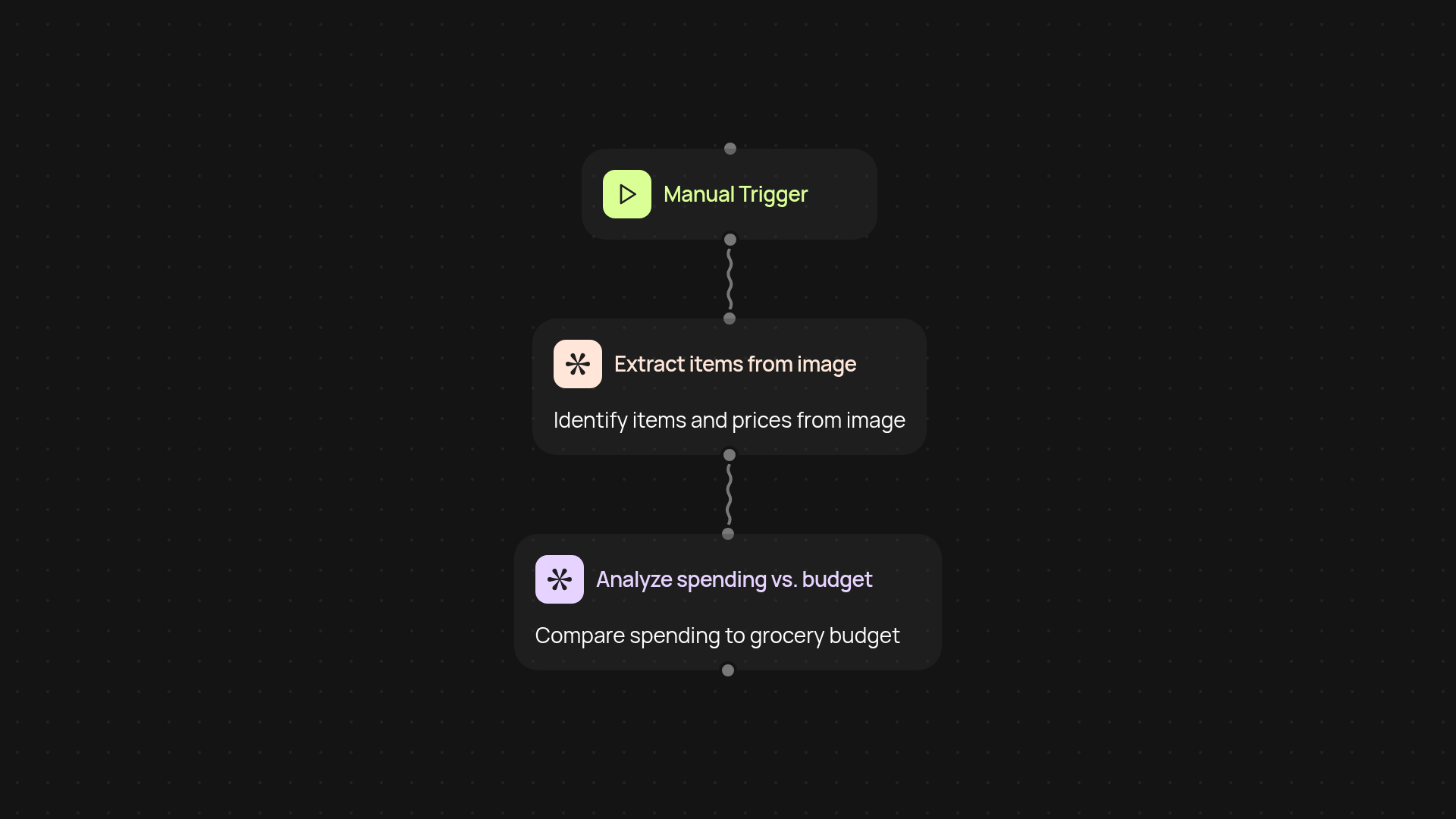
How can you turn grocery receipts into itemized budgets?
Turn any grocery receipt image into a clear, itemized list in seconds — including a breakdown of spending by category. The Grocery Receipt Analyzer reads your uploaded or photographed receipts, extracts every line item, and instantly calculates your total spend versus your set grocery budget. No more typing receipts by hand or guessing where your money went. Get a full, accurate expense list automatically, every time you shop.
What insights does the Grocery Receipt Analyzer provide?
Get detailed visibility into your grocery spending. The Analyzer automatically identifies items, quantities, and prices, then categorizes your purchases (e.g., produce, dairy, snacks). It also highlights which categories are above or below your typical budget, making it easy to spot overspending or savings. The result: quick, actionable insights to help you stick to your grocery goals, after setup and review.
How does the receipt analysis work after uploading?
After you upload a photo or scan of your grocery receipt, CodeWords instantly processes the image, extracts each item and price, then presents your itemized receipt and budget analysis in a tidy summary. Everything happens in the background — all you do is upload and review the results.
What do you need to get started?
It’s easy: just have a digital photo or scan of your grocery receipt ready. Upload directly through the Grocery Receipt Analyzer page. No special accounts or manual entry needed — your budget breakdown appears moments later, saving you time and giving you peace of mind every shopping trip.
Get started today
Your first workflow is free to build.
Describe what you need. Cody handles the build, the connections, and the deployment.