Google Calendar Duplicate Remover — clean up your schedule instantly
Eliminate duplicate events in Google Calendar by keeping only the latest. Save time and keep your calendar tidy.
Example starting point only. Verify every connection and any sending, booking, inventory, approval, or handoff action before deployment.
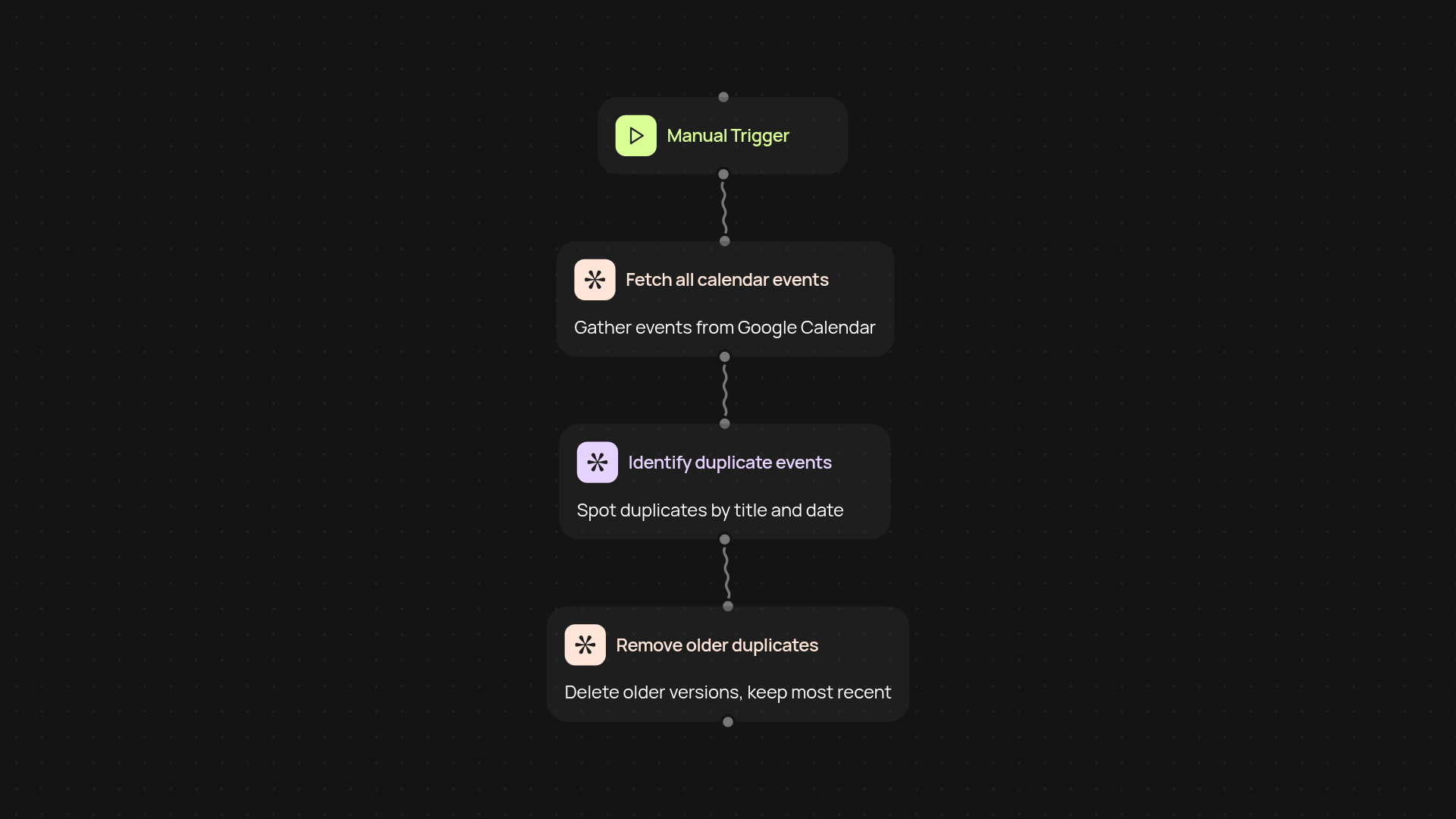
How does it remove duplicate Google Calendar events?
Google Calendar Duplicate Remover finds and deletes duplicate events from your calendar, so you always have a tidy and accurate schedule. It compares event titles and dates—then keeps only the most recently updated version. You’ll never have to scroll through cluttered events or worry about missing important meetings again.
How quickly will my calendar be cleaned?
This workflow works in the background, finding duplicates and refreshing your calendar without manual work. Just connect your Google Calendar and let CodeWords handle it automatically. Most calendars get cleaned up in seconds, so you can focus on what matters next.
What information does it need to detect duplicates?
It looks at all your events’ titles and dates to spot duplicates. If there are multiple events with the same title and date, it keeps the one most recently updated and removes the rest. Your genuine unique events stay untouched.
What do I need to get started?
You just need access to your Google Calendar and a CodeWords account. Connect your calendar in a few clicks—no technical skill required. Once set up, you can run the duplicate remover anytime you need a clean slate. Finally, say goodbye to messy double-bookings and hello to a stress-free schedule.
More templates
Get started today
Your first workflow is free to build.
Describe what you need. Cody handles the build, the connections, and the deployment.