Gmail Draft Auto Responder — save time on email replies
Generate AI-powered email drafts for your unread Gmail messages. Save hours each week responding to emails automatically. Try it automatic now.
Example starting point only. Verify every connection and any sending, booking, inventory, approval, or handoff action before deployment.
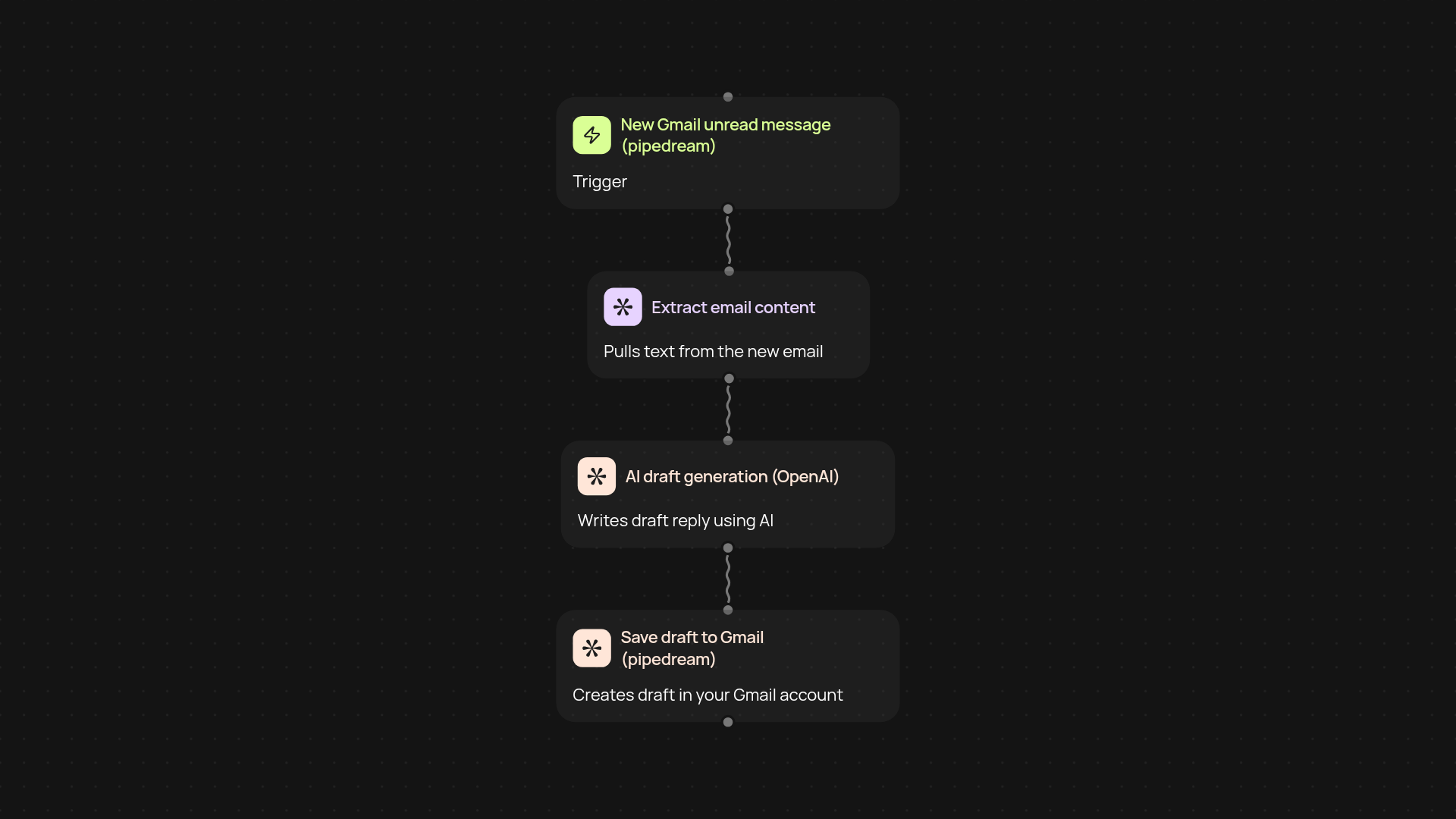
How does Gmail Draft Auto Responder save you hours?
With Gmail Draft Auto Responder, you never have to start email replies from scratch again. This template monitors your Gmail inbox for new, unread messages. When a new email arrives, it uses the latest AI technology to instantly create a draft response—ready for you to tweak and send. No more staring at a blank email or spending your day buried under message replies. Your inbox basically works for you, letting you respond faster and more thoughtfully, after setup and review.
Can it handle a high volume of emails?
Yes. The auto responder scans every unread message as it comes in and generates a tailored draft for each one. Whether you receive 10 or 100 new emails a day, every response is created in the background. This means you can keep up with your inbox no matter how busy your day gets—the whole process runs automatically.
Is replying with AI really accurate and professional?
Absolutely. The drafts are powered by trusted AI that considers the context and tone of each message. You’re always in control, though—each draft is saved as a Gmail draft waiting for your review. Edit, personalize, or send as-is; the goal is to get the hard work done for you while ensuring replies still sound like you.
How do you set it up and what do you need?
Getting started is simple. You only need a Gmail account connected to CodeWords and a few minutes to authorize access. Just set the template to run on new email messages, and you’re ready to go. All drafts are created for you, and you have full transparency before anything is sent out. Add your personal touches, then send when you’re happy—it’s that easy.
More templates
Get started today
Your first workflow is free to build.
Describe what you need. Cody handles the build, the connections, and the deployment.