Gmail Auto Responder — instant, context-aware email replies
Save time on emails with Gmail Auto Responder. Instantly send context-aware replies without manual typing. Get started in minutes.
Example starting point only. Verify every connection and any sending, booking, inventory, approval, or handoff action before deployment.
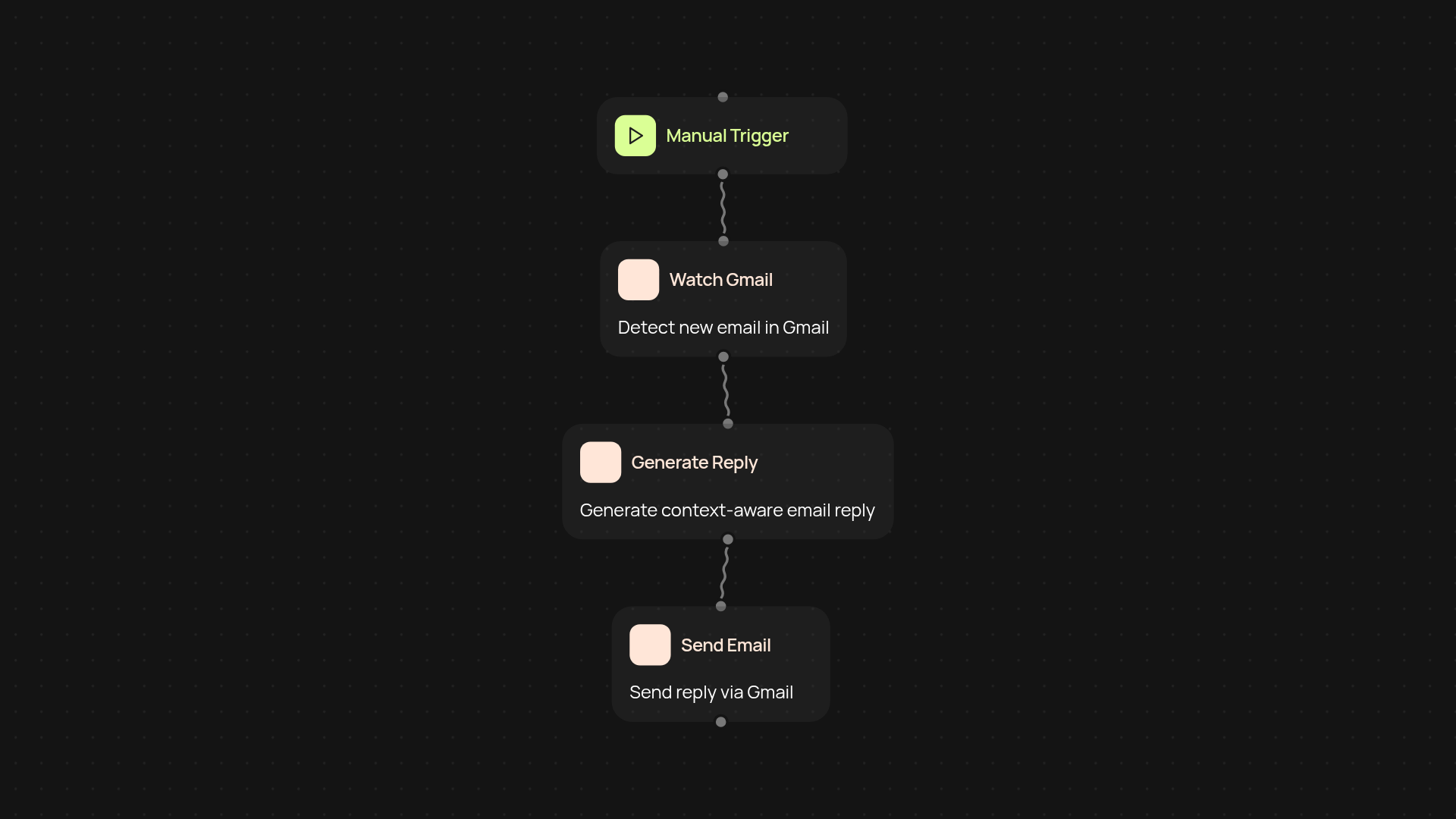
How does the Gmail auto responder save you time?
The Gmail Auto Responder handles incoming emails for you, crafting and sending context-aware replies on your behalf. It's perfect if you get a lot of repetitive messages, travel often, or simply want your inbox under control without constant checking. Instead of typing out similar responses, replies are generated instantly—helping you focus on what matters most.
How are replies customized for each email?
This template doesn't just send generic auto-replies. It analyzes the message using AI, then drafts a response tailored to the specific context and sender. Whether it's a quick acknowledgment, a detailed answer, or setting expectations, each reply adapts to the situation. That means your contacts get meaningful communication, not canned answers.
What control do you have over automatic replies?
You can choose when auto-responses are sent—on a schedule or only for certain triggers. Edit the reply templates or set up rules for different senders or subjects. This flexibility means your messages always reflect your tone and intent without extra effort from you.
What’s needed to set up the Gmail auto responder?
Getting started takes only minutes. Connect your Gmail account, adjust your preferences, and activate the auto responder. Setup is guided—just tell CodeWords how you want replies handled and let it run in the background. You'll never need to worry about missed emails again.
More templates
Get started today
Your first workflow is free to build.
Describe what you need. Cody handles the build, the connections, and the deployment.