Gmail Attachment Analyzer — AI-driven email insights
Analyze Gmail attachments and pull insights using AI. Save hours by understanding files at a glance and sorting emails automatically. Start now.
Example starting point only. Verify every connection and any sending, booking, inventory, approval, or handoff action before deployment.
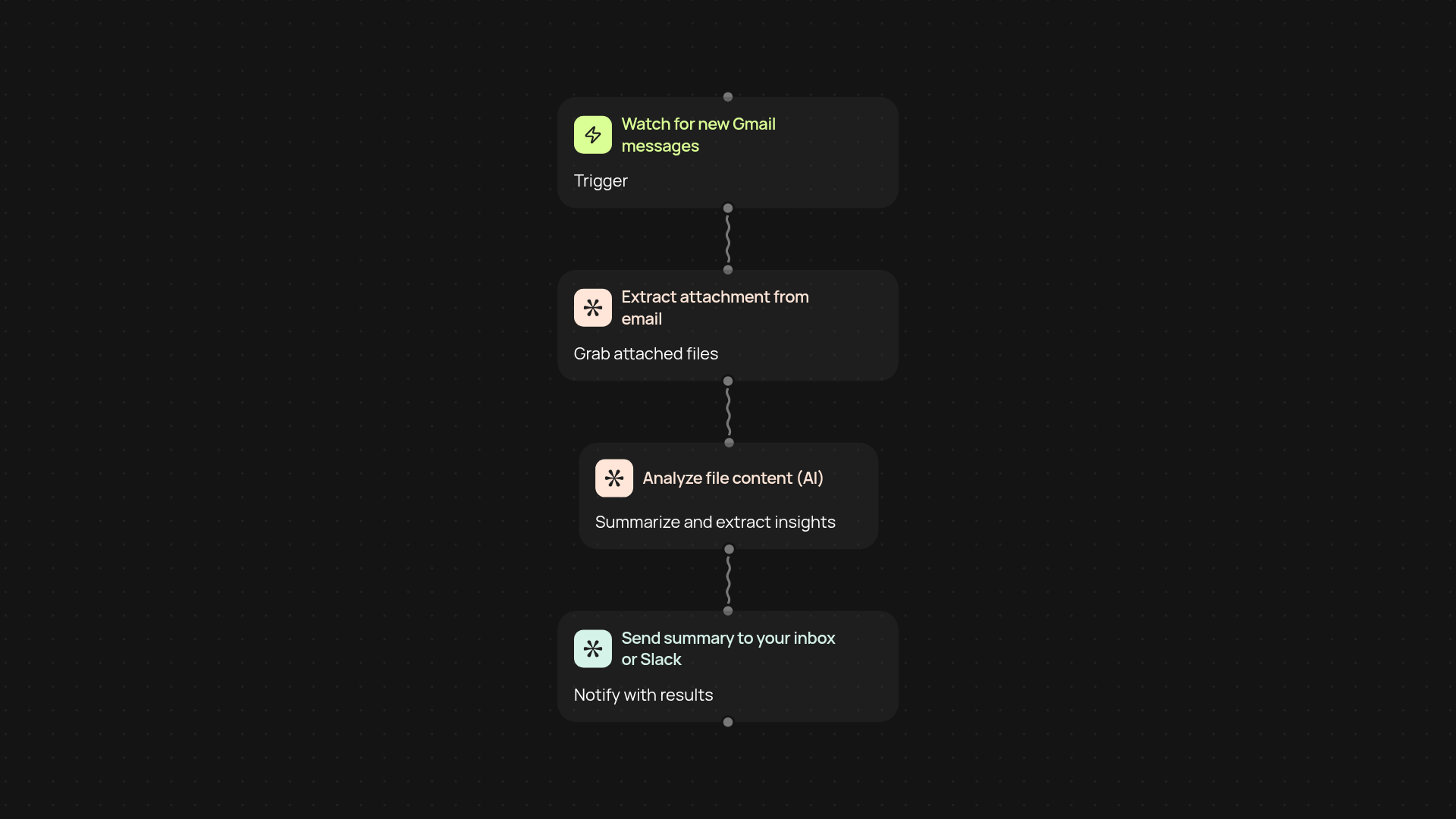
How does Gmail Attachment Analyzer help you sort files instantly?
Gmail Attachment Analyzer automatically reviews your incoming email attachments — highlighting key details and sorting files so you are less likely to miss important information. Instead of opening every file by hand, get a clear summary and AI-powered insights directly in your inbox. Save time and take action, even on busy days.
What insights can you expect from your attachments?
You'll receive a concise overview of each file’s most important data points, whether it’s a PDF, Word doc, or spreadsheet. This lets you prioritize requests, spot trends, and pull out actionable items from emails — all after setup and review. AI ensures nothing gets overlooked, no matter how packed your inbox gets.
Can this work in the background, even when I'm away?
Yes. The analyzer watches for new attachments and works automatically. As soon as a new relevant email arrives, the system examines the files, summarizes results, and, if you like, updates you or routes highlights to a tool like Slack. You stay organized and informed.
How do I set up Gmail Attachment Analyzer?
Getting started is quick. Connect your Gmail account — no special skills needed. Set your triggers for which emails to process, then choose where to send summaries. That’s it: from now on, AI will keep you updated so you can focus on higher-priority work.
More templates
Get started today
Your first workflow is free to build.
Describe what you need. Cody handles the build, the connections, and the deployment.