Gmail AI Labeler — Organize Your Inbox Automatically
Automatically sort unlabeled Gmail into workflow categories using AI. Creates labels intelligently and skips already-organized emails.
Example starting point only. Verify every connection and any sending, booking, inventory, approval, or handoff action before deployment.
 Rithul Palazhi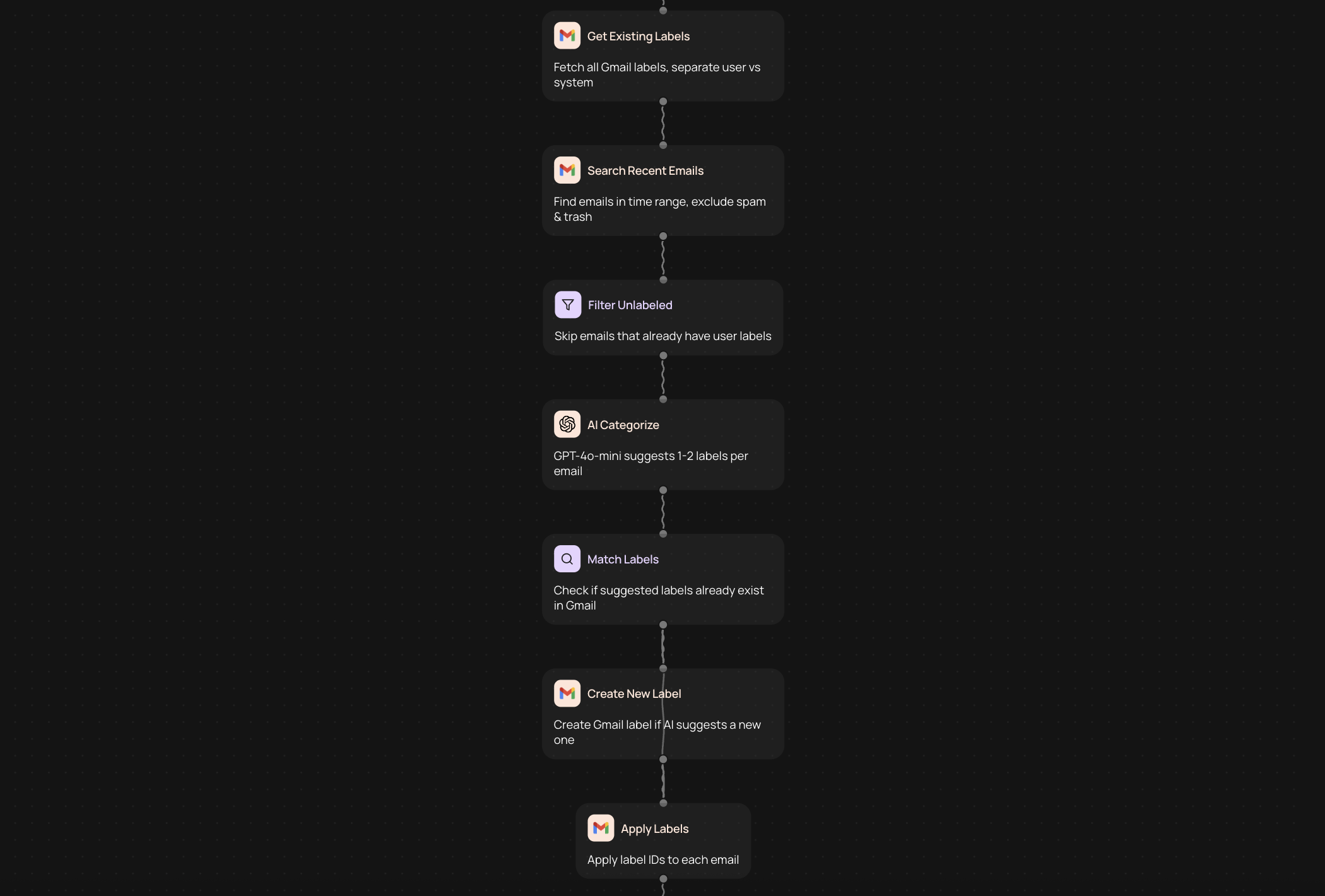
Automatically organize your Gmail inbox with AI-powered labeling
Gmail AI Labeler scans your recent unlabeled messages and sorts them into workflow categories that actually make sense. Instead of manually creating labels and filing each email, the automation reads message content and applies relevant labels automatically. It skips emails you've already organized, so you're not duplicating work or overwriting your existing system.
This works especially well if you receive emails across multiple projects, clients, or departments. The AI identifies patterns in your messages and creates consistent categories like "Client Requests," "Internal Updates," or "Vendor Communications" without requiring you to build complex filter rules. You get a cleaner inbox and spend less time deciding where each message belongs.
Turn email chaos into structured workflows without manual sorting
Most professionals spend 28% of their workday managing email, according to a 2023 McKinsey analysis. Gmail AI Labeler reduces that time by handling the repetitive categorization work. Once labels are created, you can set up views, filters, and priority systems that match how you actually work — not how Gmail's default inbox thinks you should work.
The automation runs on your recent messages, so you're not waiting hours for your entire archive to process. It learns from the labels you already use and applies similar logic to new unlabeled emails. If you need specific categories for compliance, project tracking, or client management, the AI adapts to your naming conventions and organizational structure.
Keep your existing labels while adding intelligent automation
This tool respects the work you've already done. It only processes unlabeled emails, leaving your manually organized messages untouched. If you've spent time creating a label system, Gmail AI Labeler builds on that foundation rather than replacing it. You maintain full control over which labels exist and can adjust categories as your workflow evolves.
Because it's part of CodeWords, you can combine this automation with other email workflows. Route labeled messages to project management tools, trigger notifications for specific categories, or archive low-priority emails after labeling. The labeling step becomes the first part of a larger automation chain that eliminates repetitive email tasks entirely.
More templates
Get started today
Your first workflow is free to build.
Describe what you need. Cody handles the build, the connections, and the deployment.