GitHub AI Coding Assistant — improve code
Analyze your GitHub repo, get smart code suggestions, and create pull requests automatically with CodeWords & GPT-5. Save hours on review.
Example starting point only. Verify every connection and any sending, booking, inventory, approval, or handoff action before deployment.
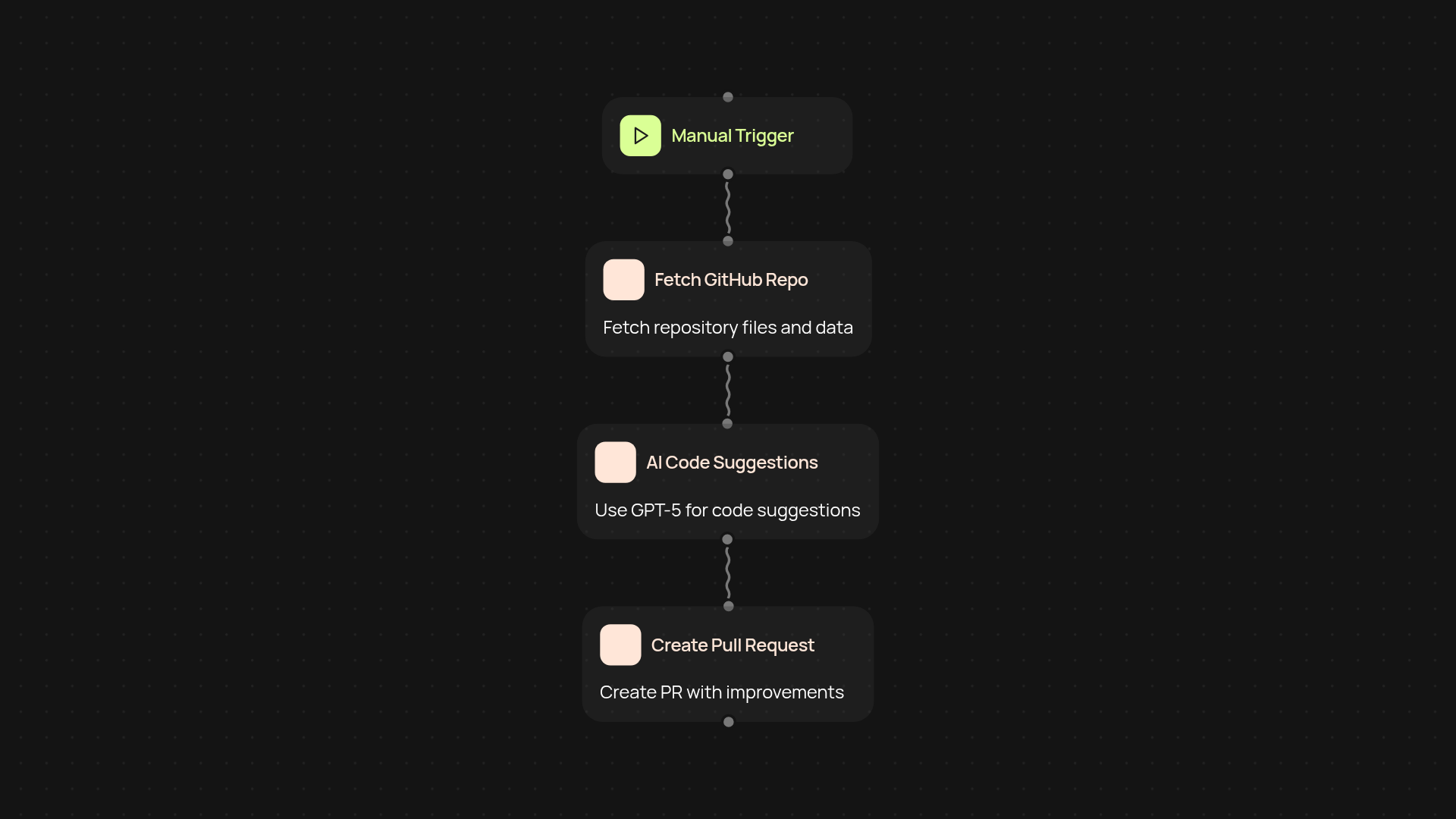
What does the GitHub AI Coding Assistant do start to finish?
The GitHub AI Coding Assistant makes it easy to maintain quality code without the usual manual overhead. Once connected to your GitHub repository, it reads your codebase, analyzes it with GPT-5, and suggests improvements. Even better, it creates pull requests with these recommendations — so you can review and merge changes, after setup and review.
How does it find and suggest code improvements?
GPT-5 scans your repository to spot code smells, outdated patterns, or missed optimization opportunities. It reviews new commits, analyzes code structure, and automatically prepares helpful suggestions. You’ll receive a clear summary for each enhancement, so you’re always in control of what gets improved and merged.
Can it open pull requests automatically?
Yes. Once you set up the workflow, the assistant opens pull requests directly in your repo for every suggested change. This means you always have a clear path to apply improvements, all trackable within GitHub’s familiar interface. No more switching tabs or manual copy-pasting fixes — it’s all managed for you.
How do I get set up and what do I need?
Setup is simple. You’ll need a GitHub repository to connect, and a few permissions to grant for reading and writing pull requests. Just trigger the automation by running it manually or on a schedule, then let CodeWords and GPT-5 handle the analysis and pull request creation. Guided setup, and no coding knowledge required — it just works in the background whenever you need it.
More templates
Get started today
Your first workflow is free to build.
Describe what you need. Cody handles the build, the connections, and the deployment.