Freelance Invoice Generator — create PDF invoices from WhatsApp
Generate PDF invoices automatically from WhatsApp chats. Instantly send your invoice as a PDF file — no accounting software needed.
Example starting point only. Verify every connection and any sending, booking, inventory, approval, or handoff action before deployment.
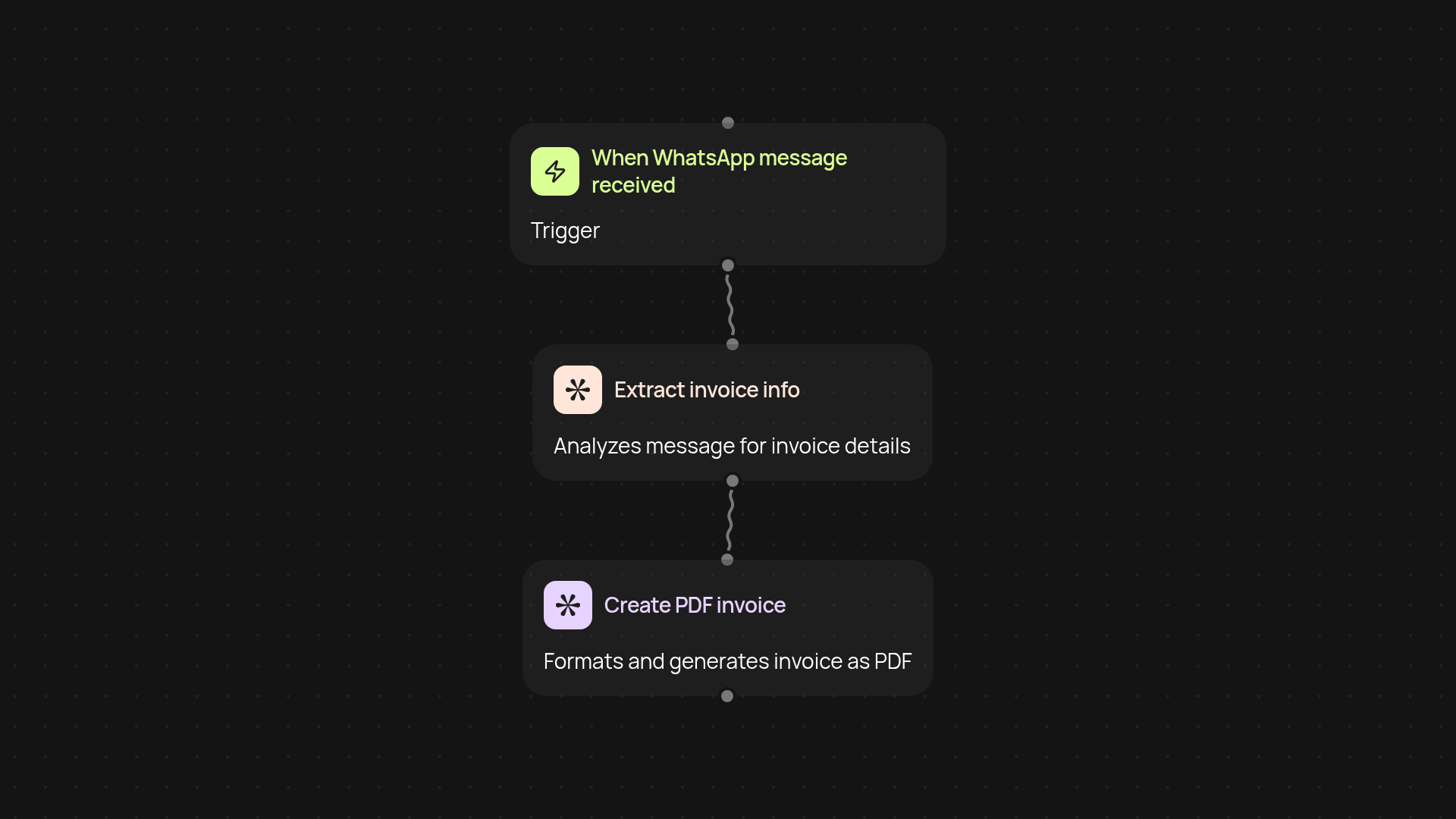
What does the freelance invoice generator do?
Turn your WhatsApp messages into professional PDF invoices after setup and review. When you send an invoice request through WhatsApp, this template reads your message, extracts the details, and turns it into a ready-to-send PDF file. No more copying details or manually formatting invoices — you get shareable invoices in moments.
How does it pull invoice details from WhatsApp?
As soon as you trigger the workflow via a WhatsApp message, it instantly collects the necessary details—client name, service details, amounts, and due dates. Powered by AI, it understands your messages naturally, so even if you write in your own style, the system will find the right information for your invoice.
Can it generate and send the PDF invoice automatically?
Yes, once all your invoice information is collected, the system works in the background to create your PDF invoice. You’ll receive a ready-to-send file, perfect for sharing with your client—no double entries or manual editing required.
How do I set up and what do I need?
Getting started is easy: connect your WhatsApp account and follow a quick setup to allow automated message reading. Then, just send your invoice request as usual. For the best experience, have your client and payment details handy.
More templates
Get started today
Your first workflow is free to build.
Describe what you need. Cody handles the build, the connections, and the deployment.