Excel to Google Sheets uploader — from file to ready spreadsheet
Upload Excel or CSV to Google Sheets in seconds. No manual copy-paste — data appears where you need it, when you need it.
Example starting point only. Verify every connection and any sending, booking, inventory, approval, or handoff action before deployment.
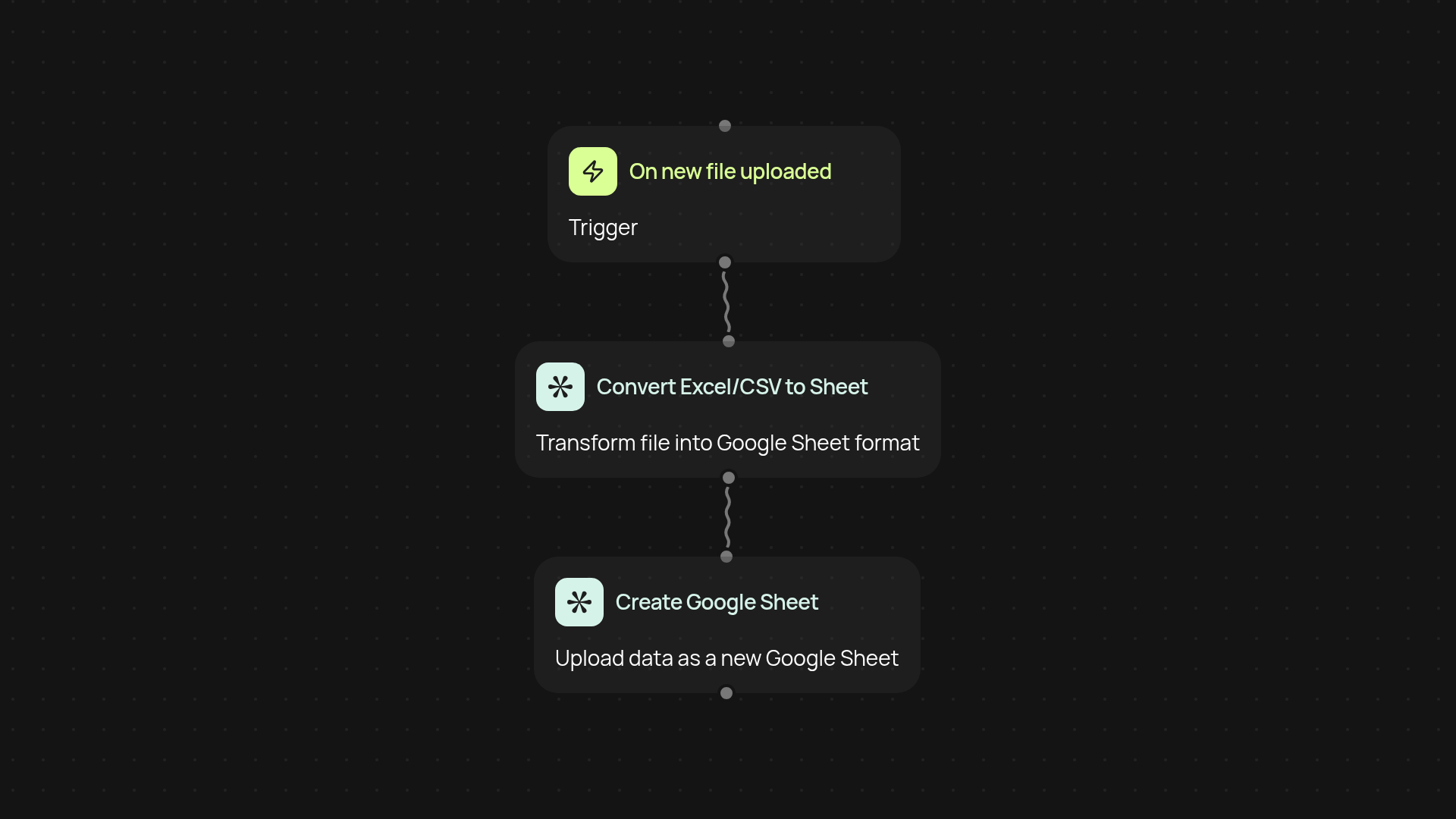
How does this template upload Excel files to Google Sheets?
Skip manual data entry. This automation takes your Excel or CSV file and turns it into a fully formatted Google Sheet. All you do is drop your file, and the data is available in your Google Drive—organized, shareable, and ready for work. No more tedious copying or formatting.
Can I use this if I don’t know spreadsheets well?
Absolutely. You won’t need any experience with Google Sheets or Excel formulas. Just upload your file, and the entire process runs in the background. Your spreadsheet appears exactly as you need it, without you lifting a finger.
What happens to formatting and formulas in my original file?
Key data is preserved during import, so your tables and cell values arrive intact. For advanced formatting or complex formulas, Google Sheets may adjust details—but your data always stays clear and usable.
How do I set up and what do I need?
Getting started takes just a few clicks. You’ll need access to your Google account and the files you want to upload. Set the trigger to watch for new Excel or CSV files from your email or folder, connect Google Sheets with CodeWords, and you’re all set. Enjoy hours reclaimed every week, and always have your latest data ready for action.
More templates
Get started today
Your first workflow is free to build.
Describe what you need. Cody handles the build, the connections, and the deployment.